
View your card details
Use the Card section to securely reveal your Tuyo card number, expiry date, and security code.
Quick text guide
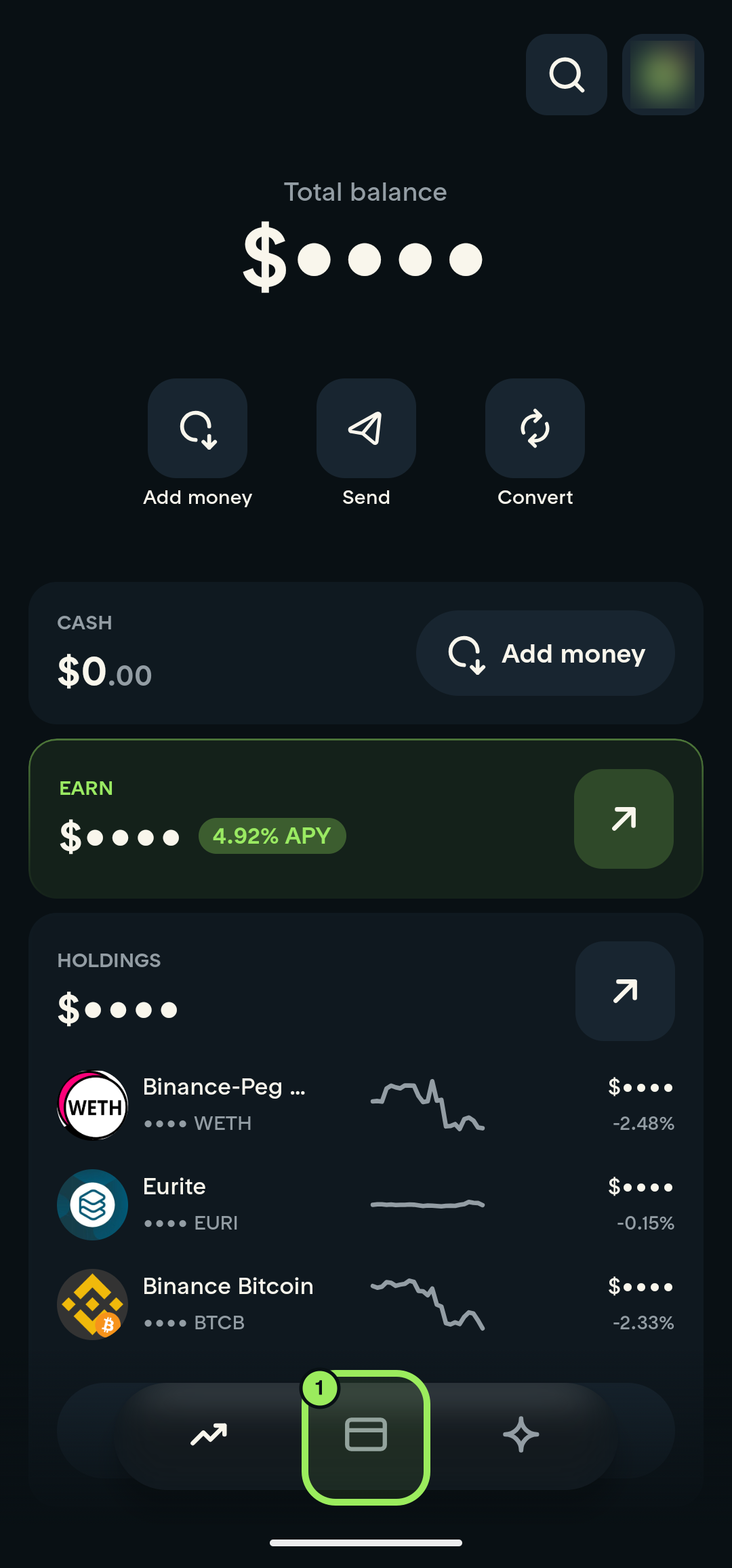
- On the main page, tap the Card tab in the bottom navigation.
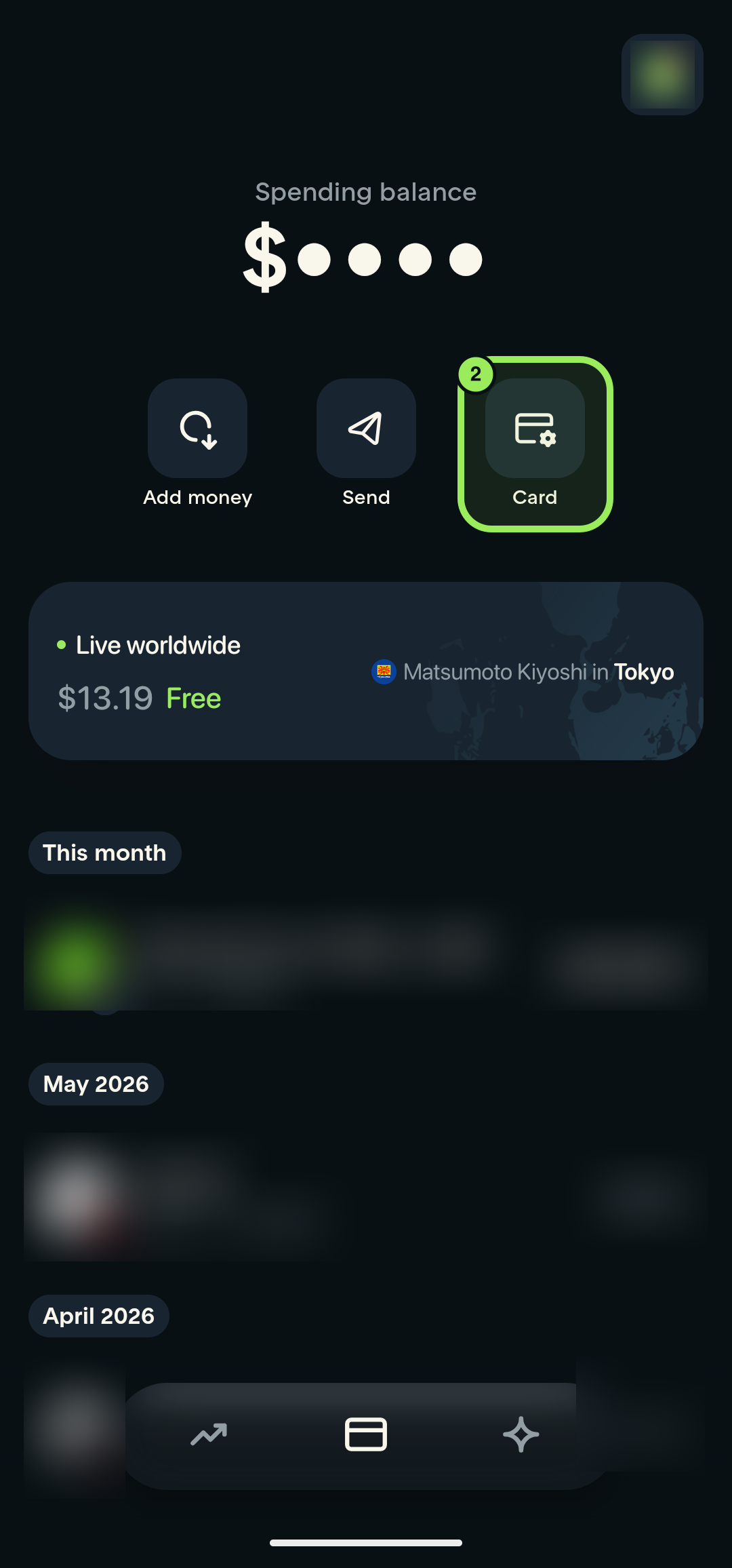
- On the Card page, tap the Card shortcut.
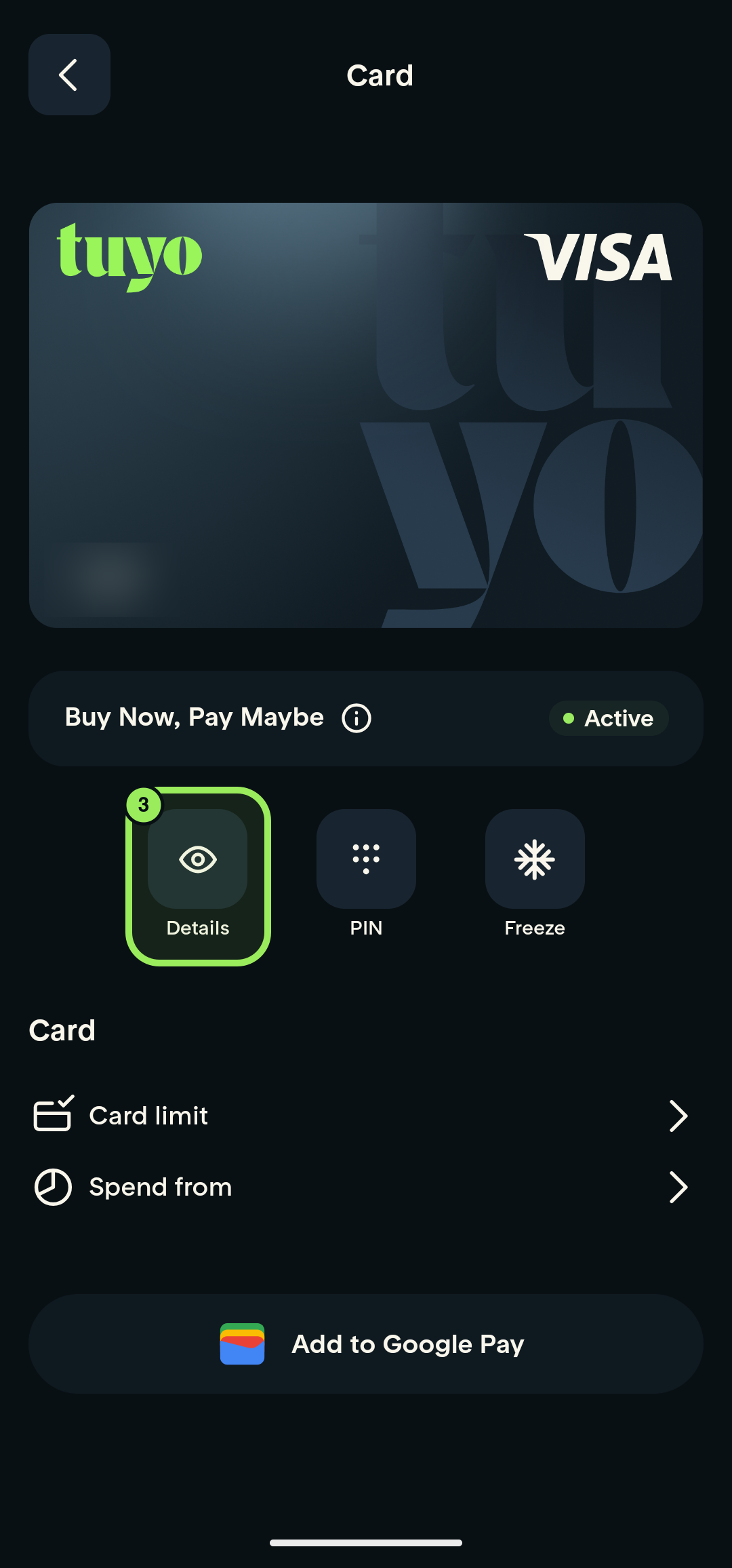
- Tap Details below the card preview, then confirm with your fingerprint or device credential.
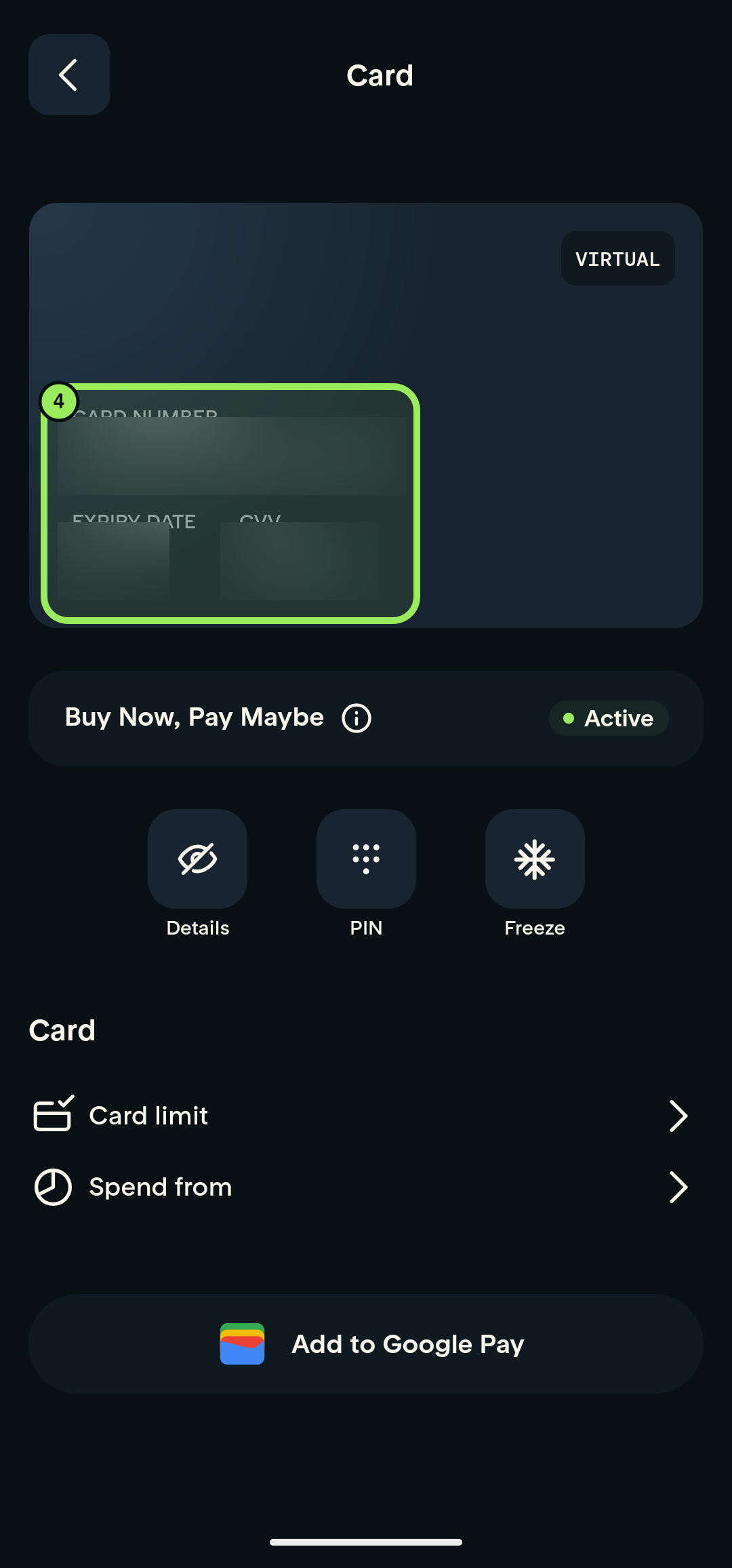
- Your card number, expiry date, and security code appear on the card preview.
Keep your card details private
Never share your full card number, expiry date, or security code, and never include them in a screenshot or support message.
Step-by-step guide
1. Open the Card tab
On the main page, tap the Card icon in the bottom navigation.
2. Open card management
On the Card page, tap the Card shortcut.
3. Open Details
Below the card preview, tap Details, then confirm the request with your fingerprint or device credential.
4. Read your card details
After authentication, the card preview shows your card number, expiry date, and security code. The sensitive values are censored in this guide.
Keep your card details private
Never send these details to anyone or include them in a screenshot. Close the card-details view when you are finished.