
Show your signer mnemonic
Use the account security settings to find the control that reveals your signer mnemonic.
Quick text guide
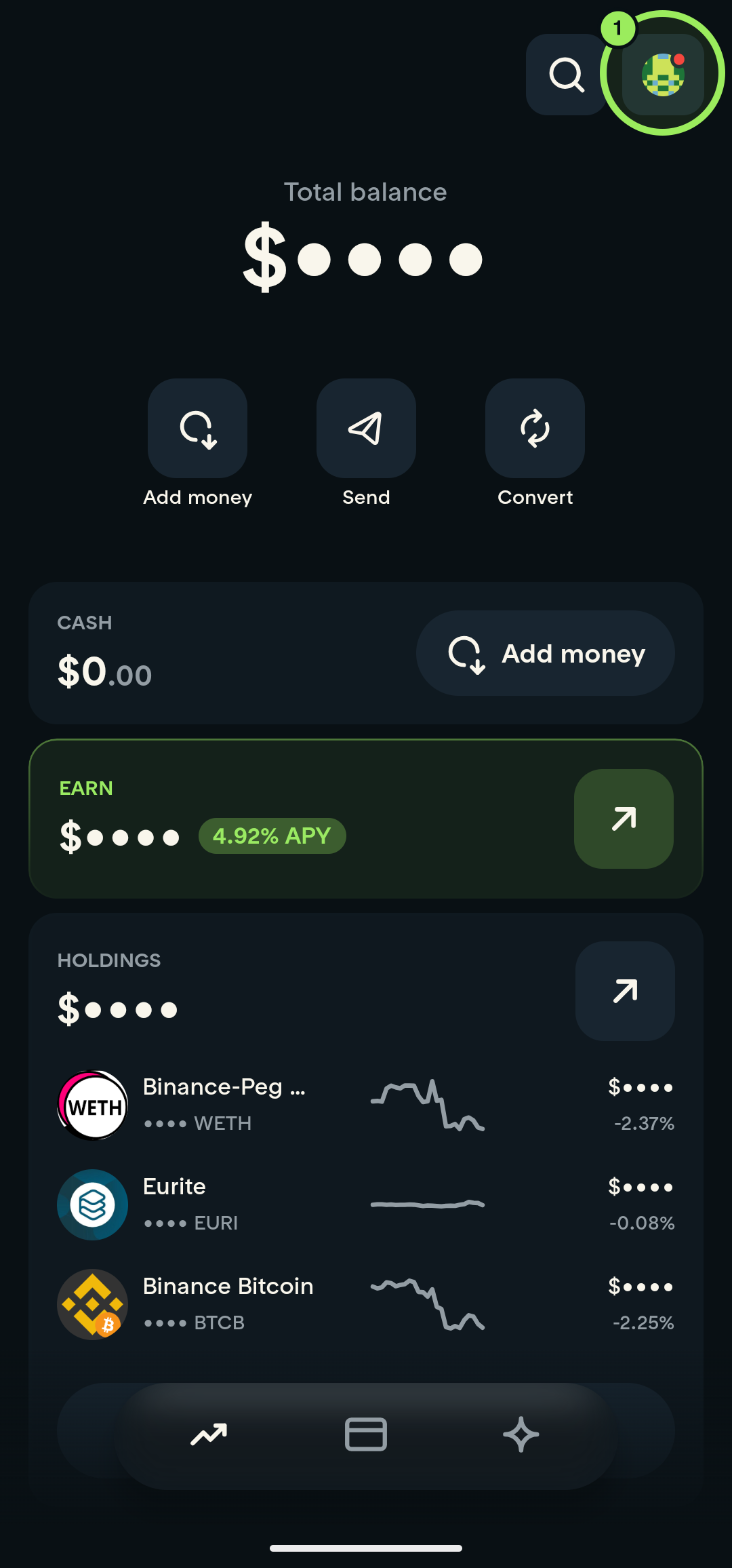
- On the main page, tap your profile picture in the top-right corner.
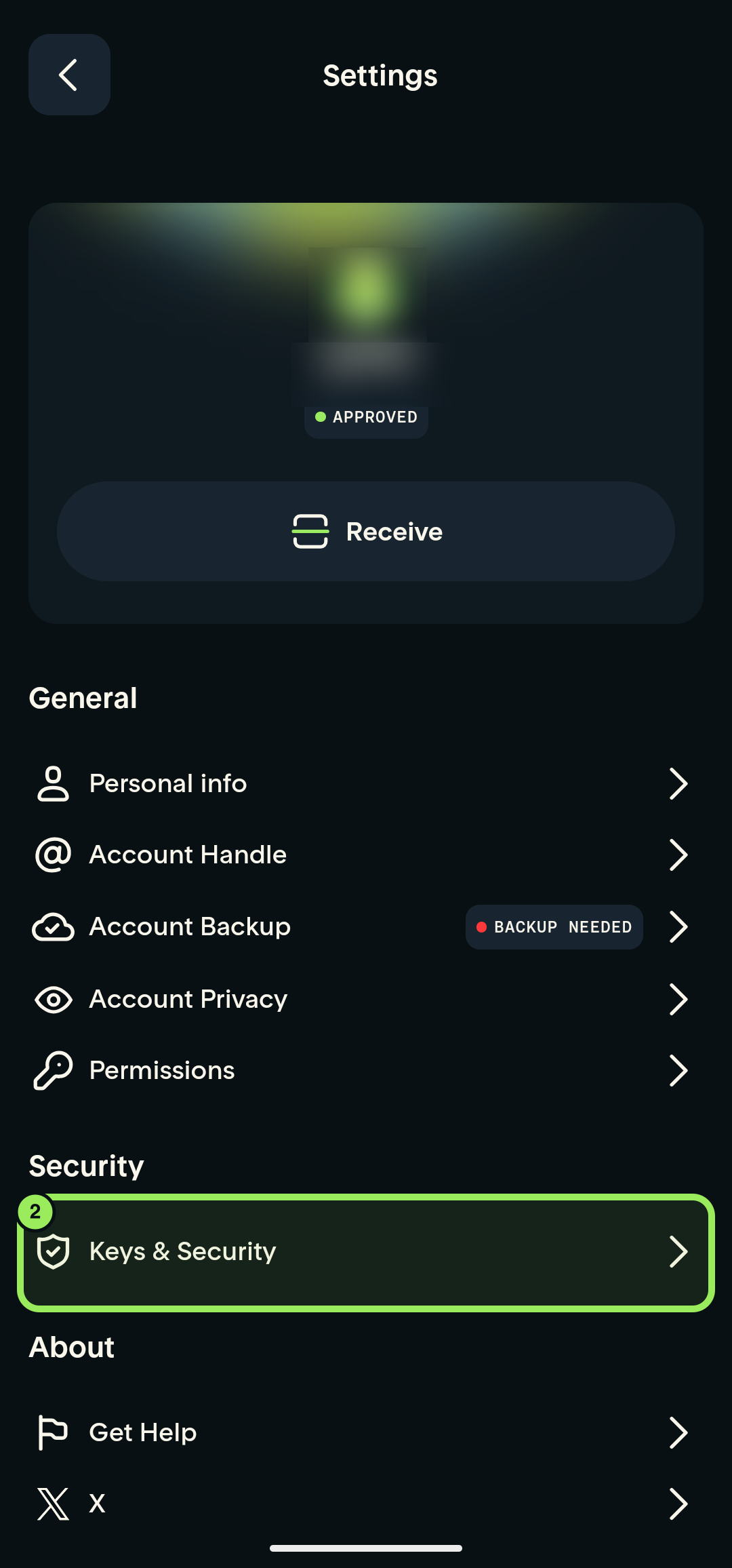
- Under Security, tap Keys & Security.
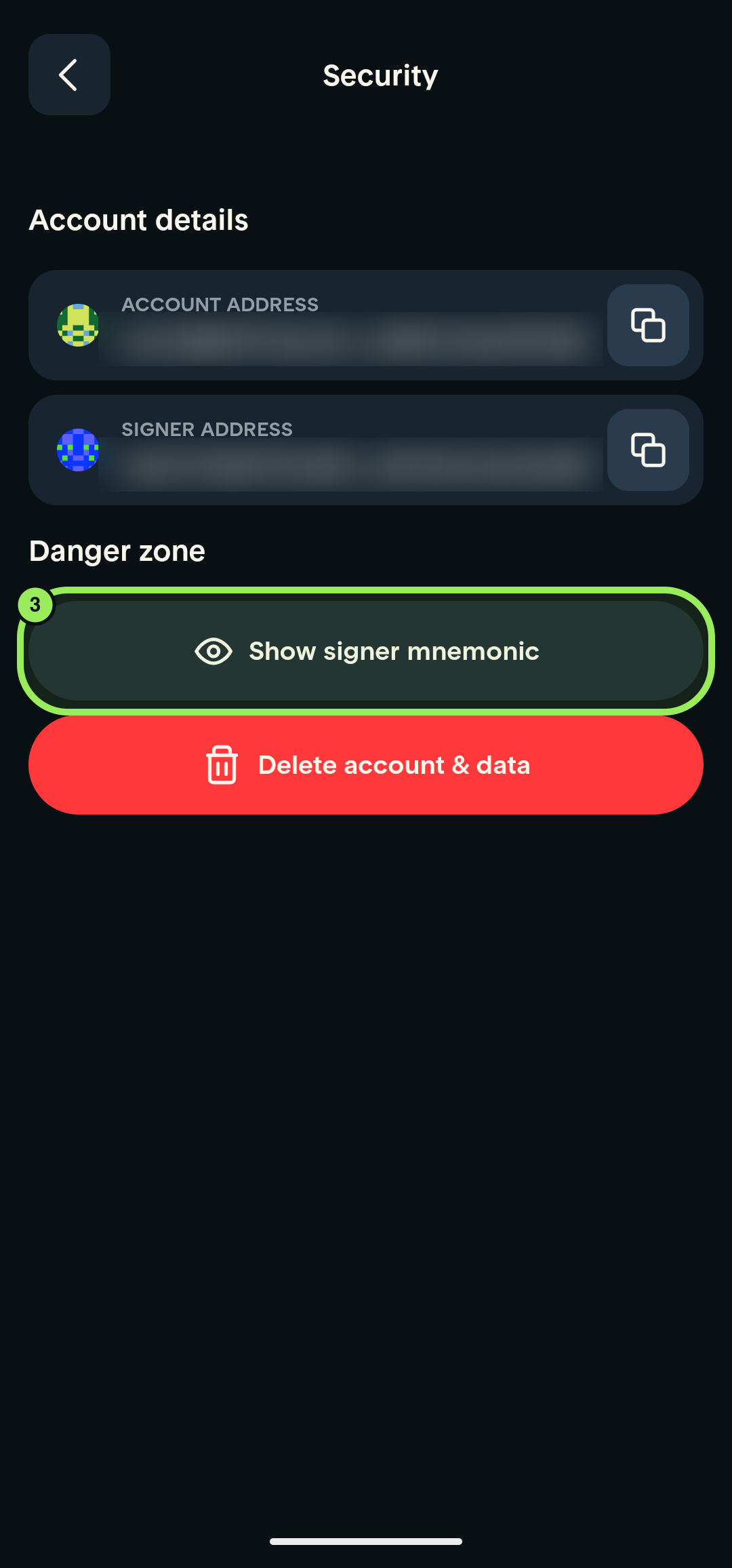
- Under Danger zone, tap Show signer mnemonic.
Keep your mnemonic private
Your signer mnemonic controls access to your account. Never send it to anyone or include it in a screenshot.
Step-by-step guide
1. Open your account
On the main page, tap your profile picture in the top-right corner.
2. Open Keys & Security
On the Settings page, scroll to the Security section and tap Keys & Security.
3. Show signer mnemonic
On the Security page, find Danger zone and tap Show signer mnemonic.
Keep your mnemonic private
Your signer mnemonic controls access to your account. Never send it to anyone or include it in a screenshot.
Understand your wallet
Your recovery phrase and smart-account address explains why another wallet may show a different address and what independent access requires.