
Import your Tuyo wallet with a recovery phrase
Recover an existing Tuyo account by entering its recovery phrase in the Tuyo app.
Quick text guide
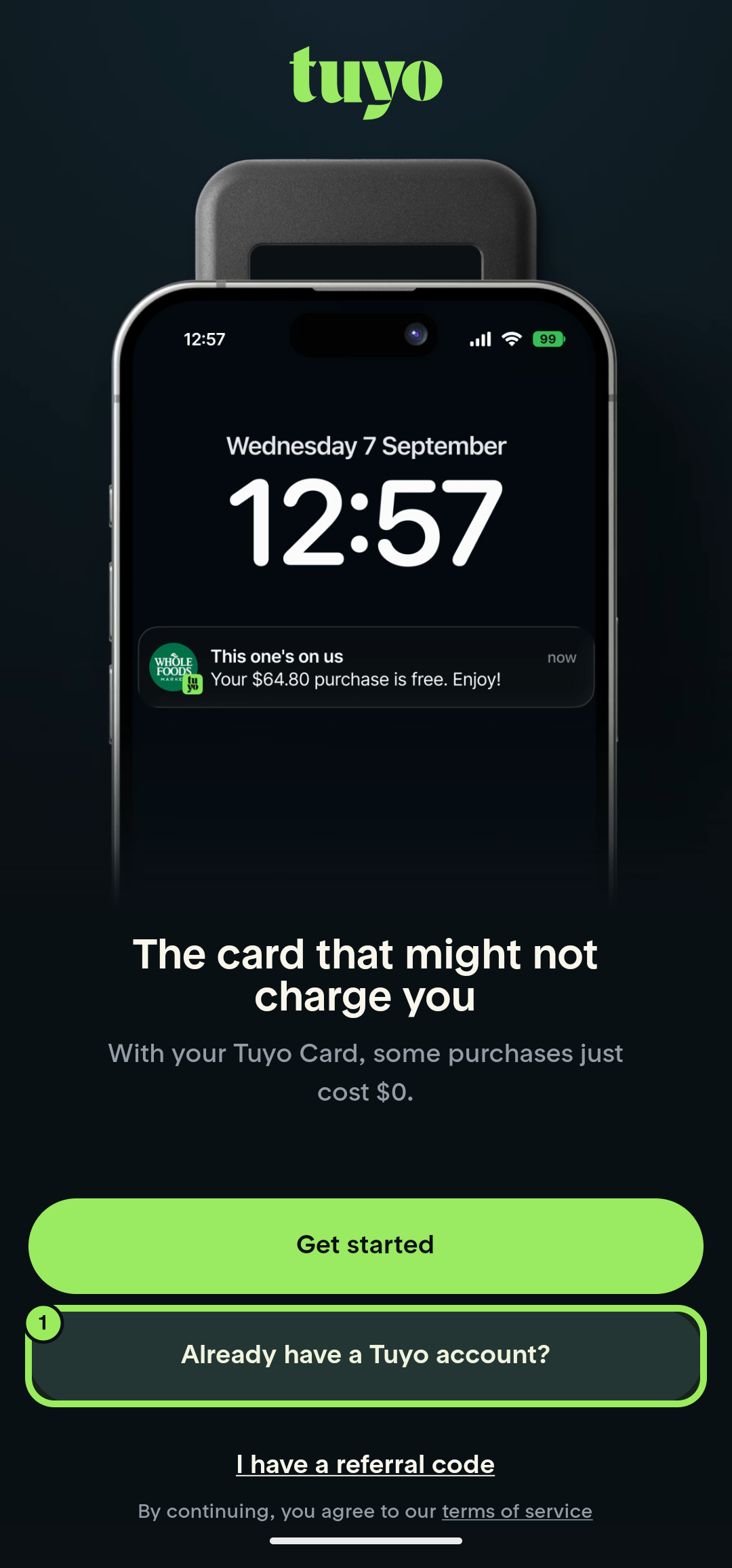
- On the Tuyo welcome page, tap Already have a Tuyo account?
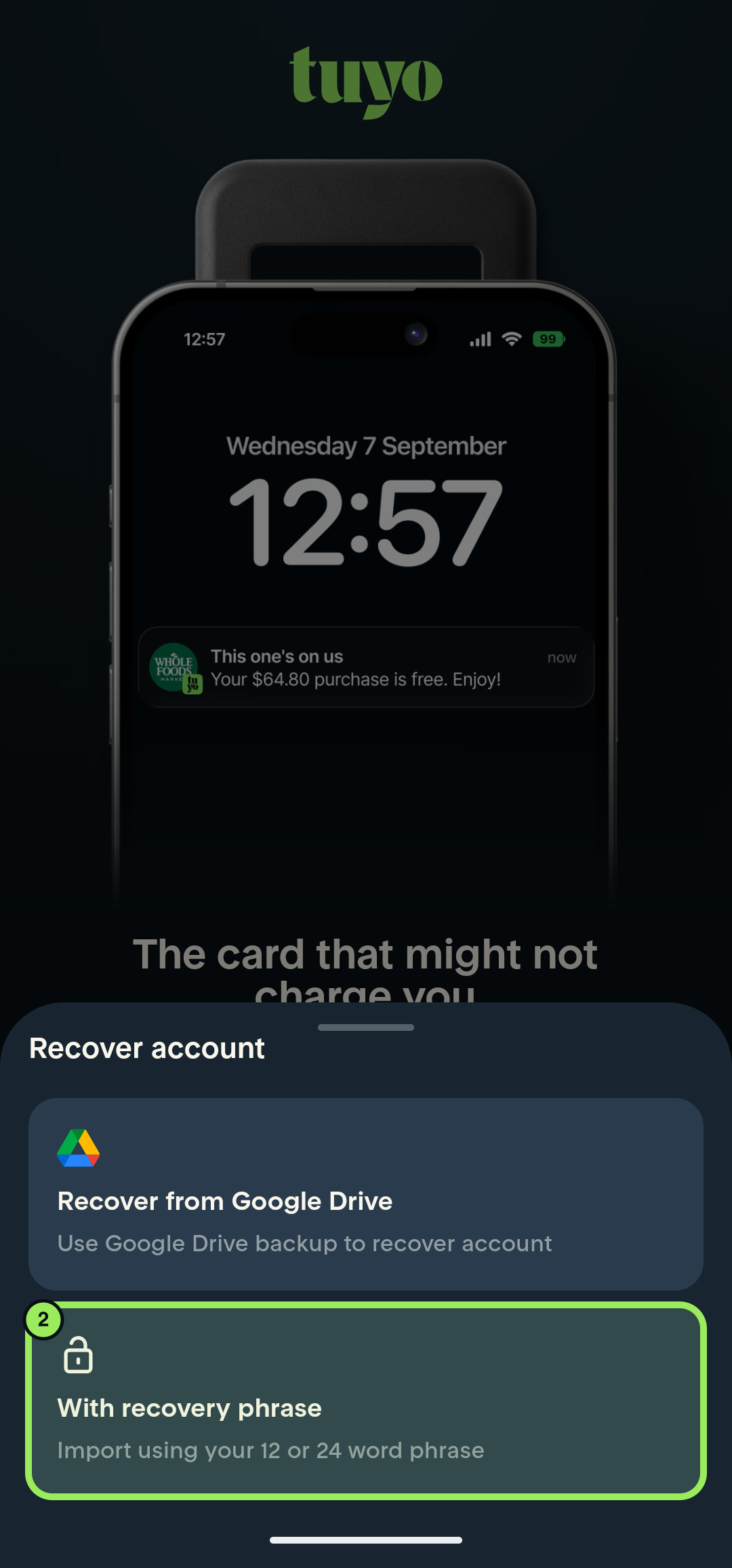
- Select With recovery phrase.
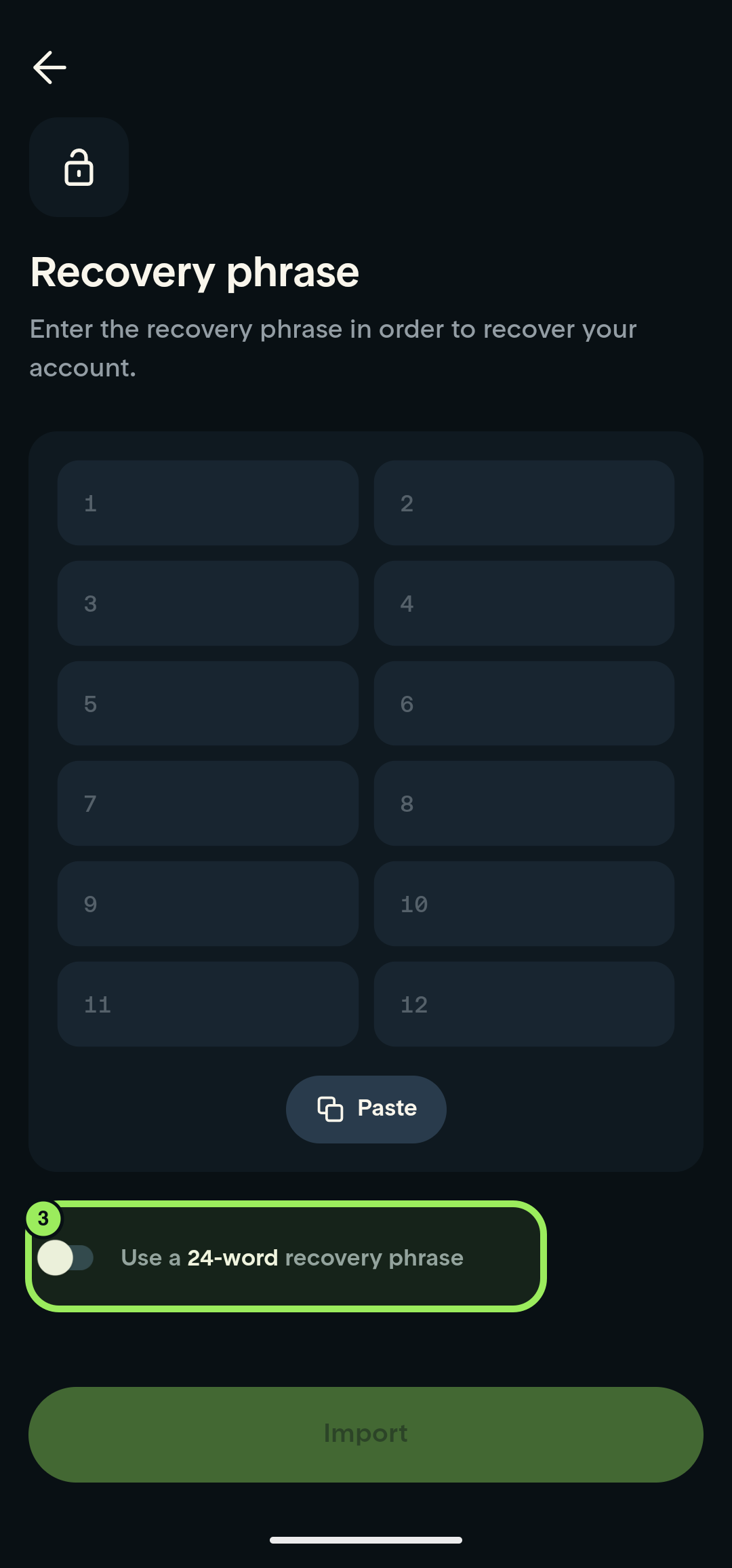
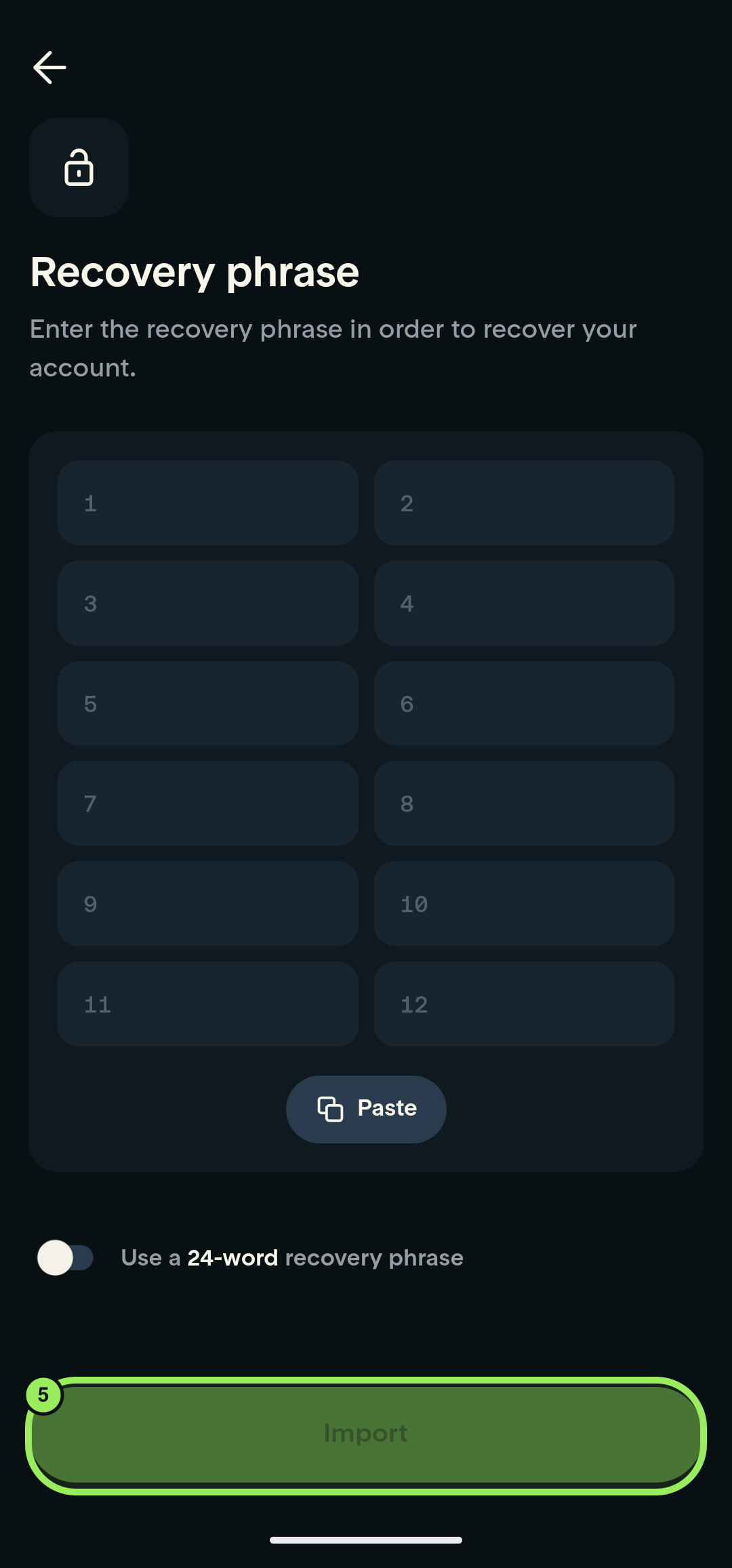
- If your phrase contains 24 words, turn on Use a 24-word recovery phrase. Leave it off for a 12-word phrase.
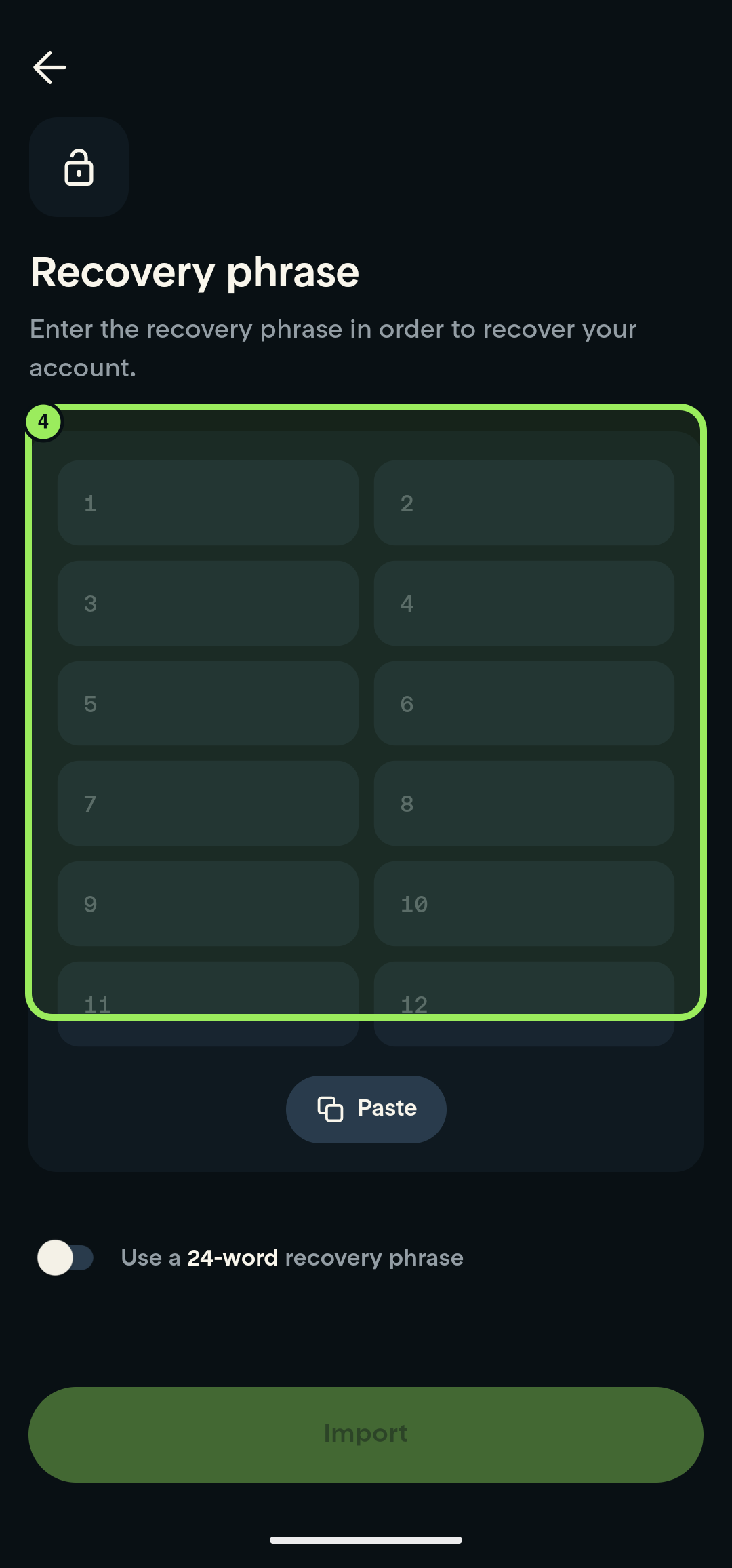
- Enter every recovery word in the numbered fields, in the original order.
- Tap Import.
Keep your recovery phrase private
Anyone with your recovery phrase may be able to control your wallet. For this recovery flow, enter it in the official Tuyo app. Independent access requires verified software and private local signing; see the explanation below. Never send it to support, paste it into a chat, or include it in a screenshot.
Step-by-step guide
1. Open account recovery
On the Tuyo welcome page, tap Already have a Tuyo account?
2. Choose recovery phrase
Select With recovery phrase.
3. Choose the phrase length
If your recovery phrase contains 24 words, turn on Use a 24-word recovery phrase. Leave the switch off for 12 words.
4. Enter the recovery phrase
Enter each word in its numbered field, in the original order.
5. Import the wallet
After every word is entered, tap Import.
Understand your wallet
Your recovery phrase and smart-account address explains why another wallet may show a different address and what independent access requires.