
Delete your Tuyo account
Use Tuyo's security settings to permanently delete your account and account data.
Quick text guide
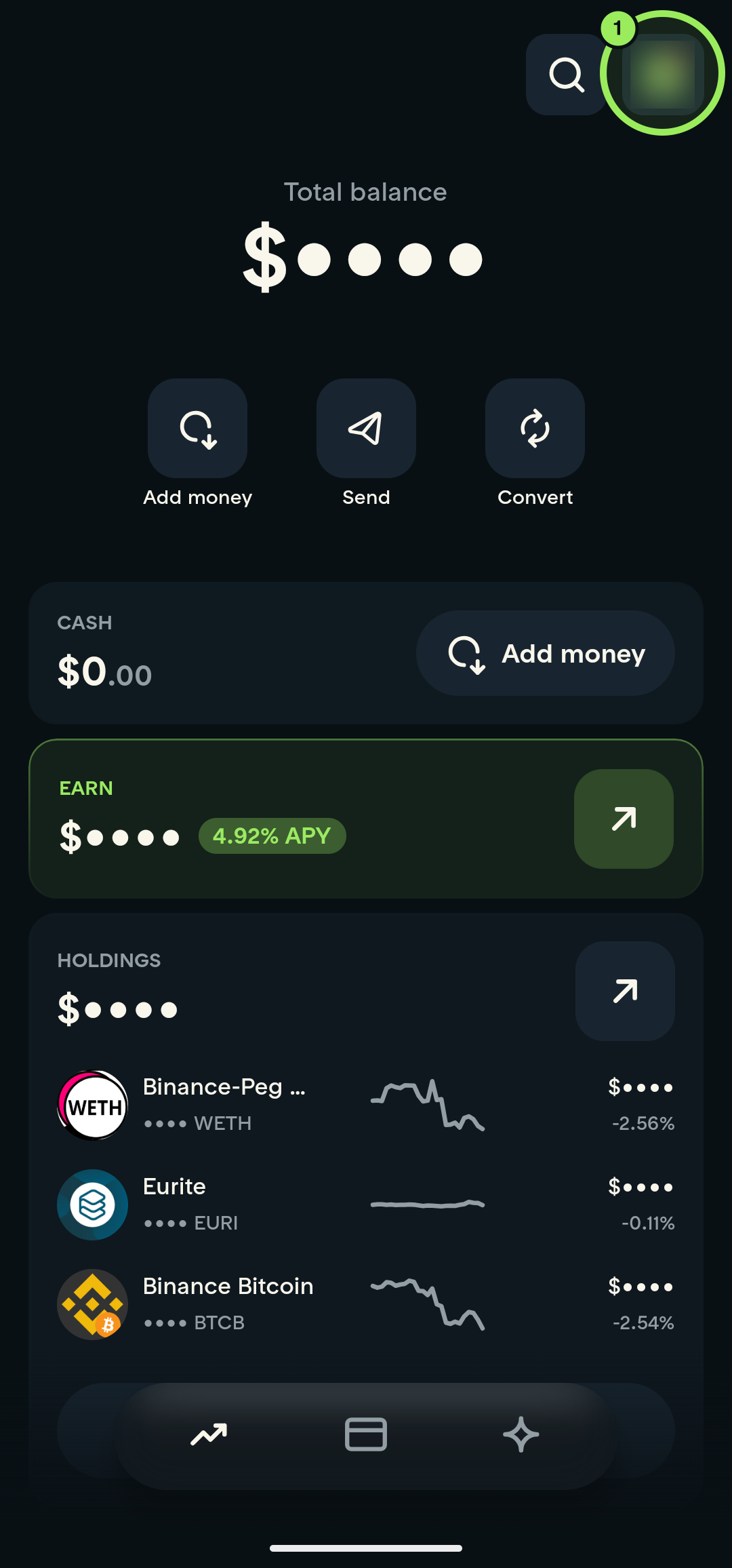
- On the main page, tap your profile picture in the top-right corner.
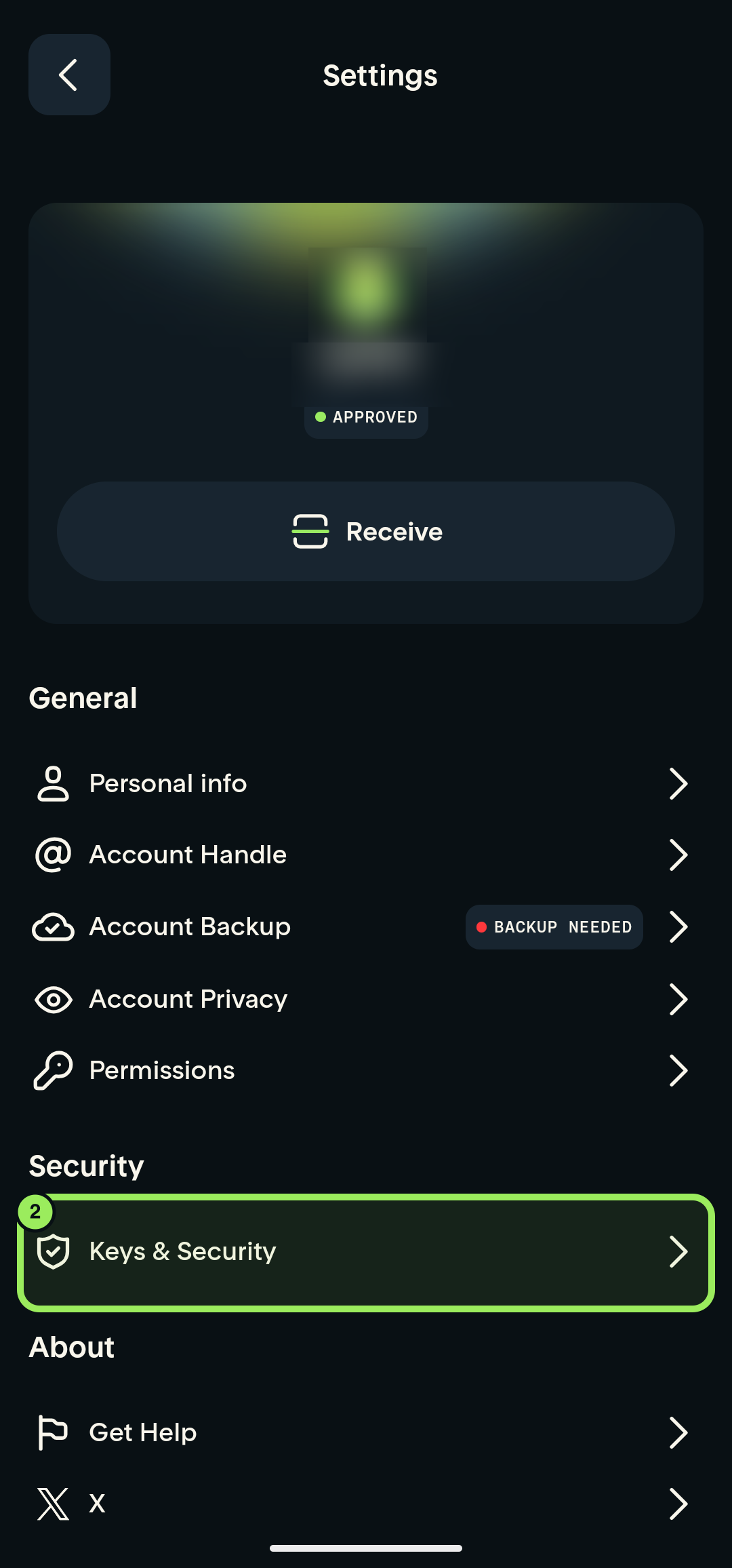
- Under Security, tap Keys & Security.
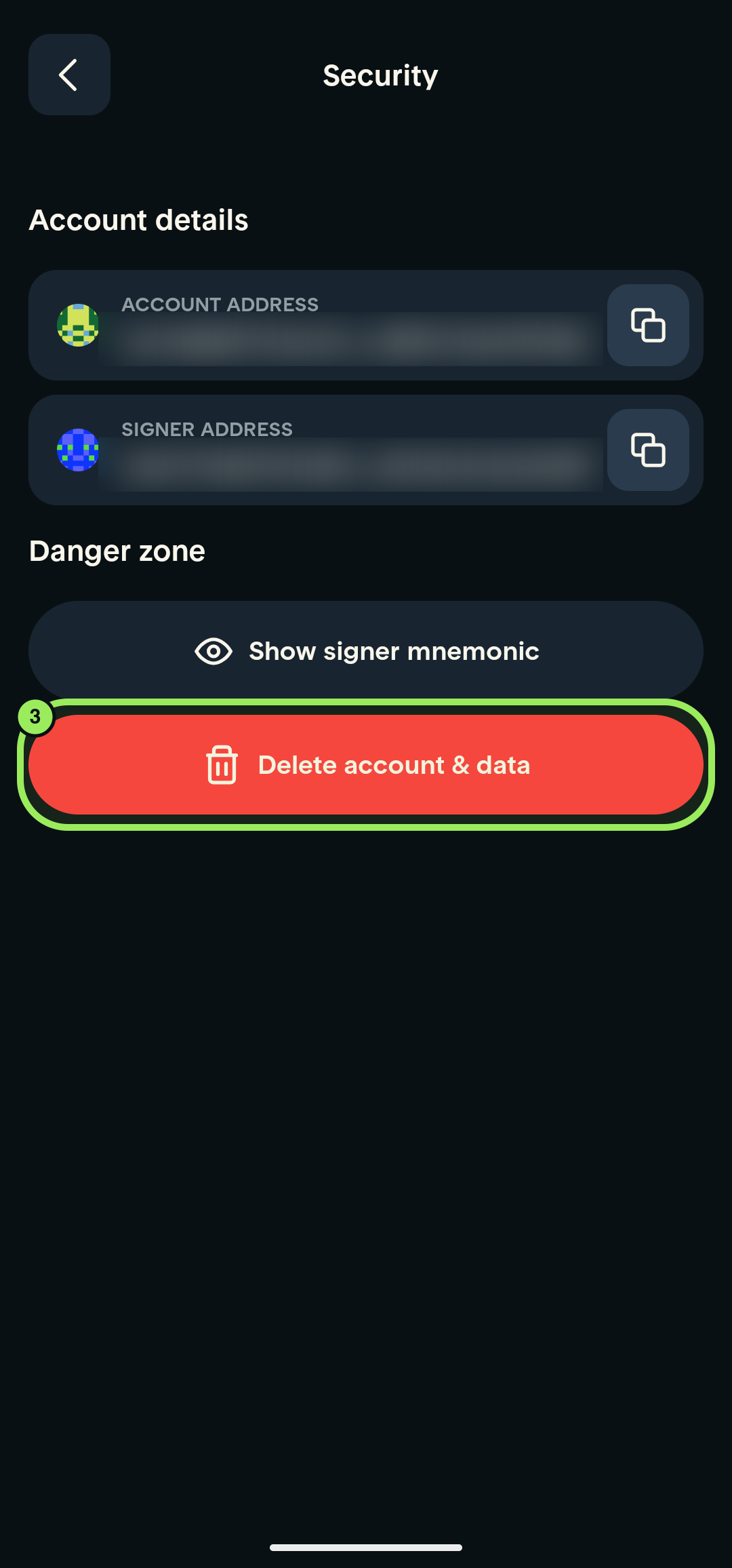
- Under Danger zone, tap Delete account & data only when you are ready to delete the account permanently.
Deletion is permanent
Deleting your account and data is irreversible. You may lose access permanently and may not be able to register again with Tuyo's providers.
Step-by-step guide
1. Open your account
On the main page, tap your profile picture in the top-right corner.
2. Open Keys & Security
On the Settings page, scroll to the Security section and tap Keys & Security.
3. Delete the account and data
Under Danger zone, tap Delete account & data only if you intend to delete the account permanently. Carefully review any information shown by the app before continuing.
This action cannot be undone
Do not delete your account unless you intend to permanently remove it. You may not be able to recover access or register again with Tuyo's providers.