
Reveal your card PIN
Use card management to reveal your current Tuyo card PIN briefly.
Quick text guide
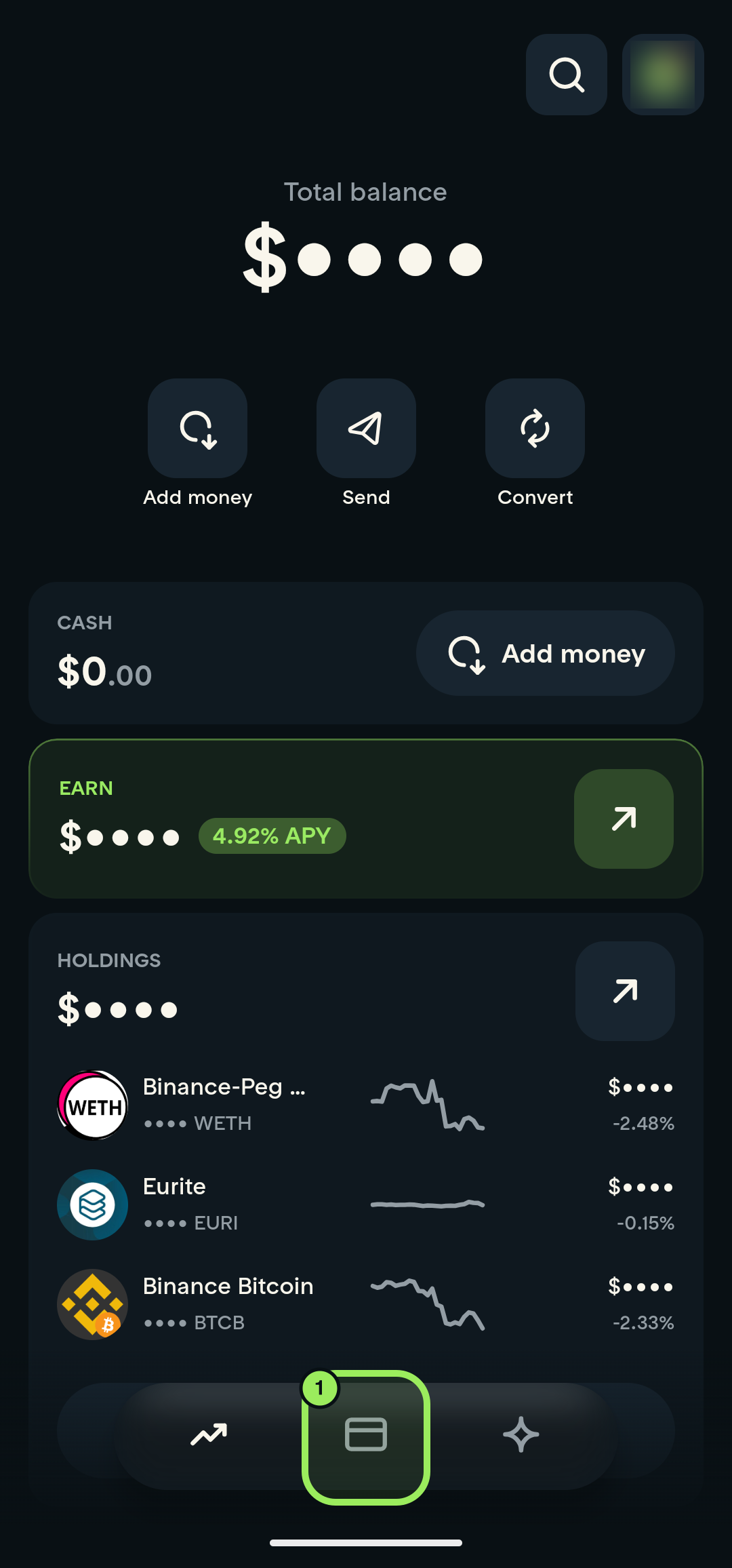
- On the main page, tap the Card tab in the bottom navigation.
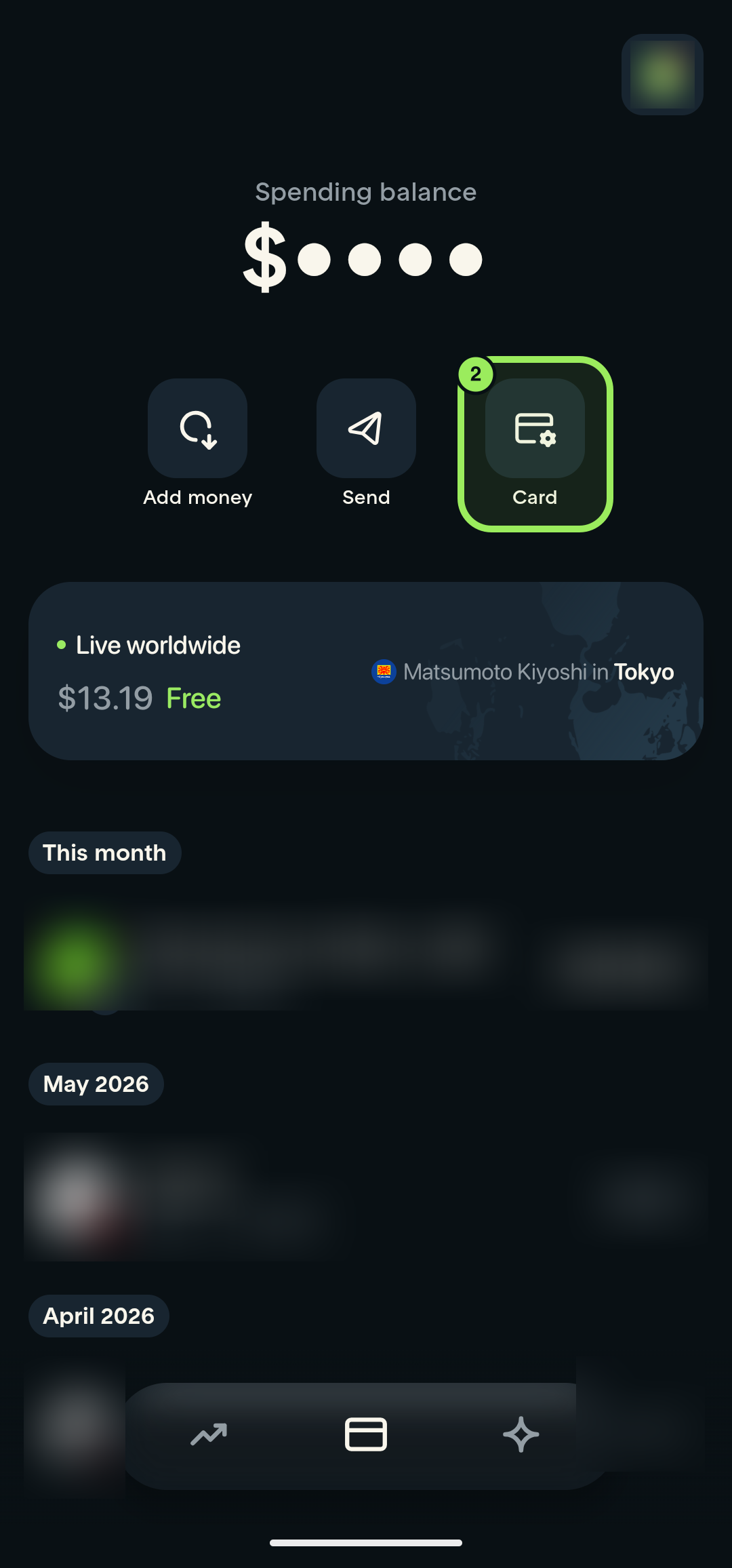
- On the Card page, tap the Card shortcut.
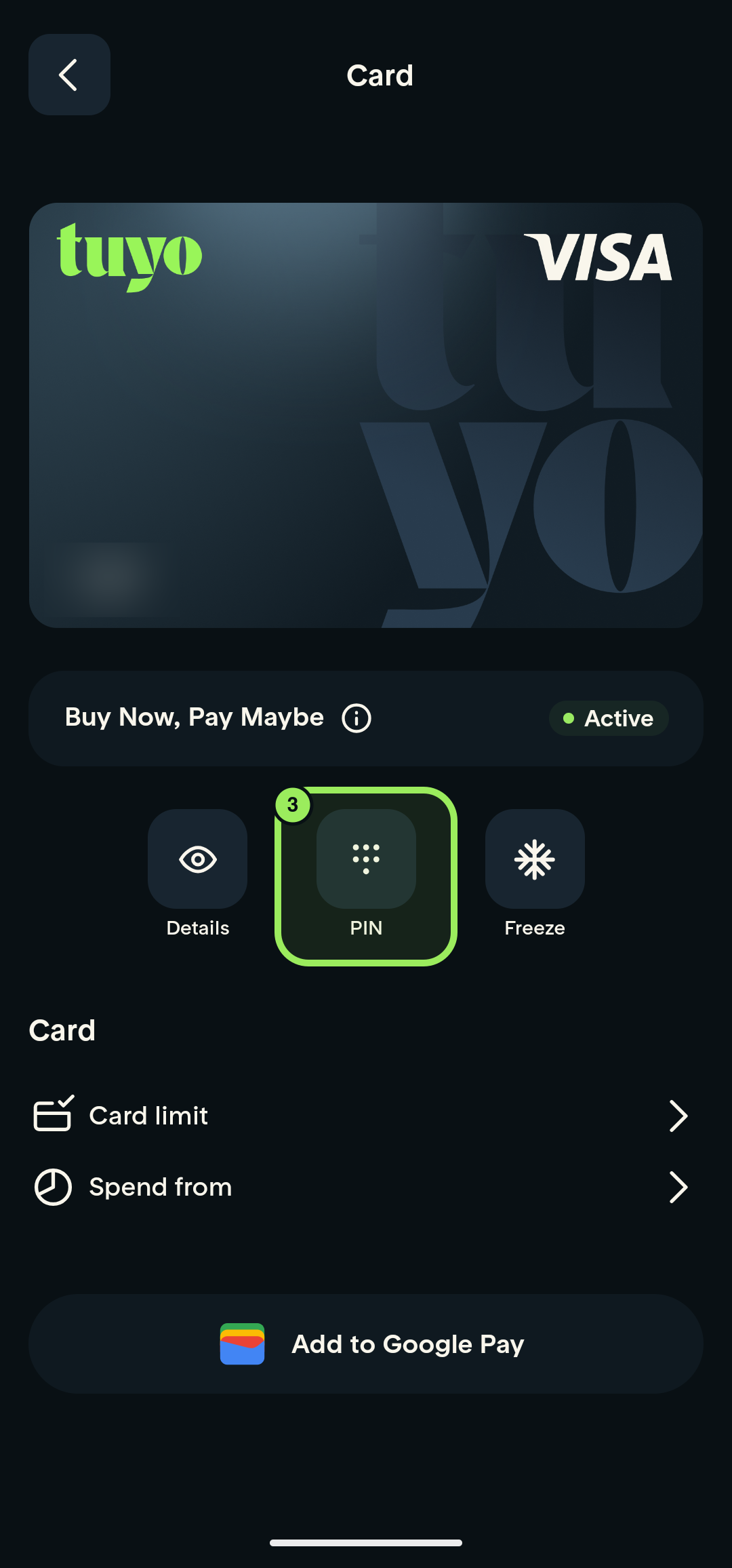
- Tap PIN below the card preview.
- Tap the eye icon beside the masked PIN and authenticate with your fingerprint or device credential.
- Read the PIN promptly; it remains visible for three seconds.
Keep your PIN private
Never share your PIN or include it in a screenshot or support message. Shield the screen while the PIN is visible.
Step-by-step guide
1. Open the Card tab
On the main page, tap the Card icon in the bottom navigation.
2. Open card management
On the Card page, tap the Card shortcut.
3. Open PIN
Below the card preview, tap PIN.
4. Reveal your PIN
Tap the eye icon beside the masked PIN, then confirm with your fingerprint or device credential.
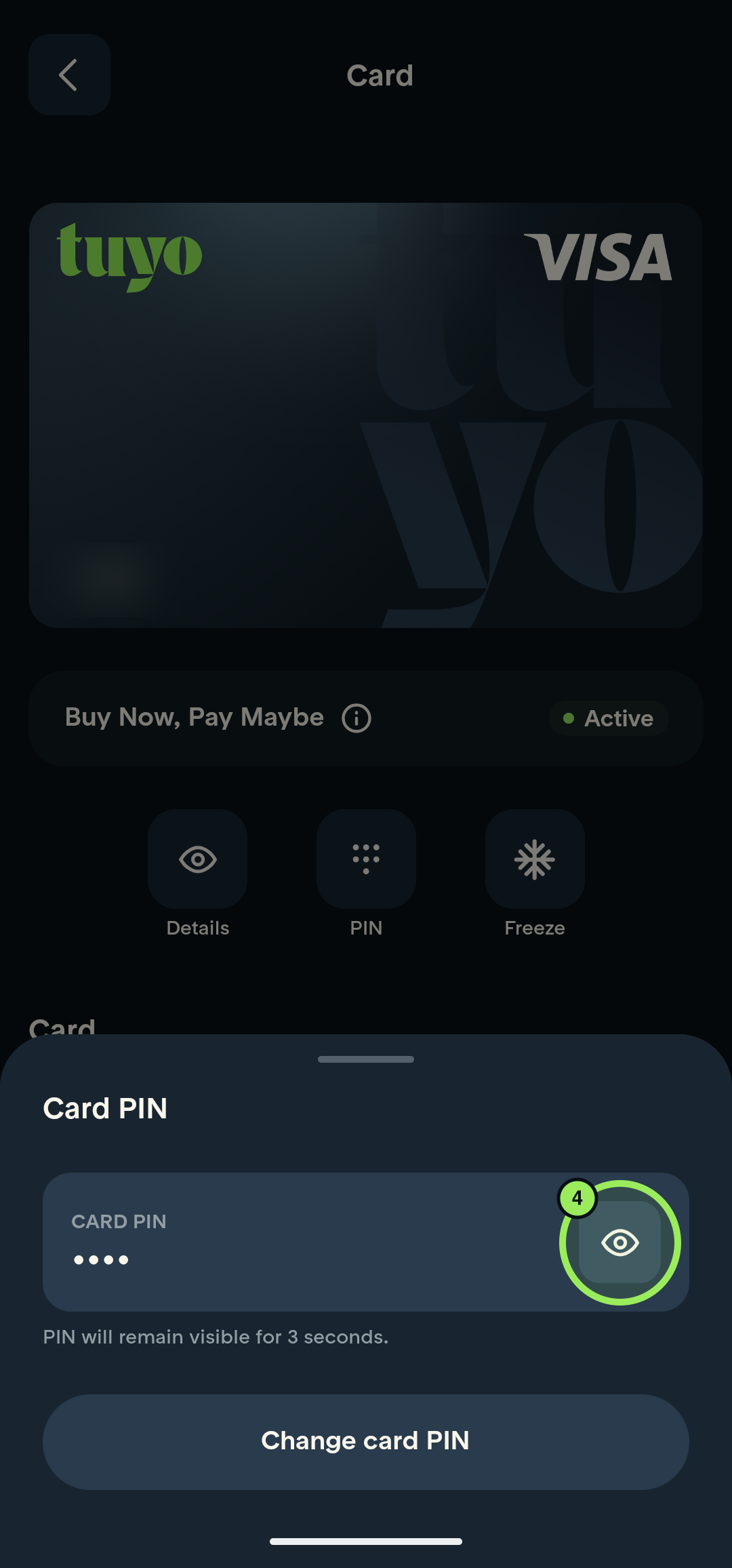
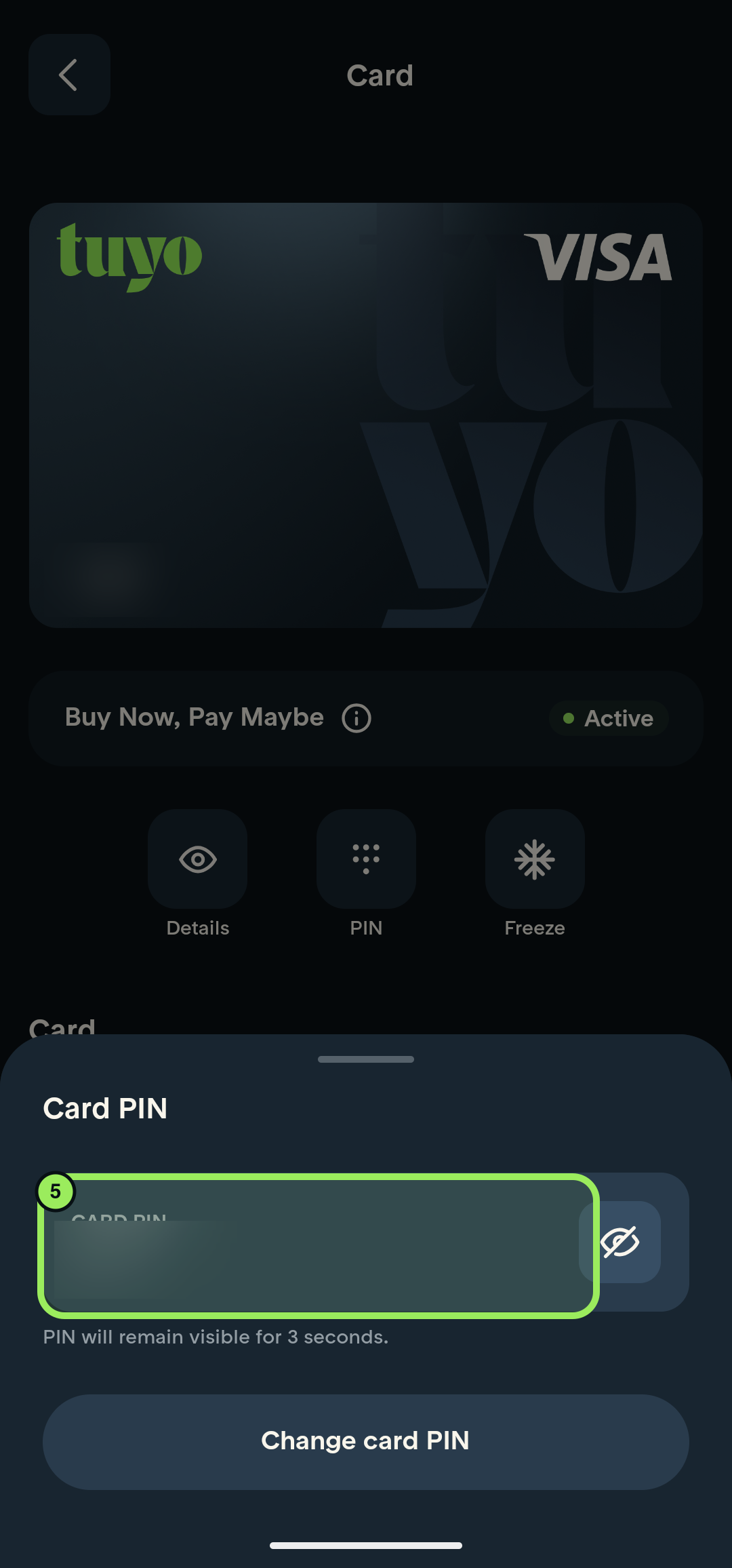
5. Read your PIN
Your PIN remains visible for three seconds. The revealed value is censored in this guide.
Keep your PIN private
Never send your PIN to anyone or store it in an unprotected note or screenshot.