Convert funds to USDC on Base
Convert a token from Holdings into USDC on Base so it can be moved into the balance used by Tuyo Card.
Quick text guide
- On the main page, tap Convert.
- Tap the source token at the top of the Convert page.
- Select the token you want to convert under Holdings.
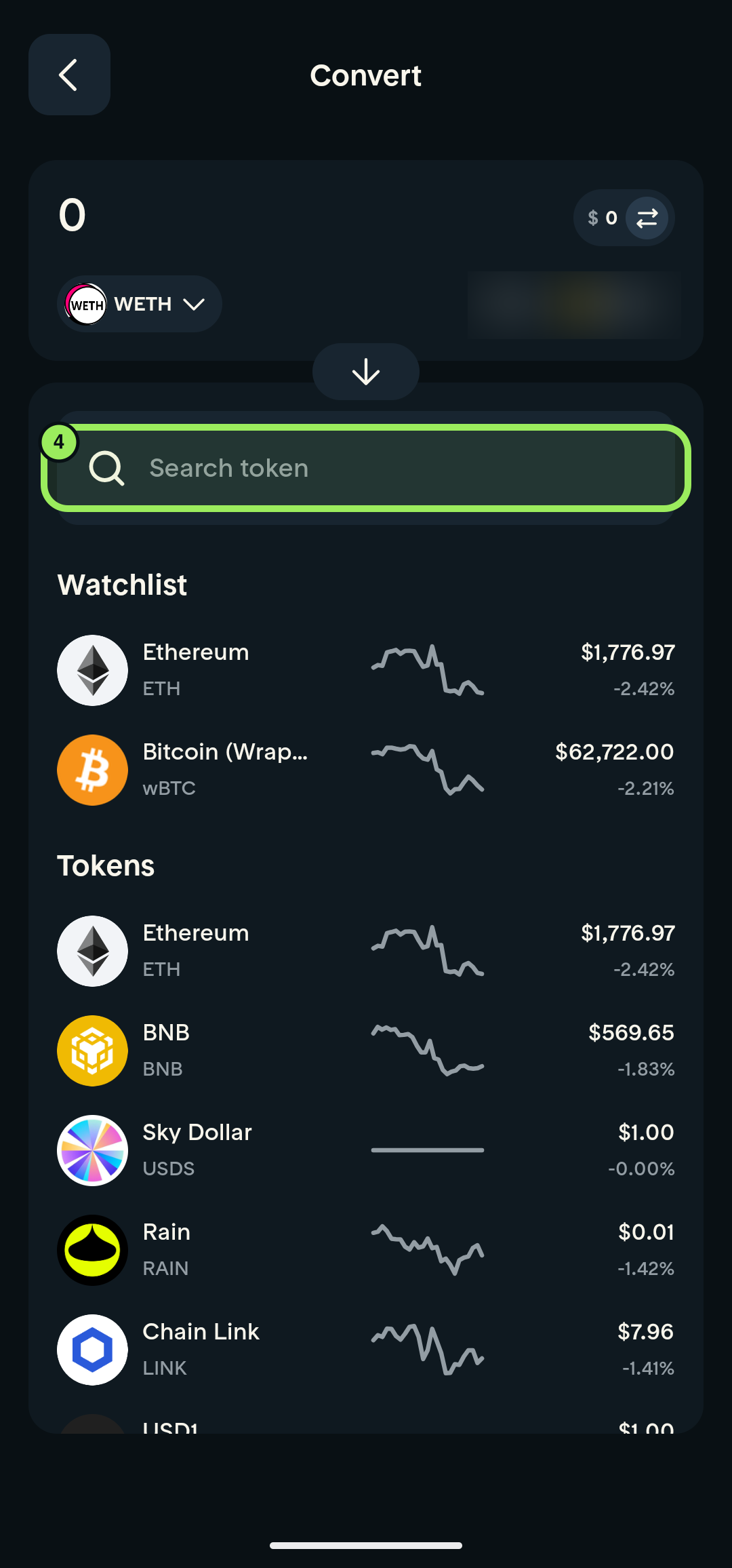
- Tap Search token in the destination section.
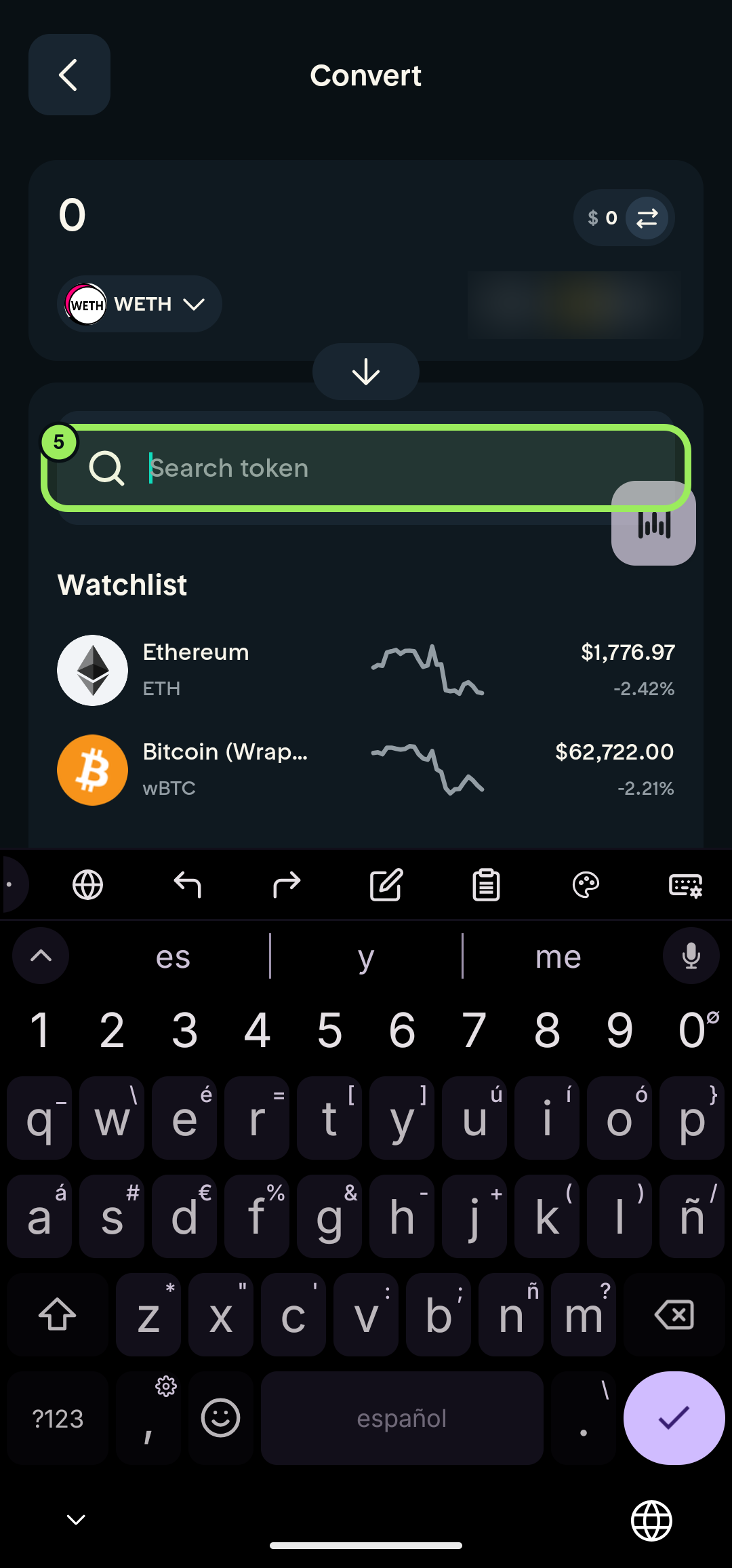
- Enter USDC.
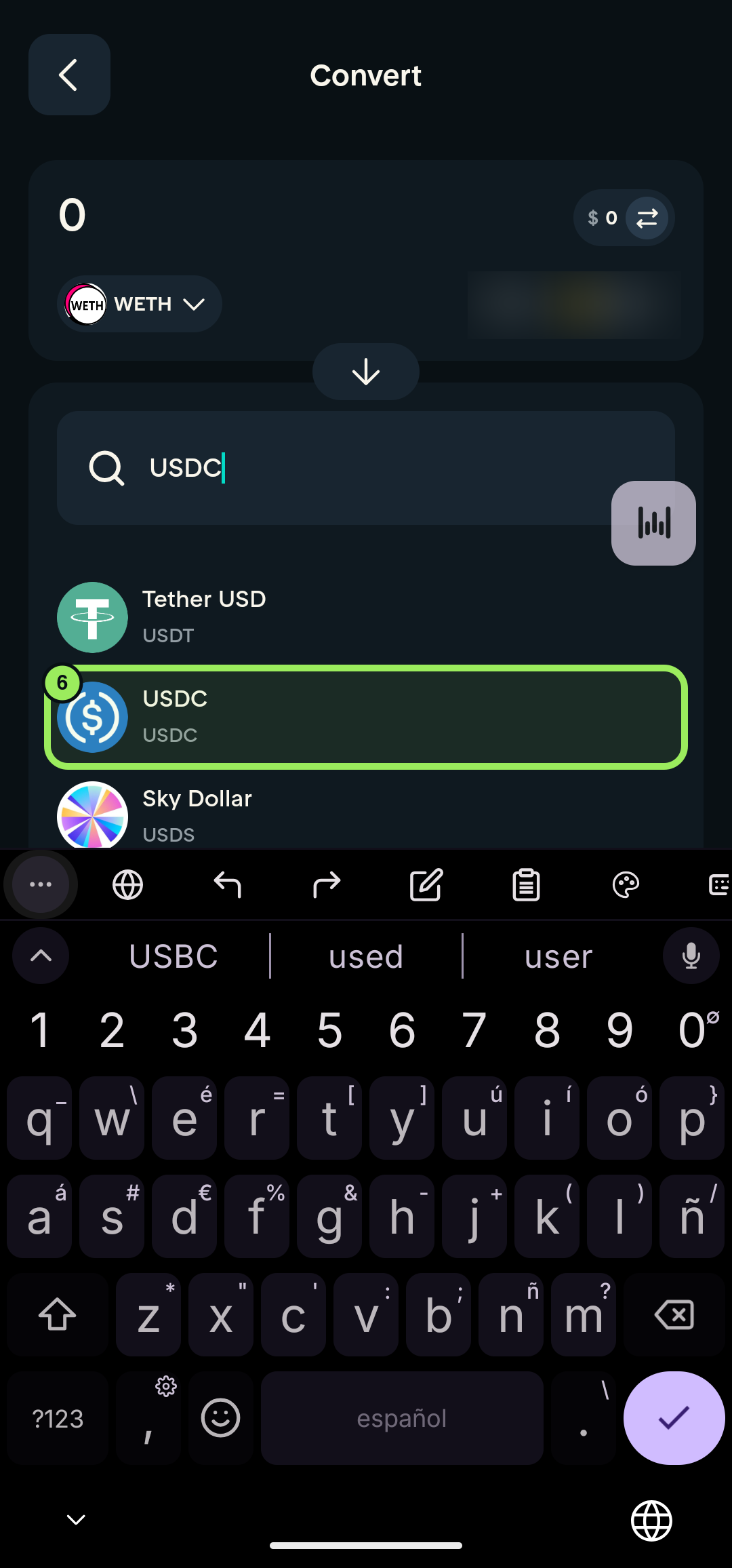
- Select USDC from the results.
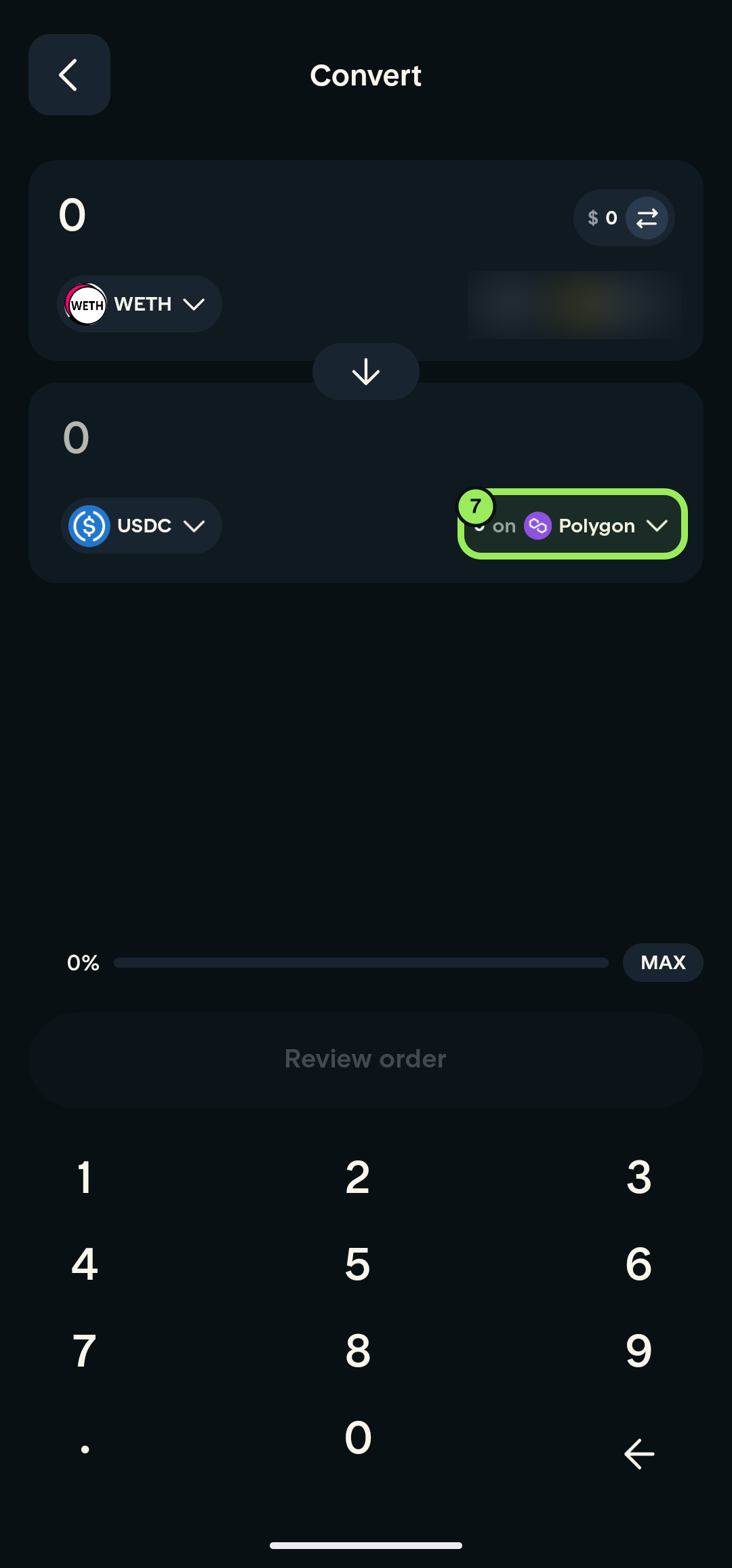
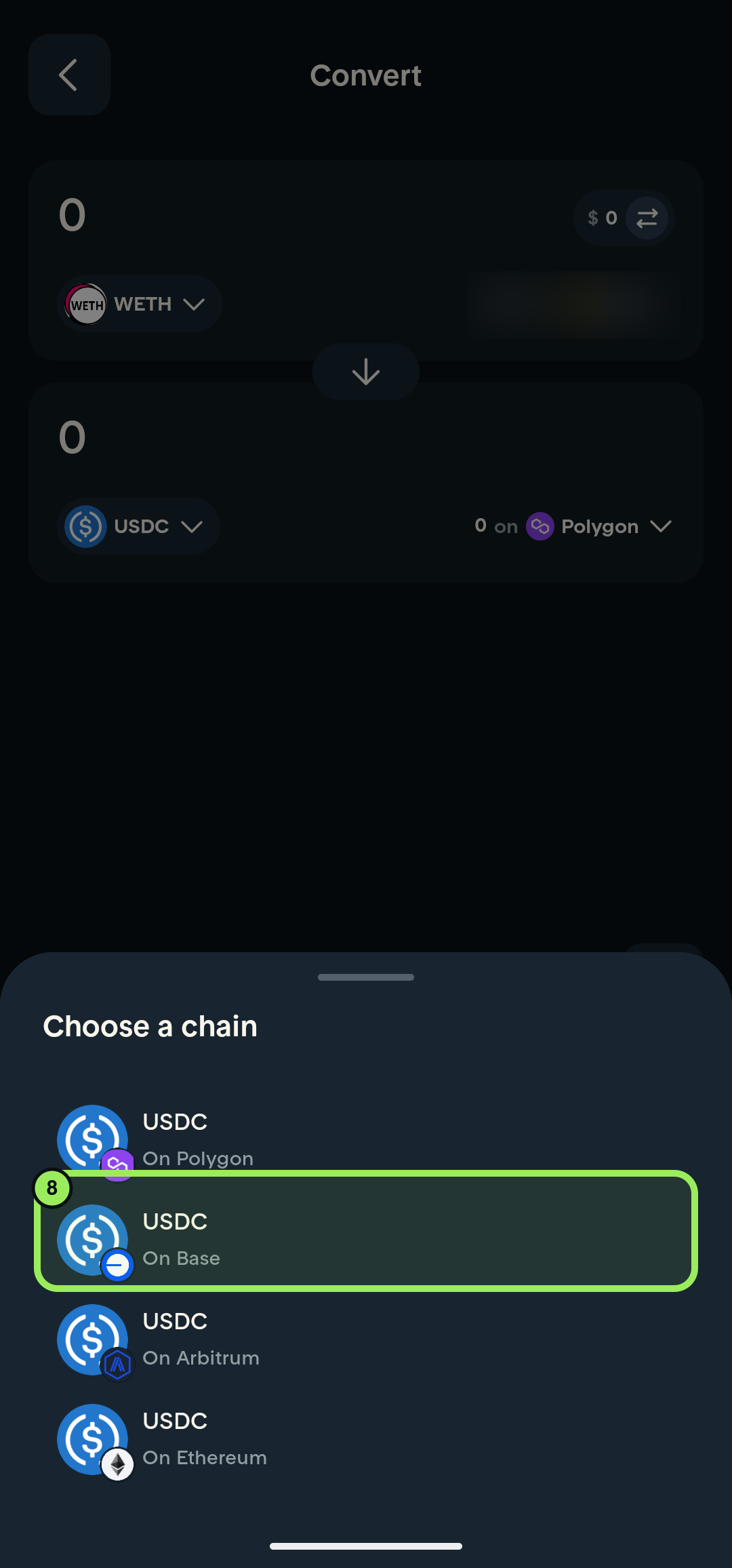
- Tap the chain shown beside the destination USDC.
- Select USDC — On Base.
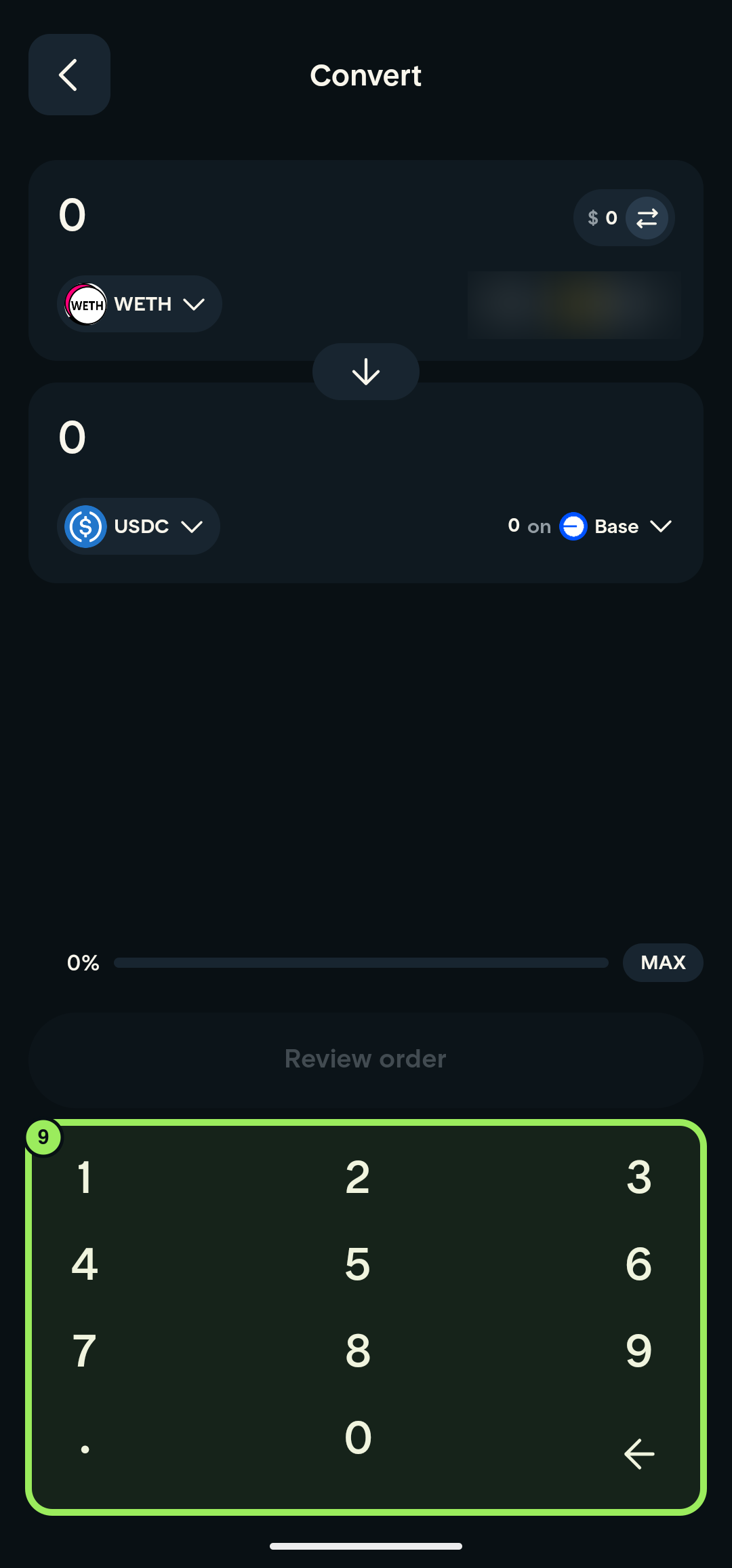
- Enter the amount you want to convert.
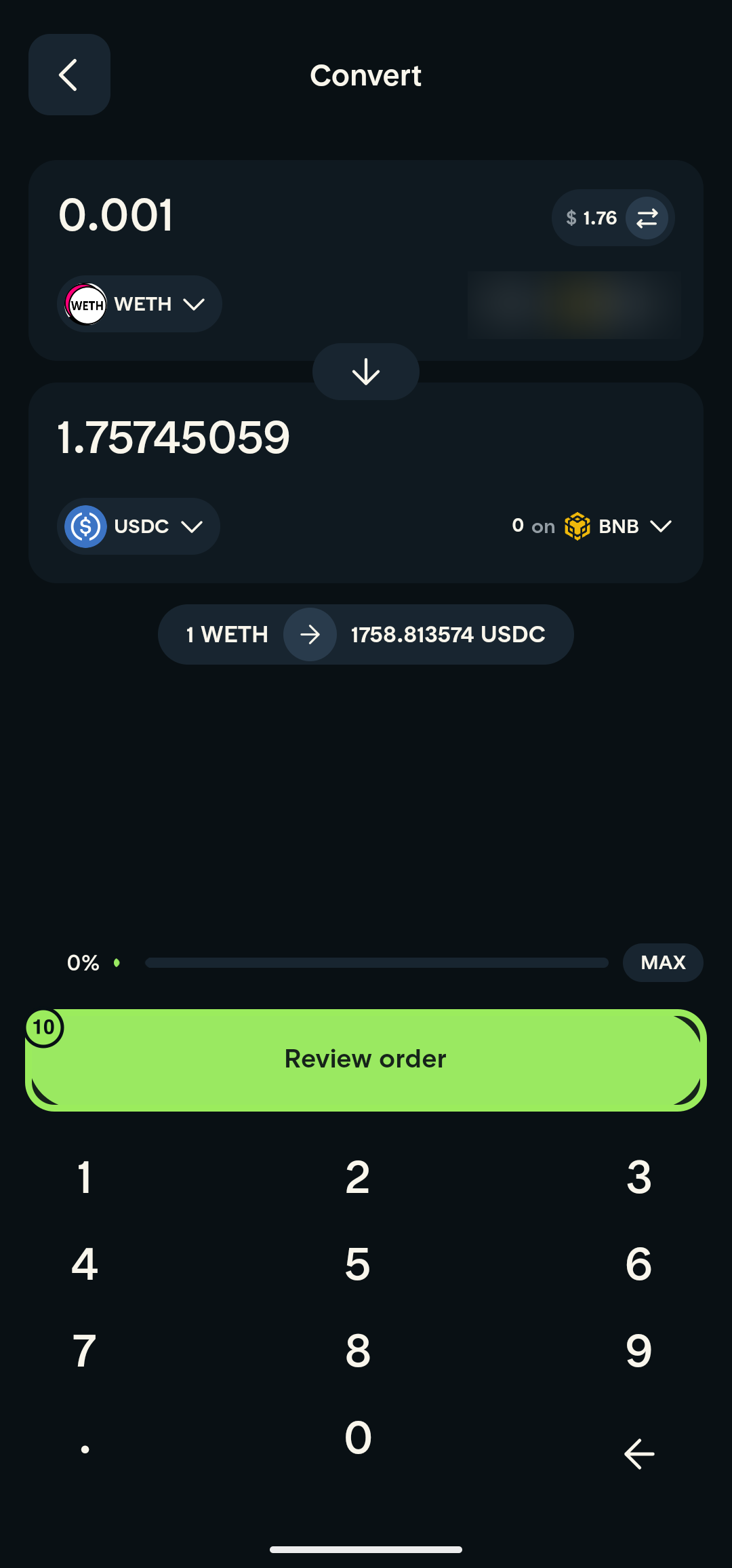
- Tap Review order.
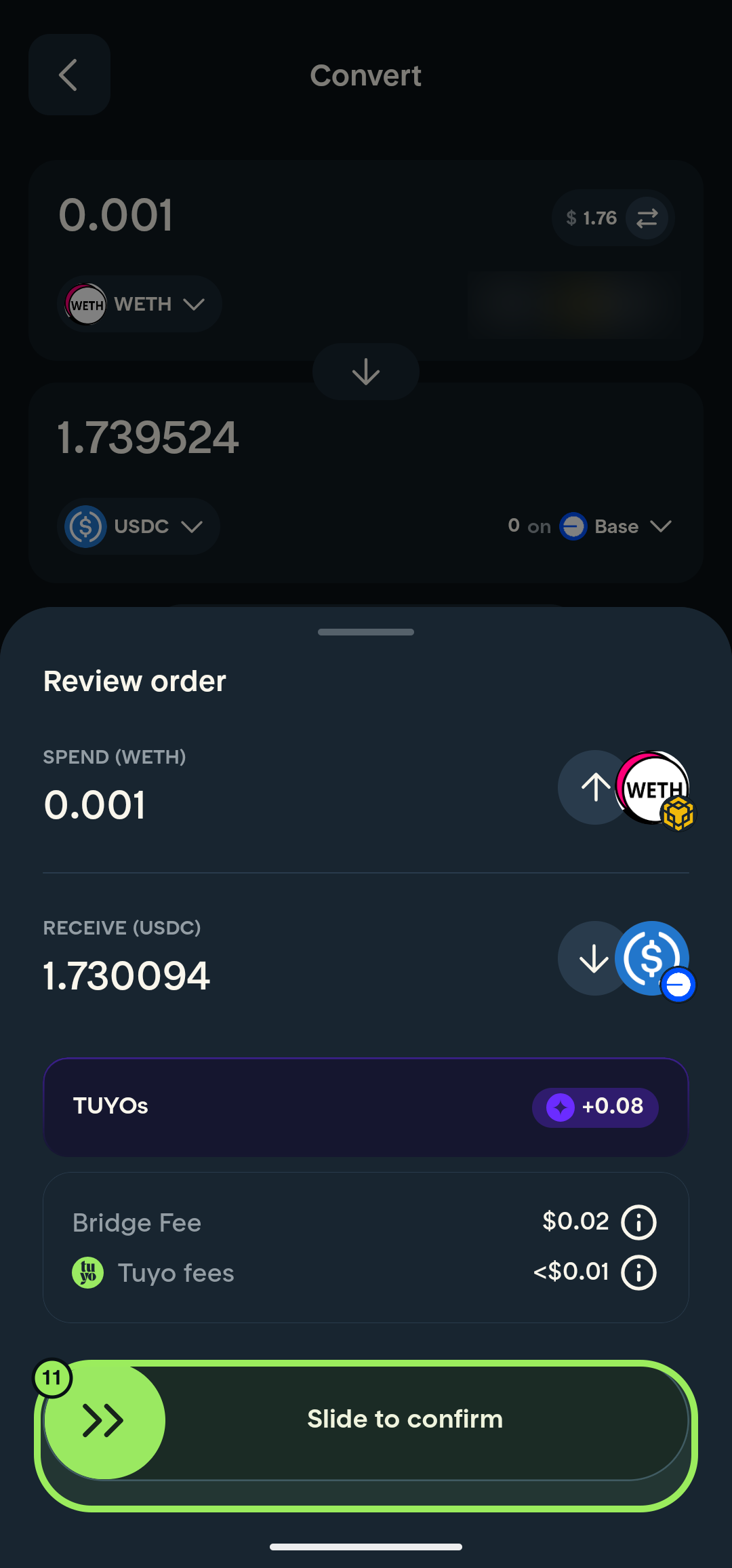
- Check the receive amount and fees, then slide Slide to confirm to submit the conversion.
The screenshots use WETH as an example source token. Choose whichever supported token you actually want to convert.
Step-by-step guide
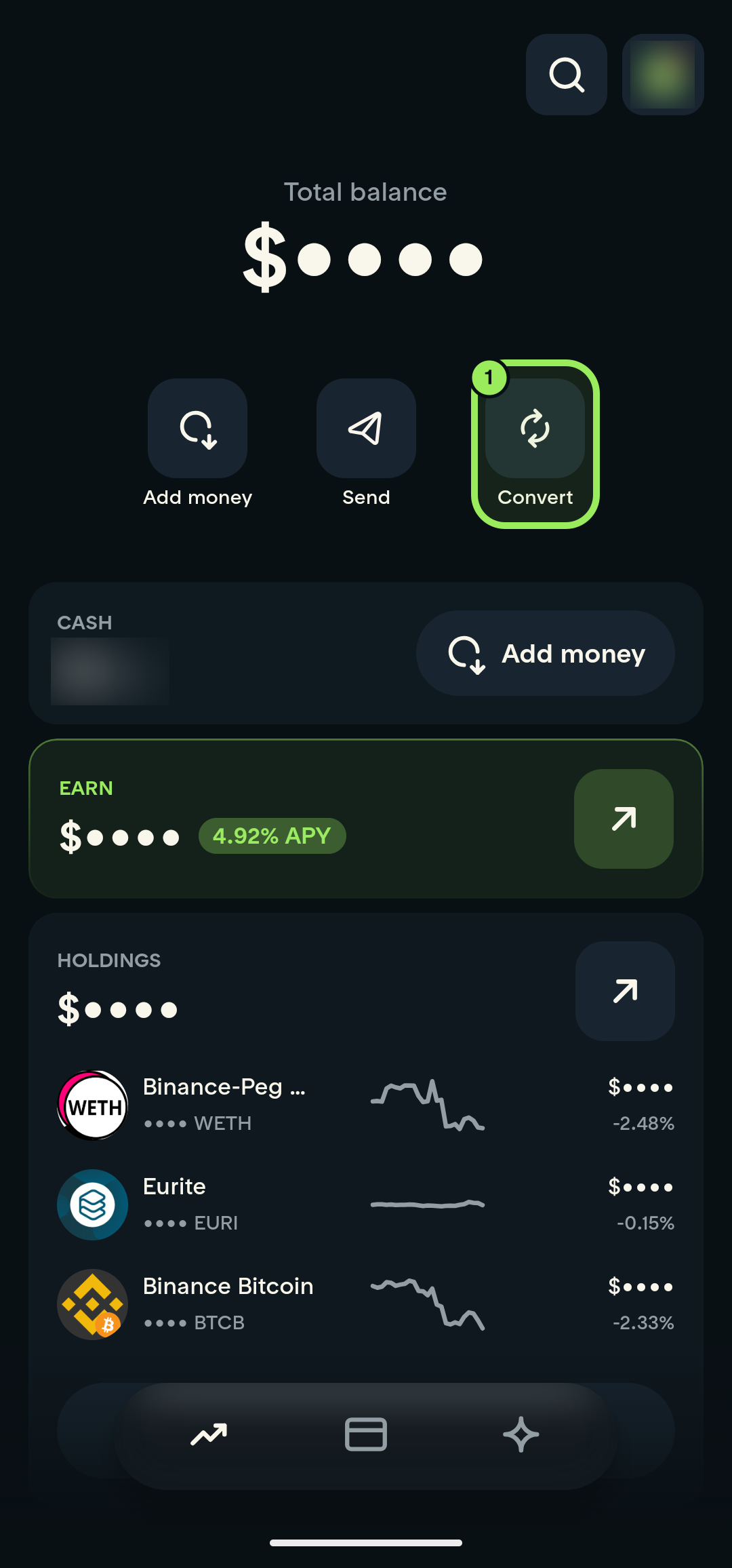
1. Open Convert
On the main page, tap Convert.
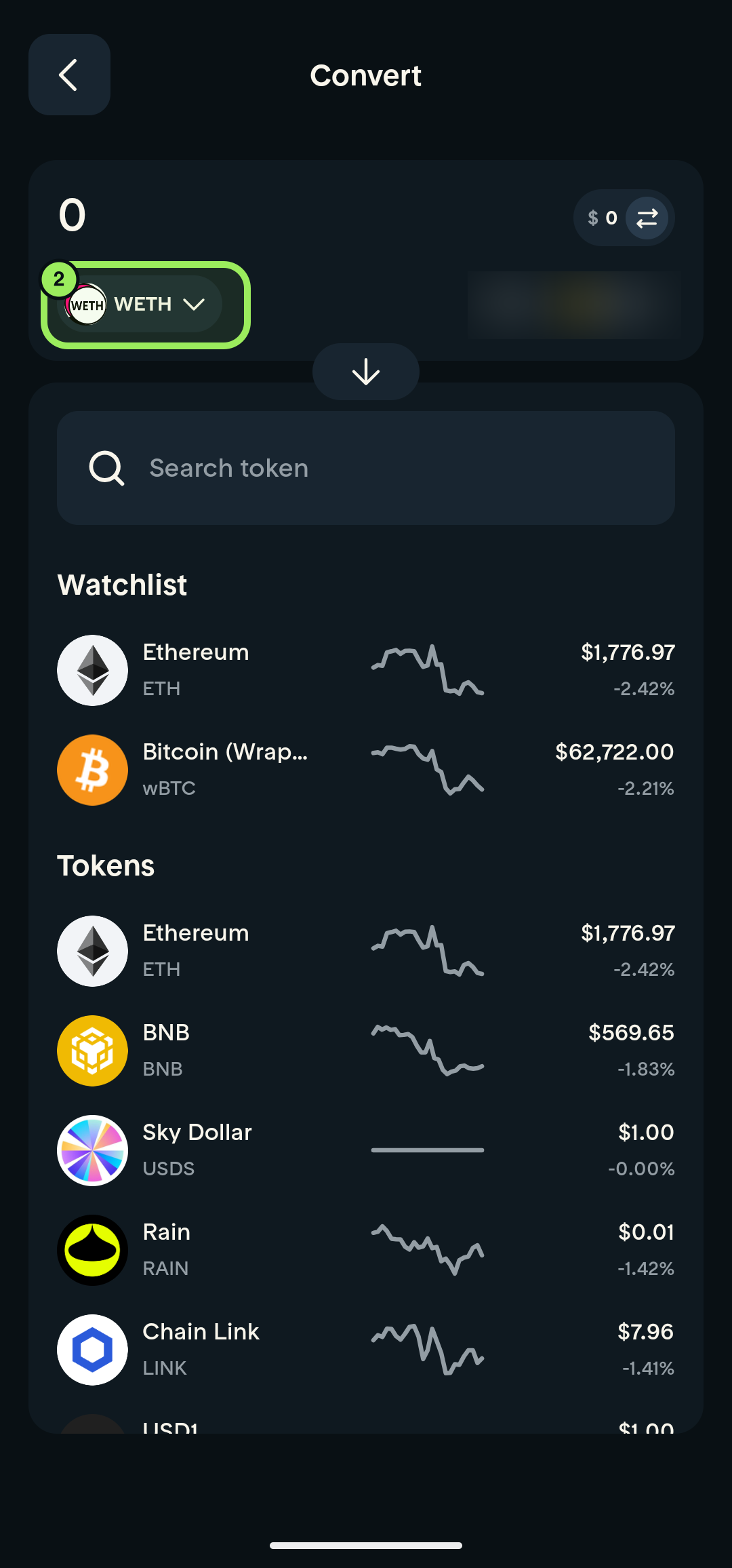
2. Open the source-token picker
Tap the token shown in the top section of the Convert page.
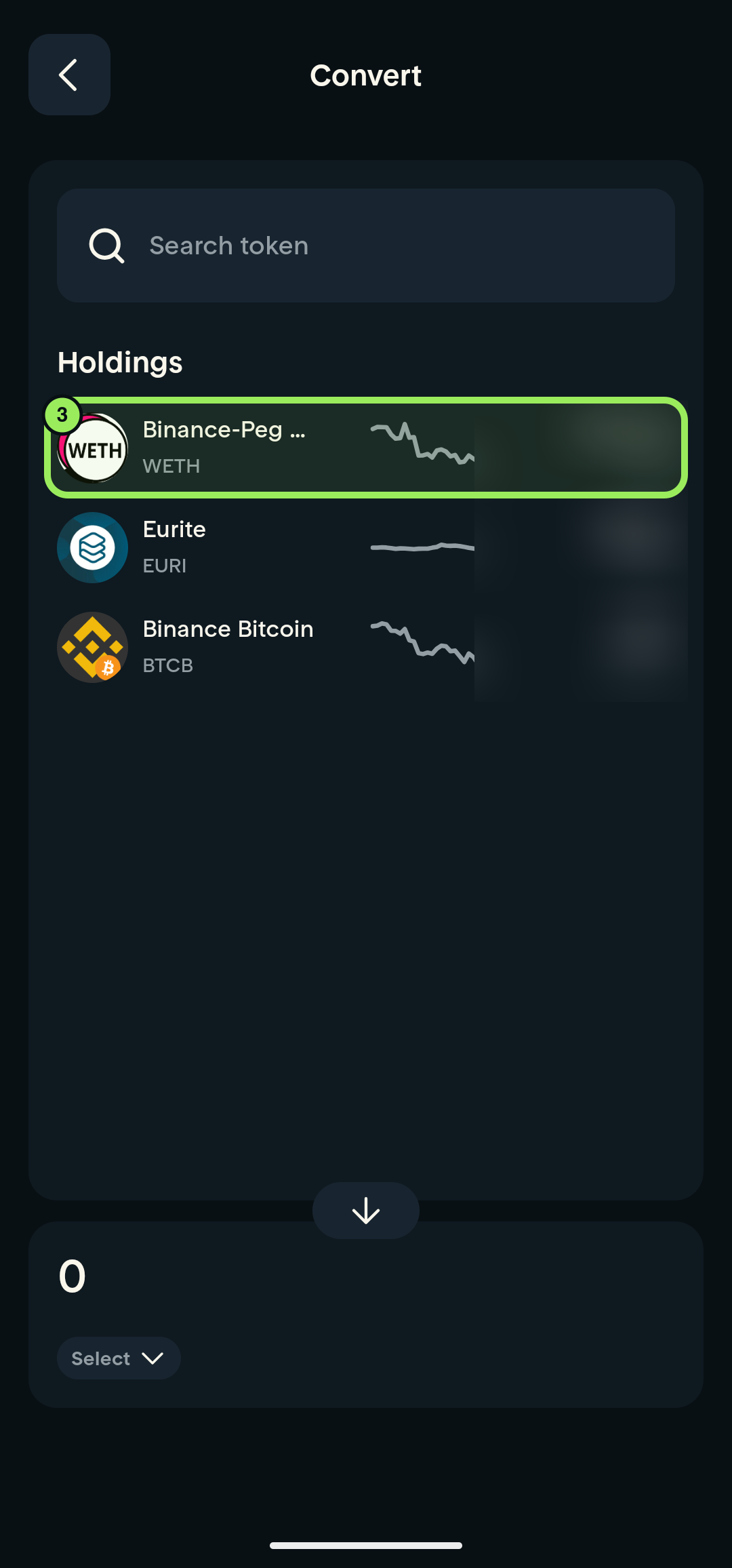
3. Select the token to convert
Under Holdings, select the token you want to convert.
4. Open destination search
Tap Search token in the lower, destination section.
5. Search for USDC
Enter USDC in the search field.
6. Select USDC
Tap USDC in the search results.
7. Open the destination-chain picker
Tap the chain displayed beside the destination USDC.
8. Select Base
In Choose a chain, tap USDC — On Base.
9. Enter the amount
Use the number pad to enter how much of the source token you want to convert.
10. Review the order
Tap Review order.
11. Confirm the conversion
After checking the spend amount, receive amount, destination chain, and fees, slide Slide to confirm.