
View the interest earned on your Cash
Check your active Cash strategy’s earned interest and current rate.
For the updated iPhone app showing Cash and Investments on Home.
Quick text guide
- From Home, tap Cash.
- Tap the card under Your interest strategy.
This guide applies when a Cash interest strategy is already active.
Step-by-step guide
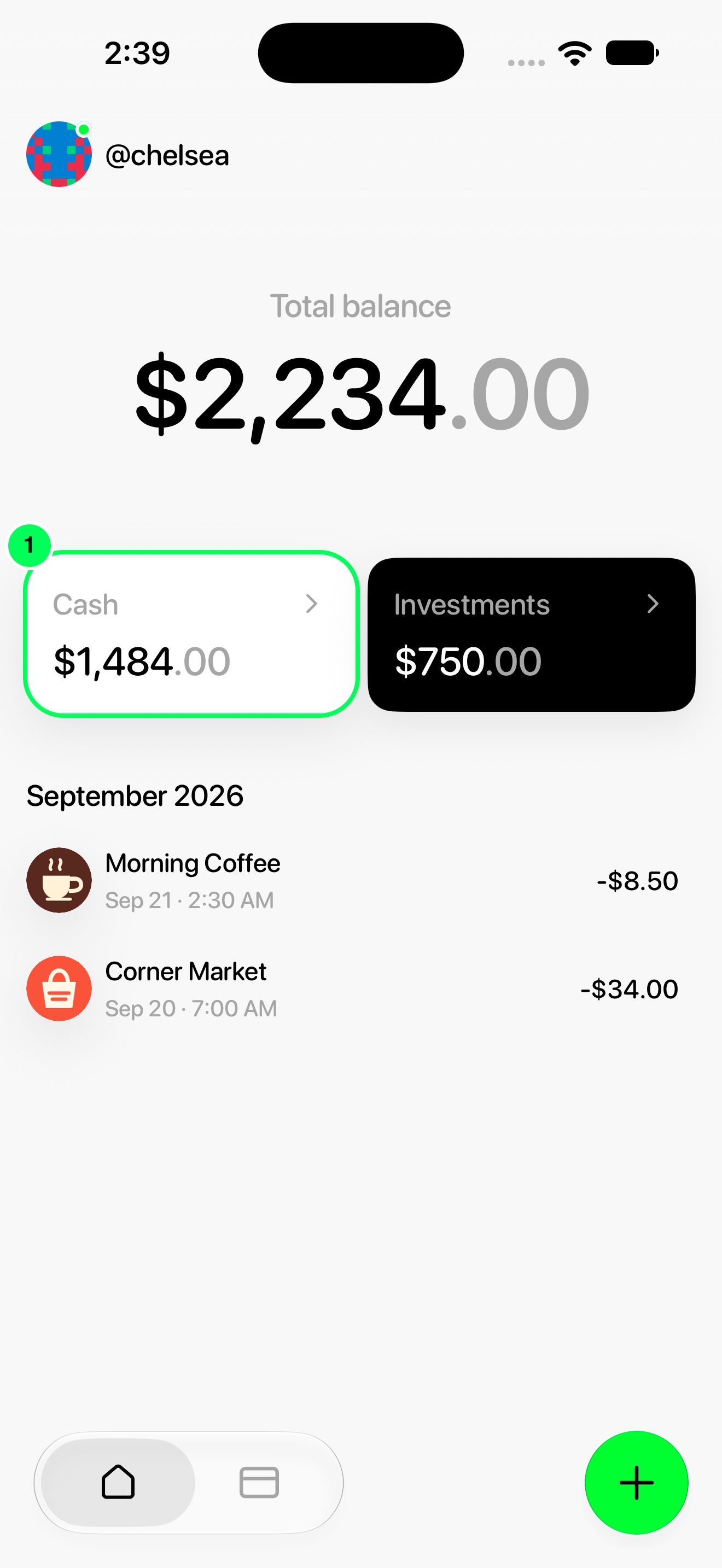
1. Open Cash
From Home, tap Cash.
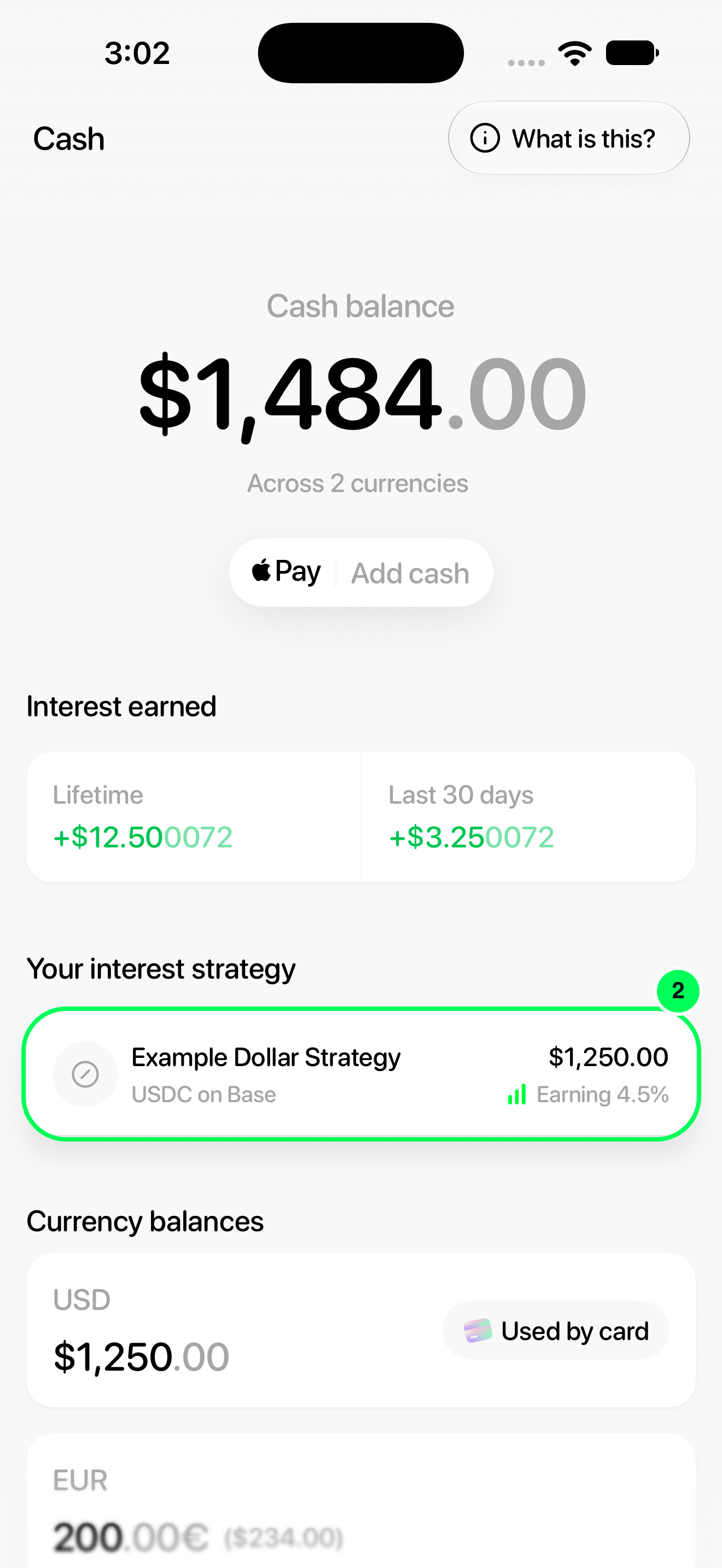
2. Open your active strategy
Tap the card under Your interest strategy.
Read your interest figures
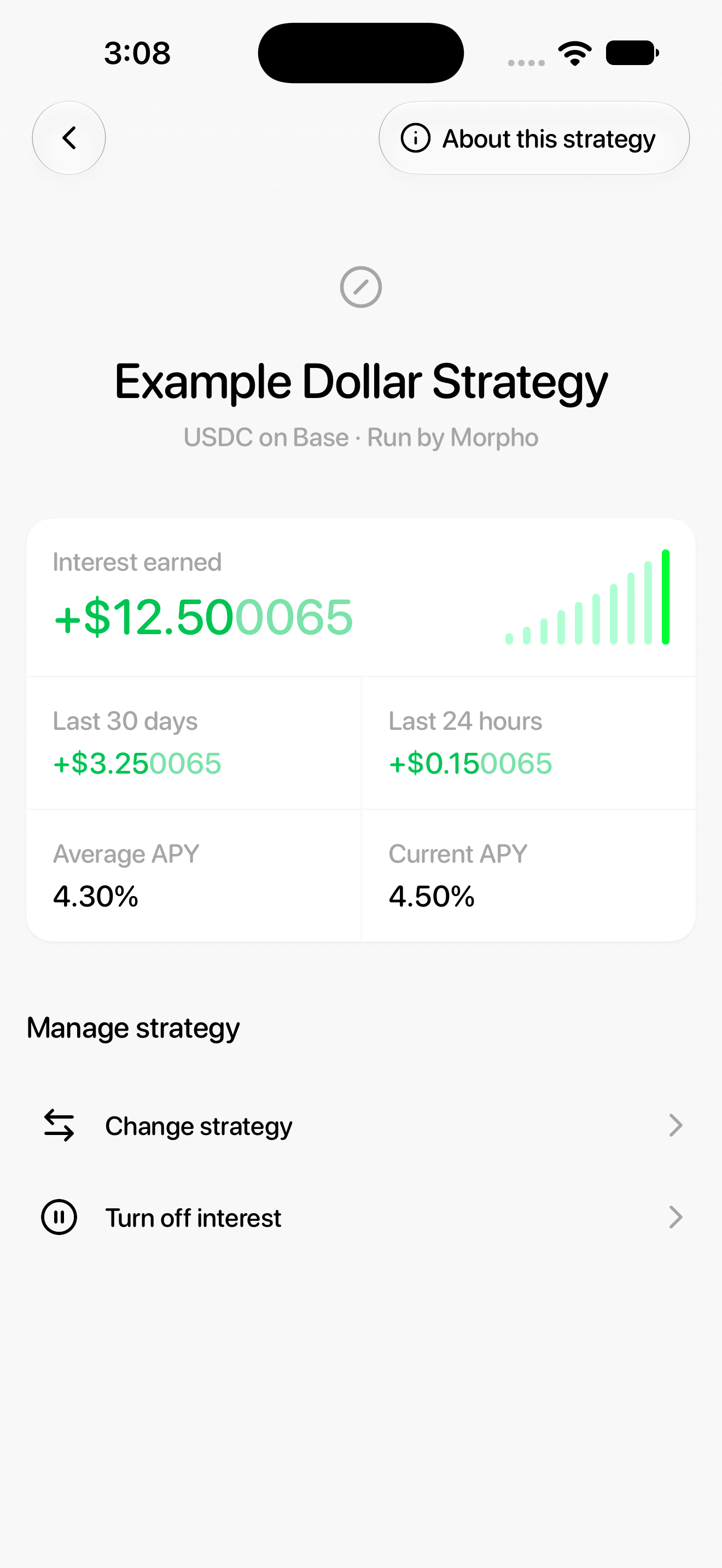
The strategy screen shows Interest earned, Last 30 days, Last 24 hours, Average APY and Current APY.
Understand the amounts
The earned-interest figures describe the strategy on this screen. They are separate from the calculator’s future projections. APY is an annualized rate, not a guaranteed daily payment.
Use About this strategy to review the lending model and risks. You can also change strategy or turn off interest.
Names, balances and rates in these screenshots are examples. Available strategies and APYs can change; use the values shown in your app.