
Add cash by EUR bank transfer
Send euros by SEPA or SEPA Instant to your Tuyo IBAN.
These instructions show the new Tuyo app. The methods available to you depend on your country, device, account verification, and the amount you enter. Follow the choices shown in your app. Start with Home → green + → Add cash, as shown in Choose how to add cash. For wallet, card or linked-bank payments, enter your amount before choosing the method. If your app shows Card, Bank and Crypto choices first, choose the relevant route.
Quick text guide
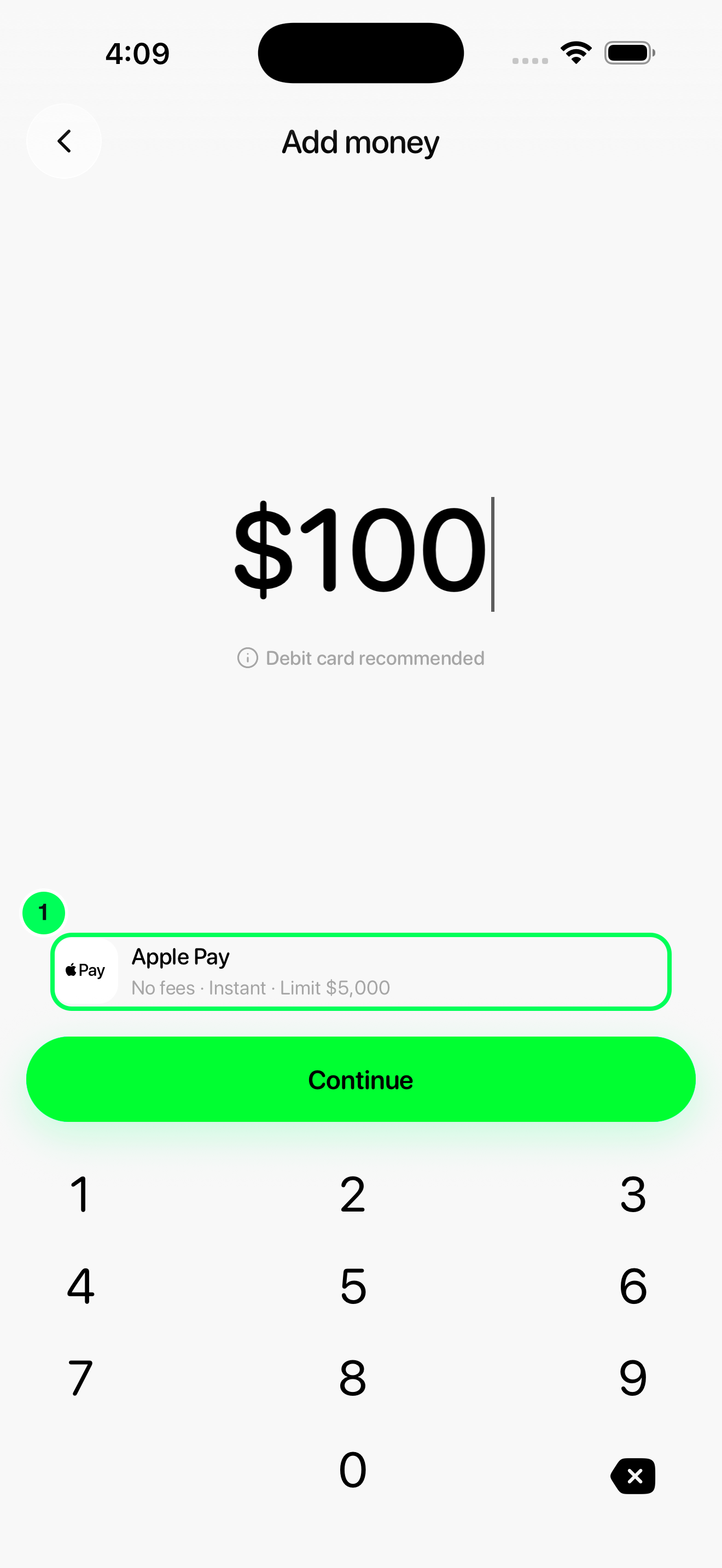
- On Add money, tap the payment-method row to open Add money from.
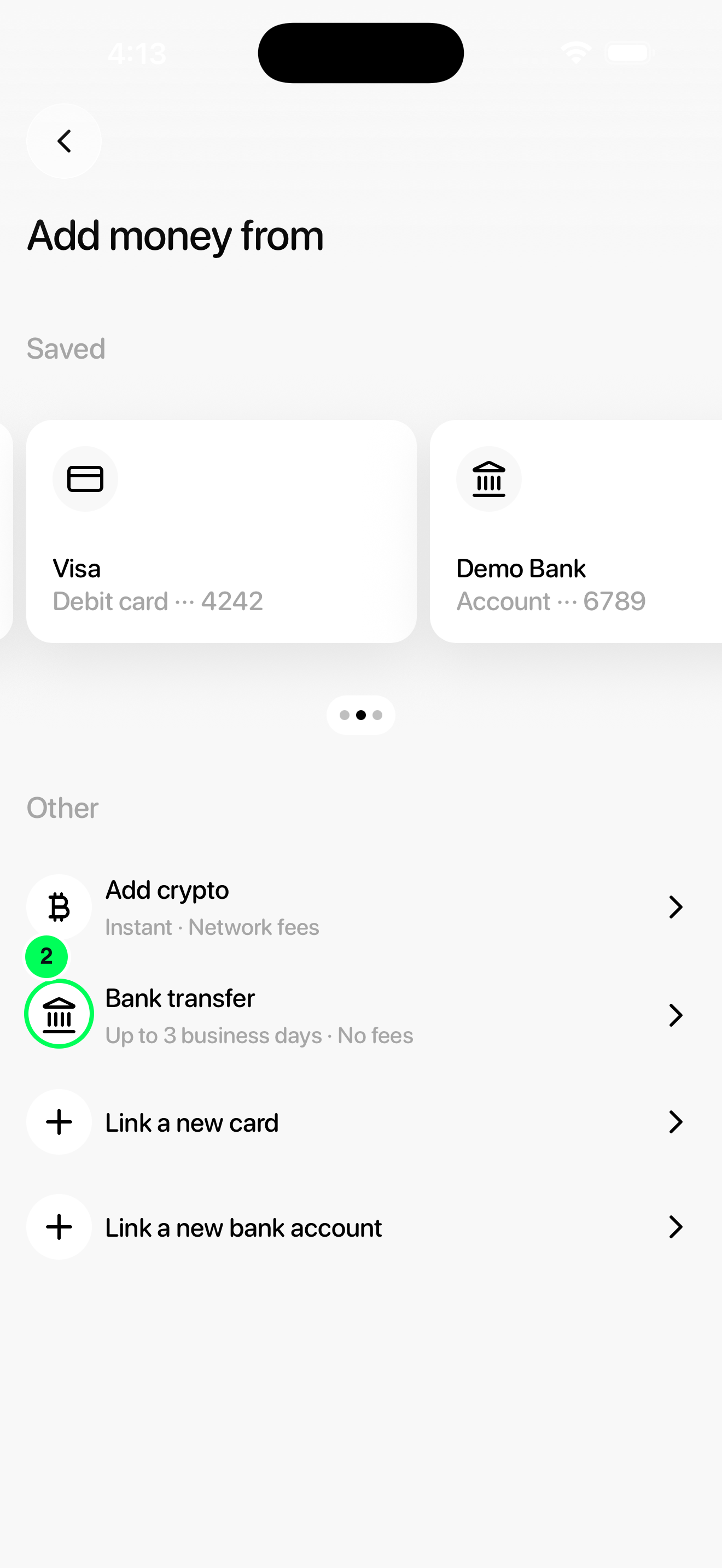
- In Add money from, tap Bank transfer under Other. If the app shows the initial deposit choices instead, choose Bank. Complete verification, accept any bank-account terms, or create the receiving account if prompted.
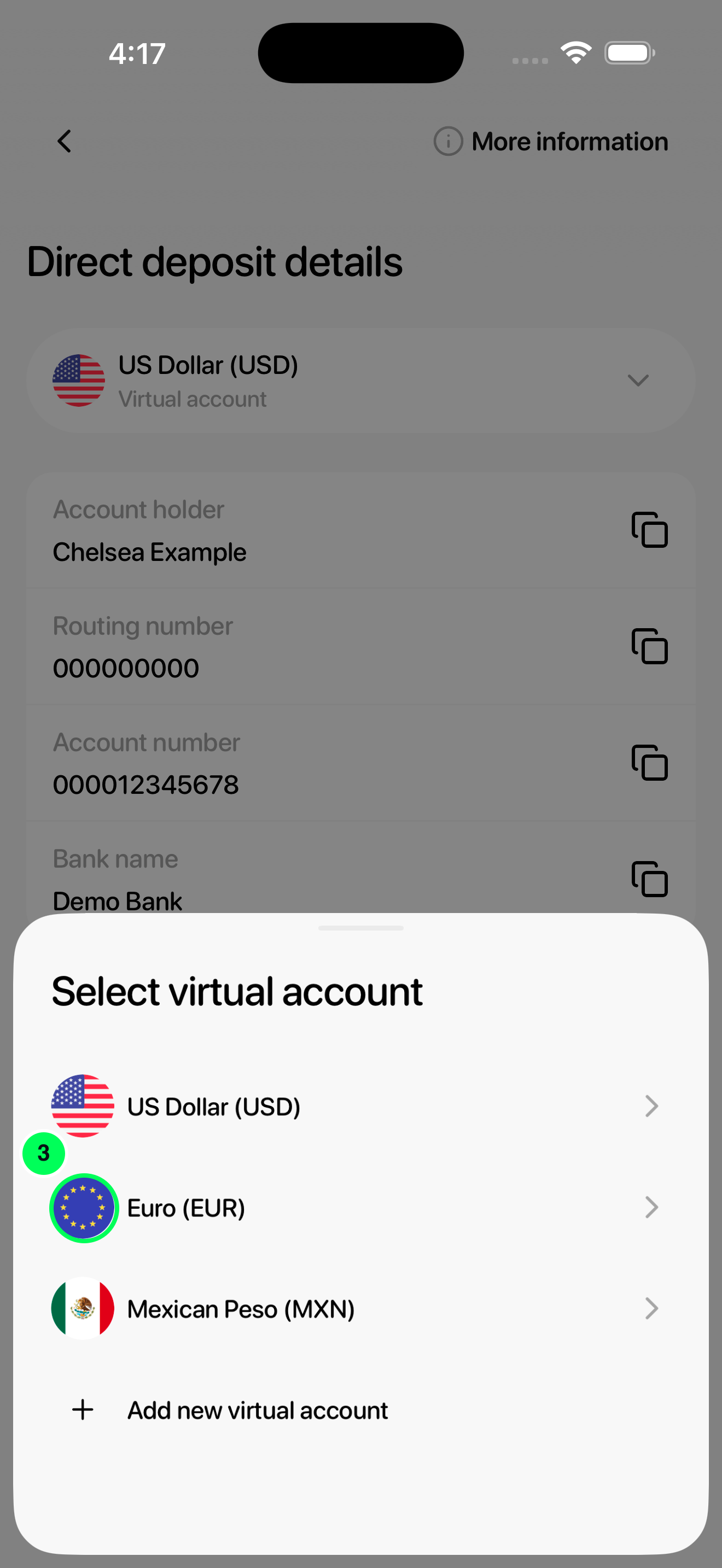
- Tap the currency selector at the top of the bank details screen to open Select virtual account, then choose EUR from this list.
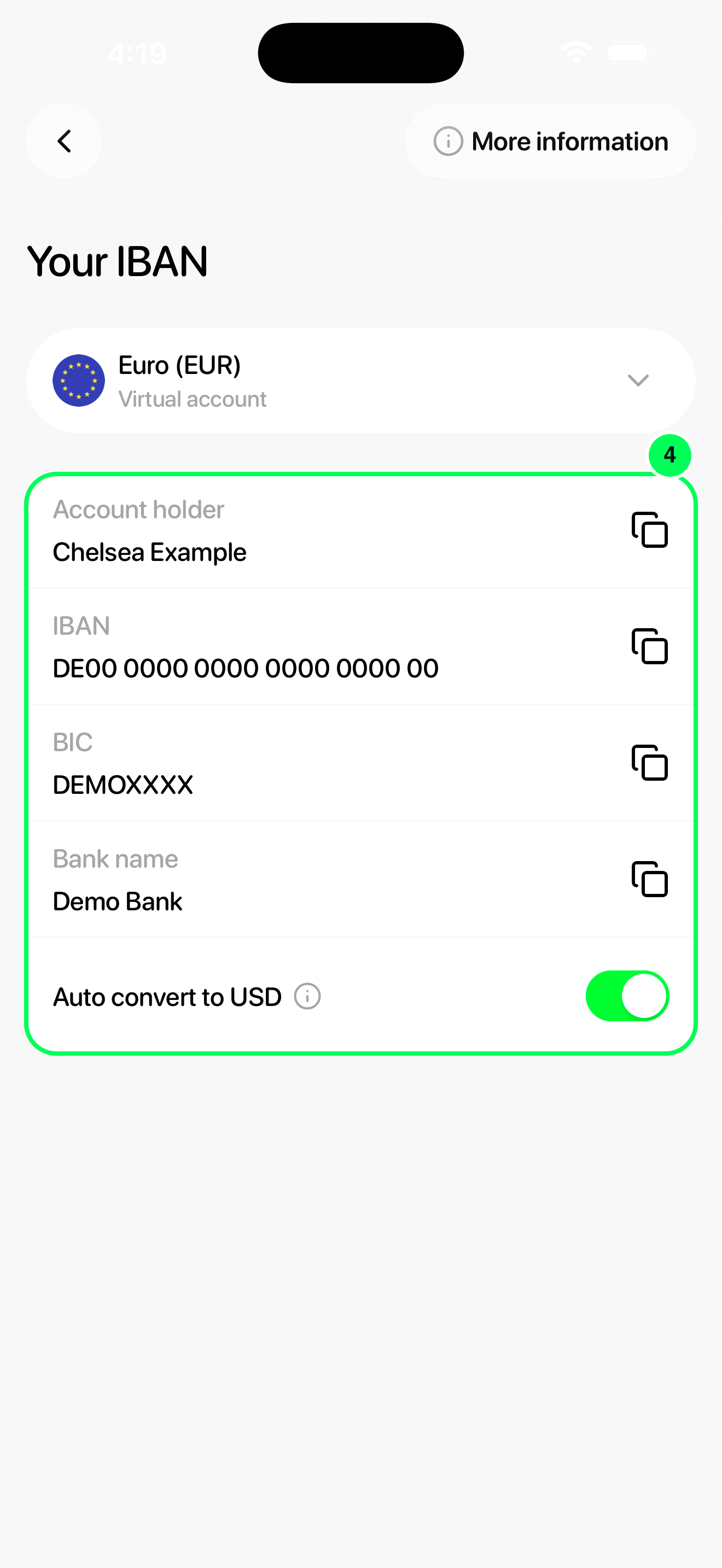
- Select EUR to open Your IBAN. Add your Tuyo beneficiary details in your bank and send euros using SEPA or SEPA Instant, from an account in your own name. SWIFT is not supported. Review Auto convert to USD: enabled means the incoming euros convert to dollars; disabled means you receive EURC and need to convert it before using it as USD Cash. Check the app’s conversion charge before choosing.
Step-by-step guide
1. Open the payment methods
On Add money, tap the payment-method row to open Add money from.
2. Choose Bank transfer
In Add money from, tap Bank transfer under Other. If the app shows the initial deposit choices instead, choose Bank. Complete verification, accept any bank-account terms, or create the receiving account if prompted.
3. Choose EUR
Tap the currency selector at the top of the bank details screen to open Select virtual account, then choose EUR from this list.
4. Send euros to your IBAN
Select EUR to open Your IBAN. Add your Tuyo beneficiary details in your bank and send euros using SEPA or SEPA Instant, from an account in your own name. SWIFT is not supported. Review Auto convert to USD: enabled means the incoming euros convert to dollars; disabled means you receive EURC and need to convert it before using it as USD Cash. Check the app’s conversion charge before choosing.
Complete your deposit
Send from a bank account in your own name. Review Auto convert to USD and the current conversion charge before transferring. With conversion off, received EURC needs conversion before it is USD Cash. SWIFT is not supported.
Check that your money arrived
Return to Home → Cash and check your balance and activity. Keep the receipt or transaction reference until the deposit arrives. A provider approval or bank confirmation is not the same as funds arriving in Tuyo.
Review current fees, conversion charges, limits and estimated arrival before confirming. Methods vary by country, device, verification and amount.
See Choose how to add cash for other methods and troubleshooting.