
Check which balance your card can spend
Find the dollars available to your card and understand why euros can appear in Cash without being card-spendable.
For the updated iPhone app showing Cash and Investments on Home.
Quick text guide
- From Home, tap Cash.
- Scroll down to Currency balances.
- Look for Used by card beside USD. Then tap What is this?.
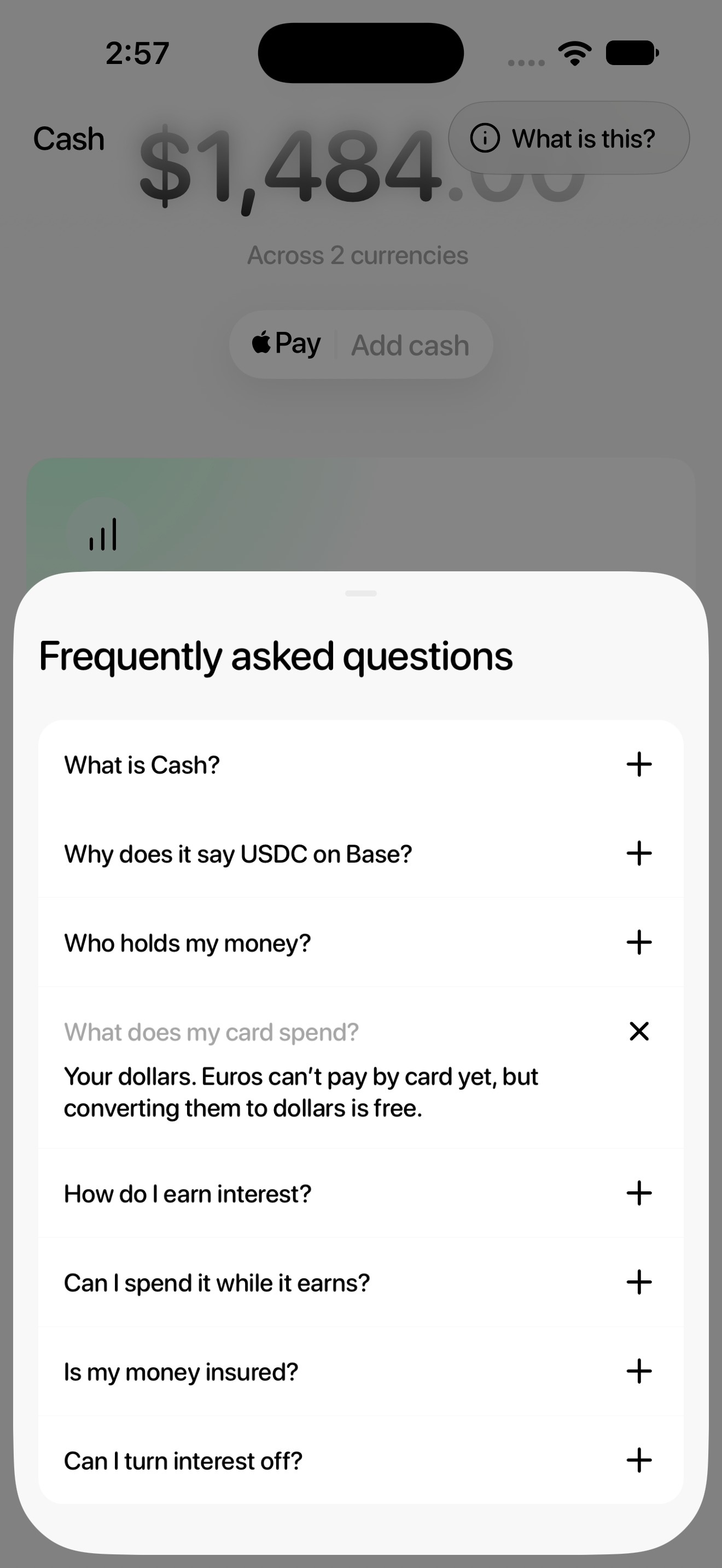
- Tap What does my card spend?.
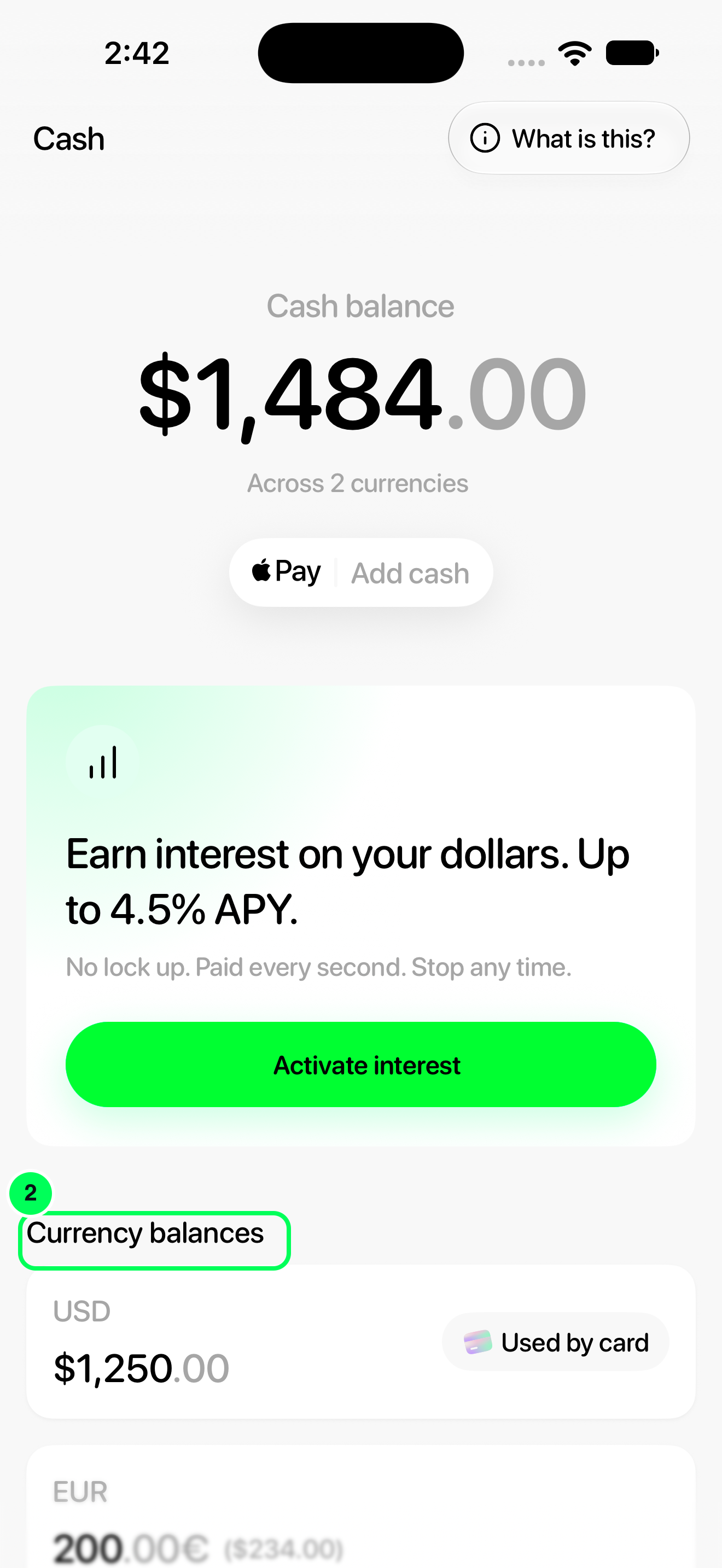
The Cash total includes the dollar equivalent of your euros. That total is not the same as the dollars marked Used by card.
Step-by-step guide
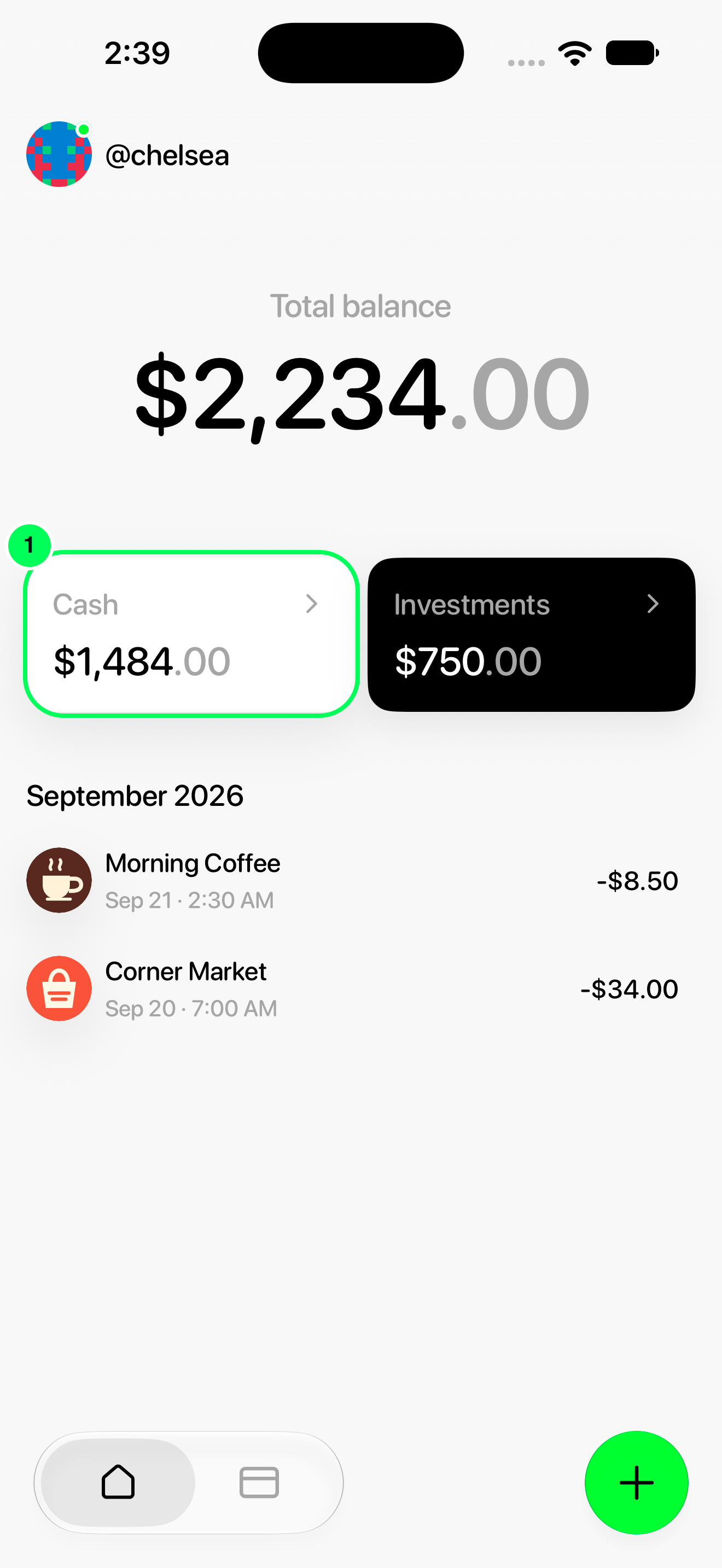
1. Open Cash
From Home, tap Cash.
2. Find the currency breakdown
Scroll down to Currency balances.
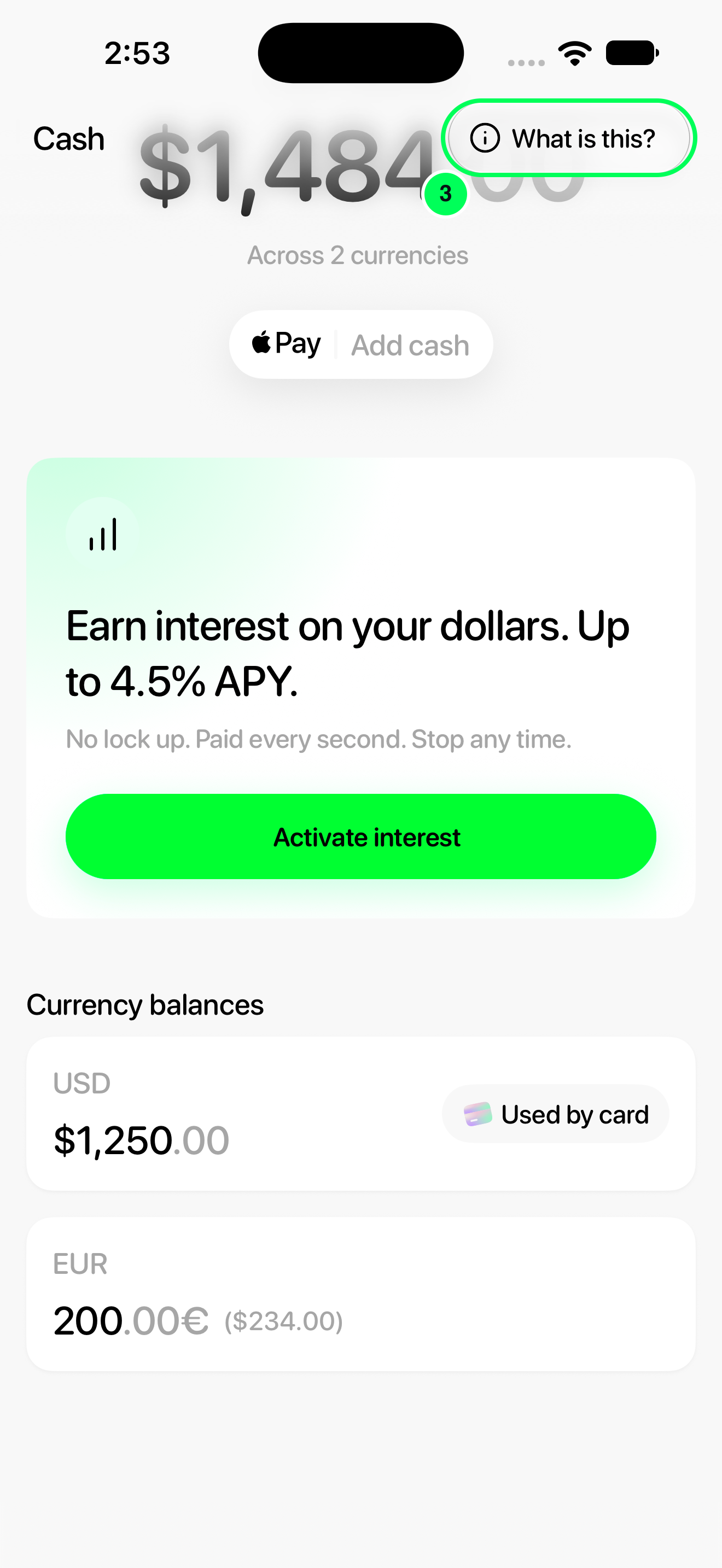
3. Open the card-spending explanation
Look for Used by card beside USD. Then tap What is this?.
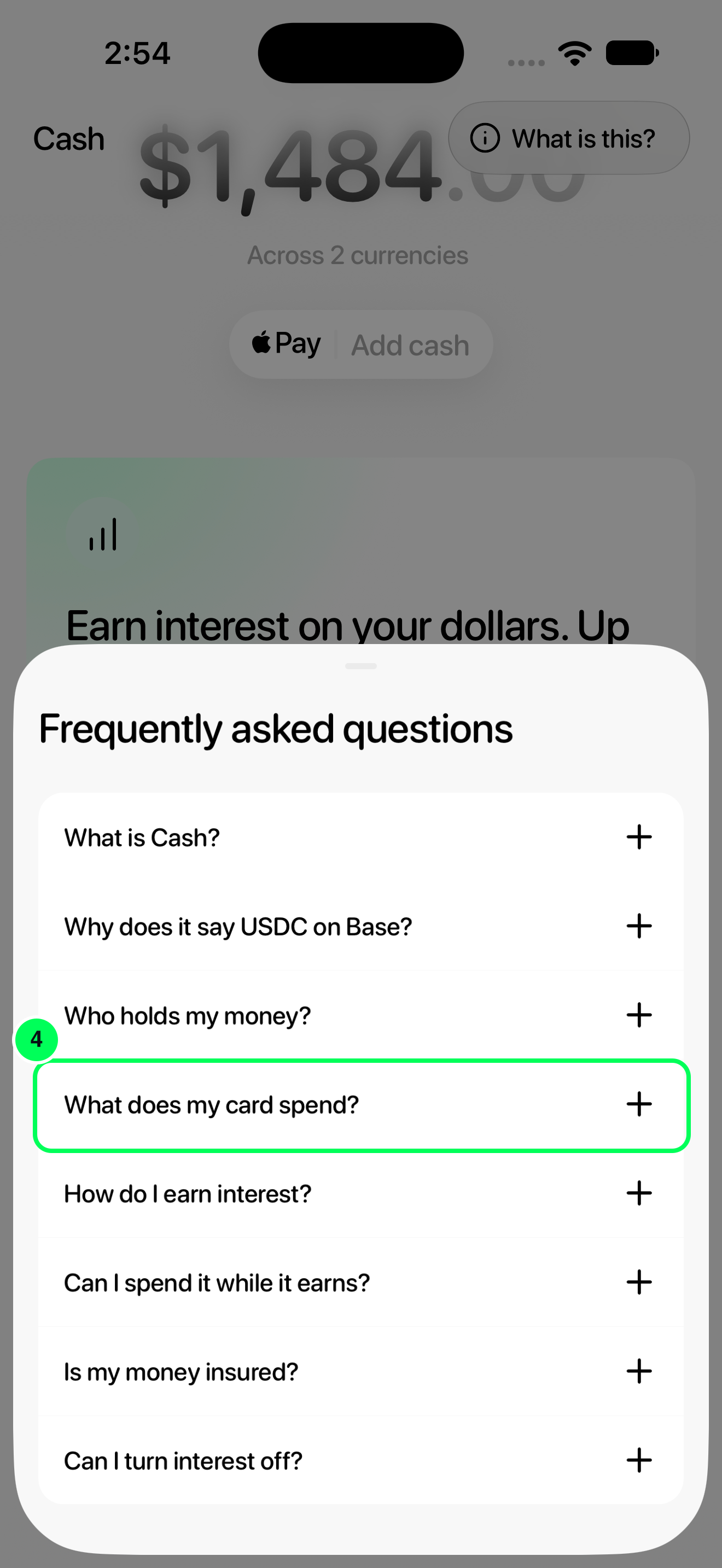
4. Read what the card spends
Tap What does my card spend?.
Dollars and euros
The app explains that your card spends dollars. Euros cannot pay by card yet.
If you hold euros
Convert the amount you want to spend into dollars using the app’s conversion flow. Check the conversion details before confirming.
If your card still spends from vaults, move the ones you want to keep spending to Cash.
Names, balances and rates in these screenshots are examples. Available strategies and APYs can change; use the values shown in your app.