
Use the Cash interest calculator
Compare projected savings over time without setting up deposits or activating an interest strategy.
For the updated iPhone app showing Cash and Investments on Home.
Quick text guide
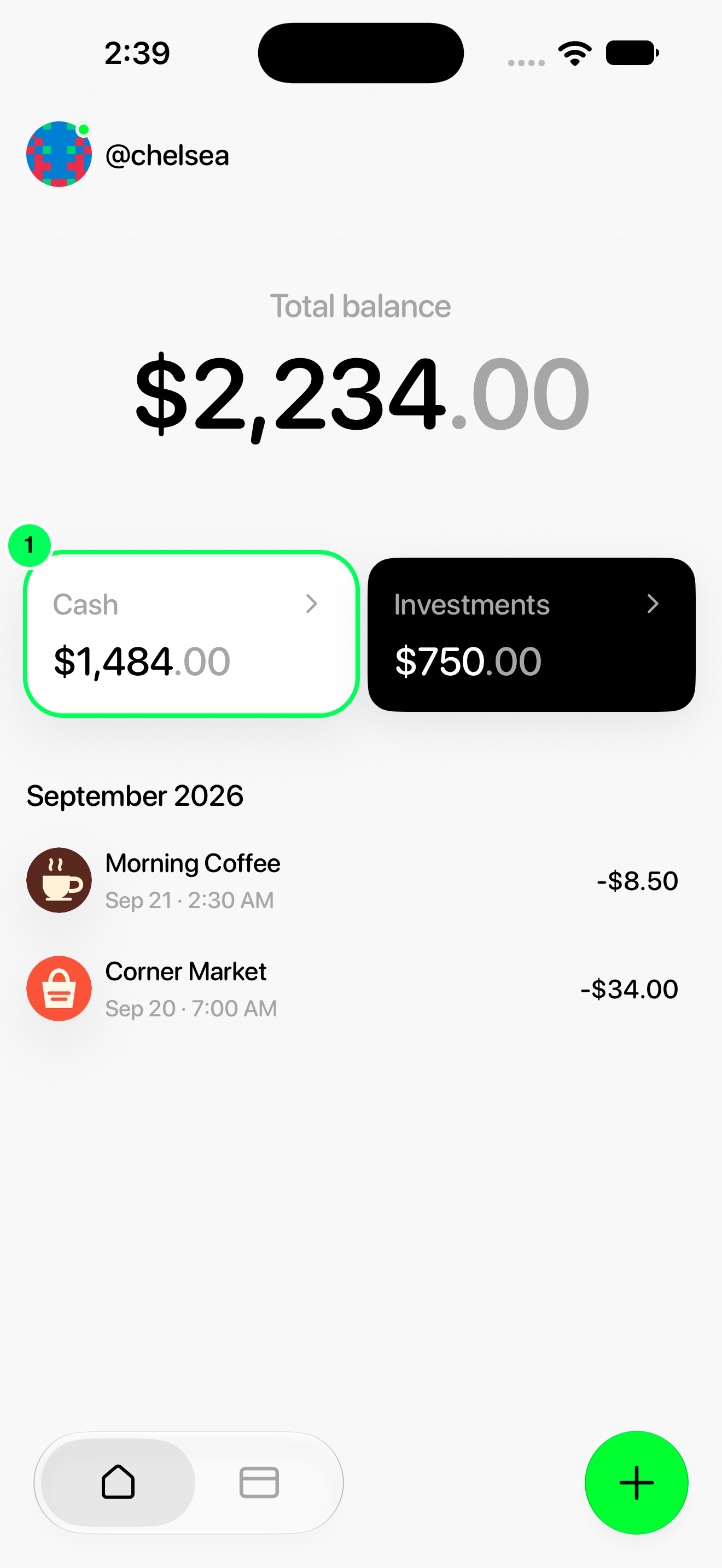
- From Home, tap Cash.
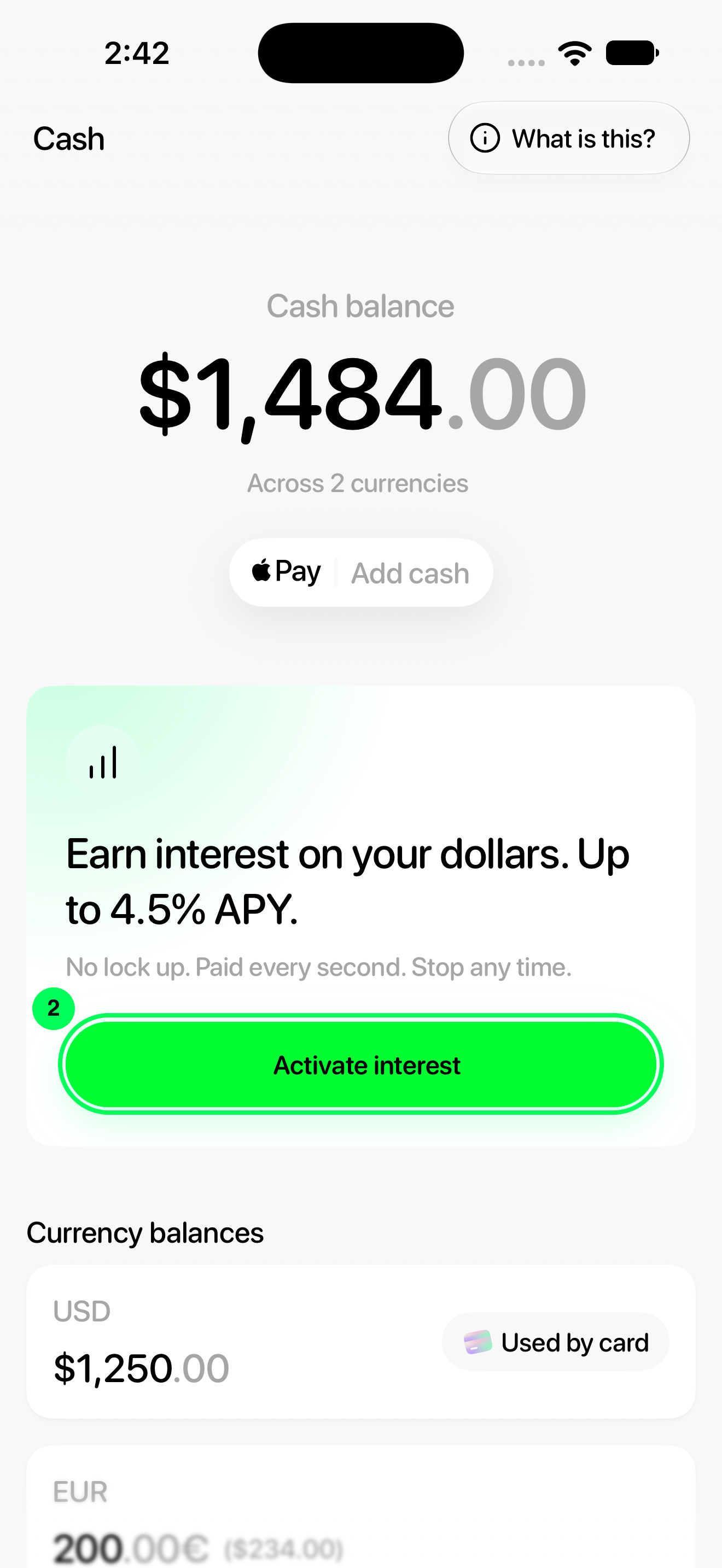
- Tap Activate interest.
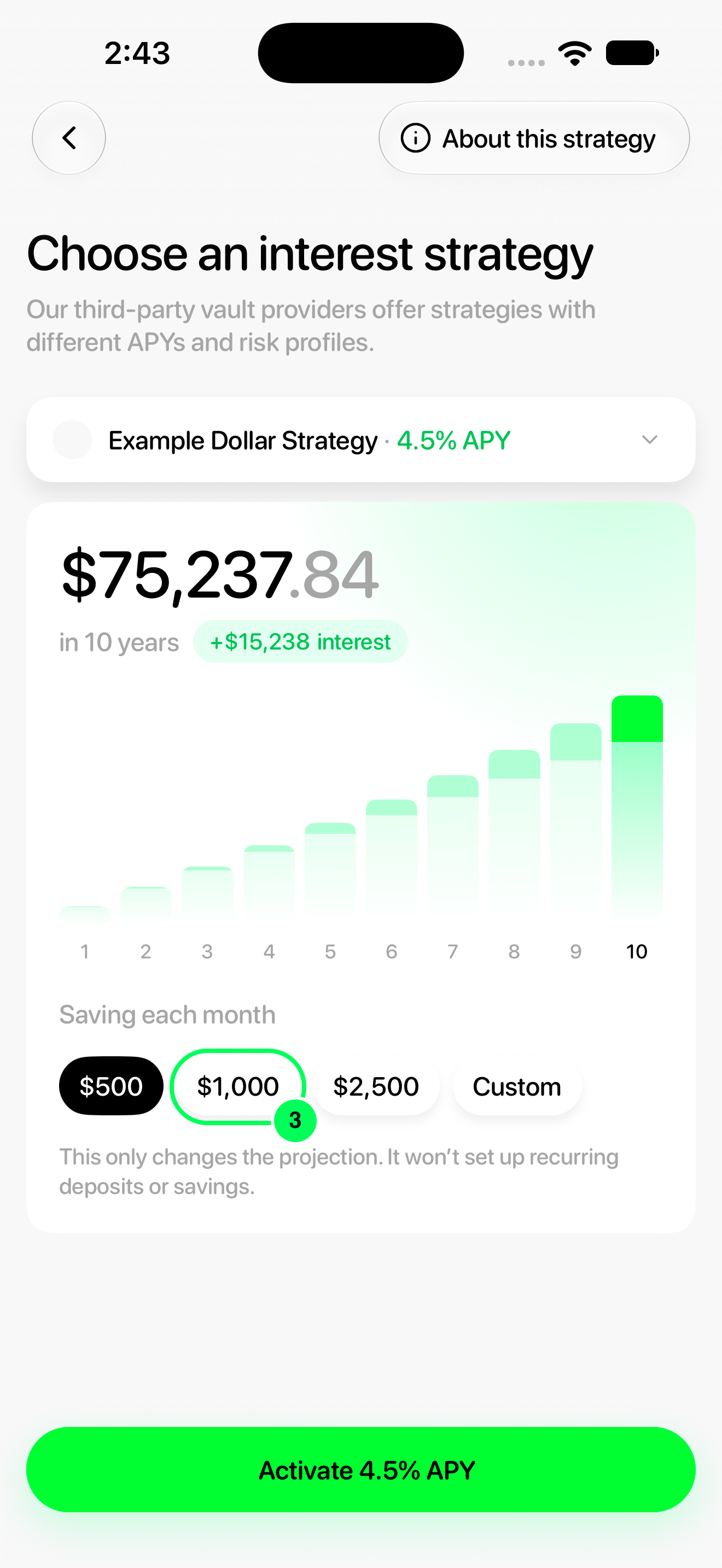
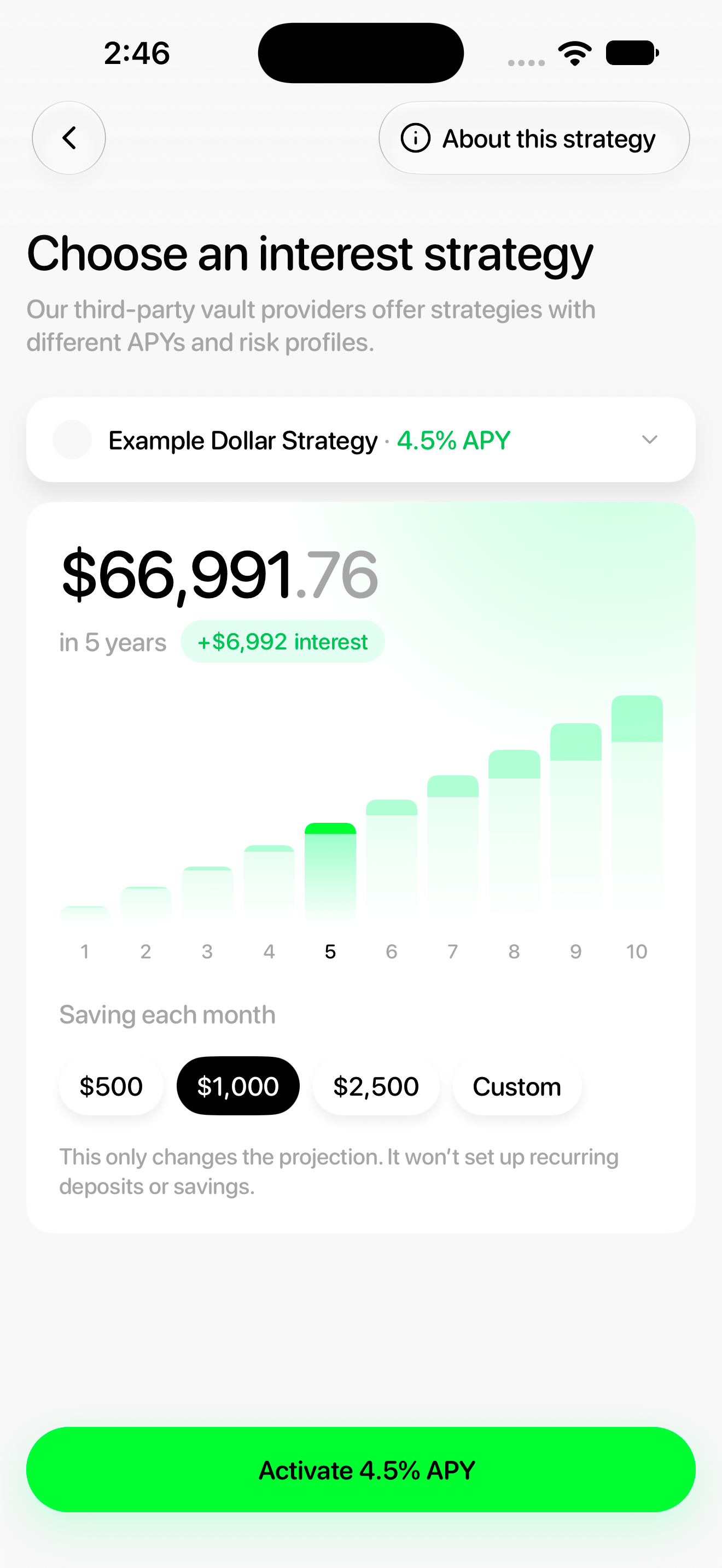
- Under Saving each month, tap a preset amount. This example uses $1,000.
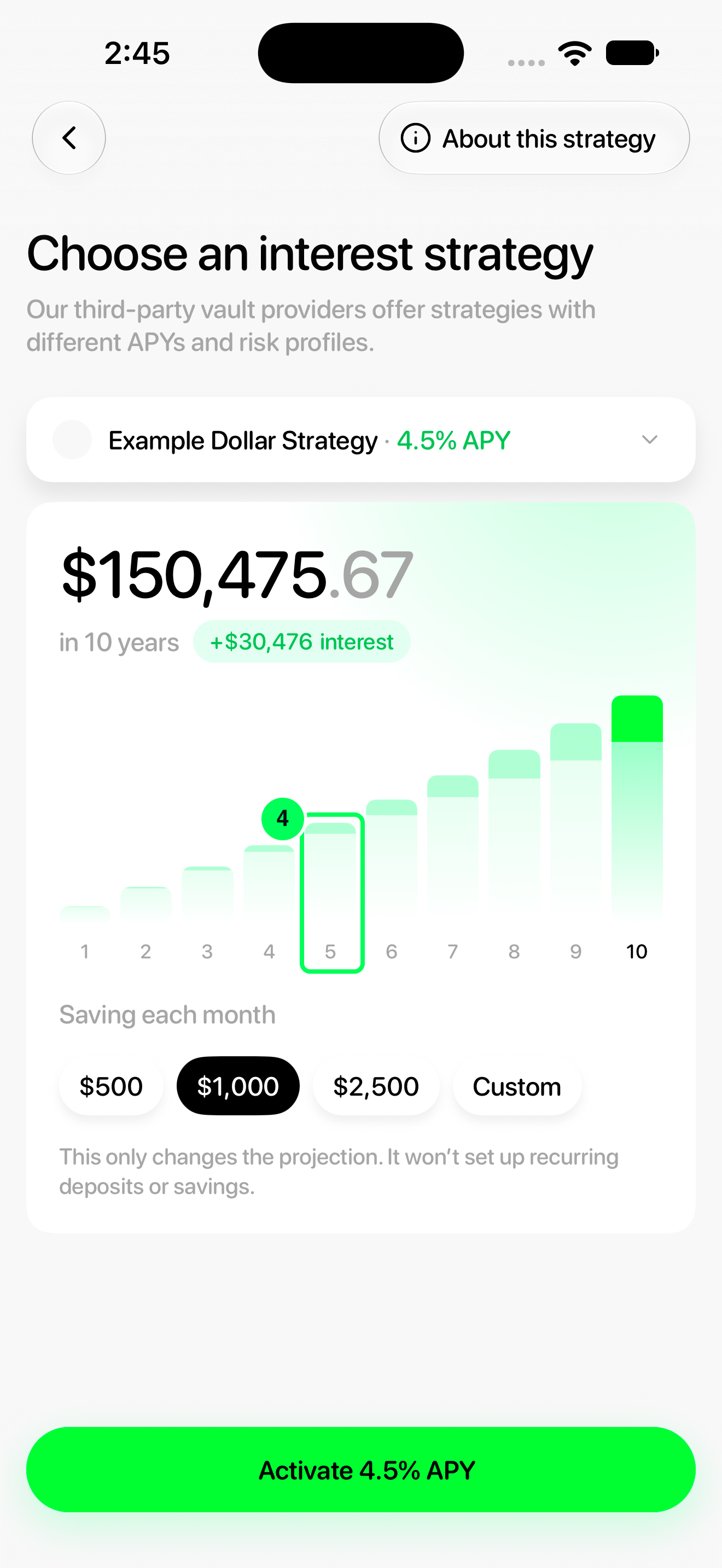
- Tap a year on the chart to see the projection for that year. This example selects year 5.
Changing the calculator only changes the projection. It does not schedule recurring deposits, require salary deposits or activate interest.
Step-by-step guide
1. Open Cash
From Home, tap Cash.
2. Open the interest calculator
Tap Activate interest.
3. Set a monthly example
Under Saving each month, tap a preset amount. This example uses $1,000.
4. Choose a time horizon
Tap a year on the chart to see the projection for that year. This example selects year 5.
Read the projection
The large number is the projected future total for the monthly amount and year you selected. The interest figure is the projected interest portion, not your current balance.
Read estimates cautiously
The projection assumes the monthly amount and displayed APY stay the same over the selected period. Actual rates can change and returns are not guaranteed. It does not include your existing account balance.
Compare another strategy
Tap the strategy row above the chart to open Select a strategy. Choose another option to update the projection. Custom lets you enter a different monthly example.
Read the strategy information and risks before deciding whether to activate interest. Activation uses the separate Activate …% APY button and a terms review.
Names, balances and rates in these screenshots are examples. Available strategies and APYs can change; use the values shown in your app.