
Turn on interest for your Cash
Choose a Cash interest strategy, review its risks and confirm your choice.
For the updated iPhone app showing Cash and Investments on Home.
Quick text guide
- From Home, tap Cash.
- Tap Activate interest.
- Tap About this strategy to read its facts and risks.
- After reviewing the information, swipe down from the sheet’s grabber to return to the calculator.
- Tap Activate …% APY. The button uses the rate of your selected strategy.
- Read the terms. If you understand and agree to all of them, turn on the switch beside Check all of the following terms.
- Tap I understand, continue and follow any confirmation prompts shown in your app.
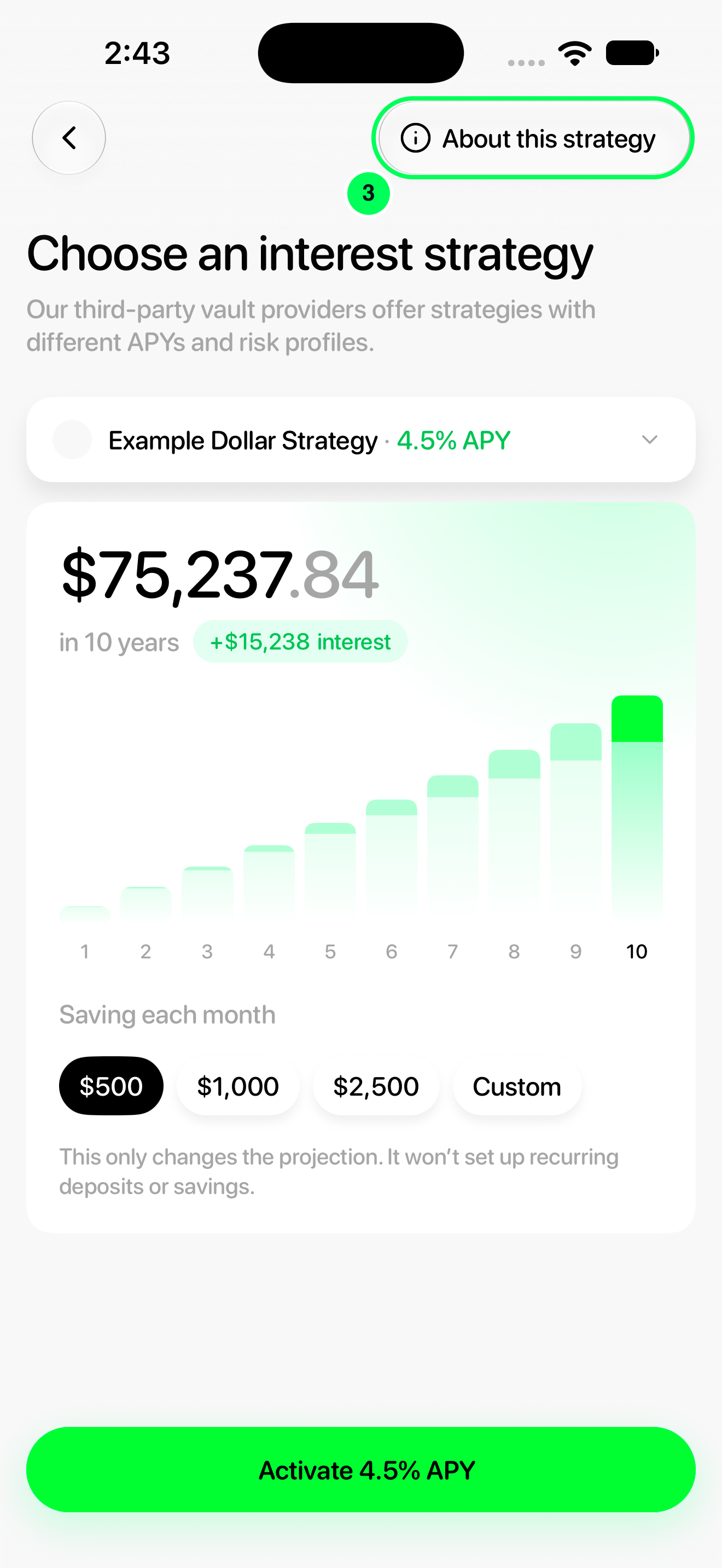
Interest is optional. The calculator’s monthly amount changes the projection only; it does not set up deposits or require you to deposit your salary.
Step-by-step guide
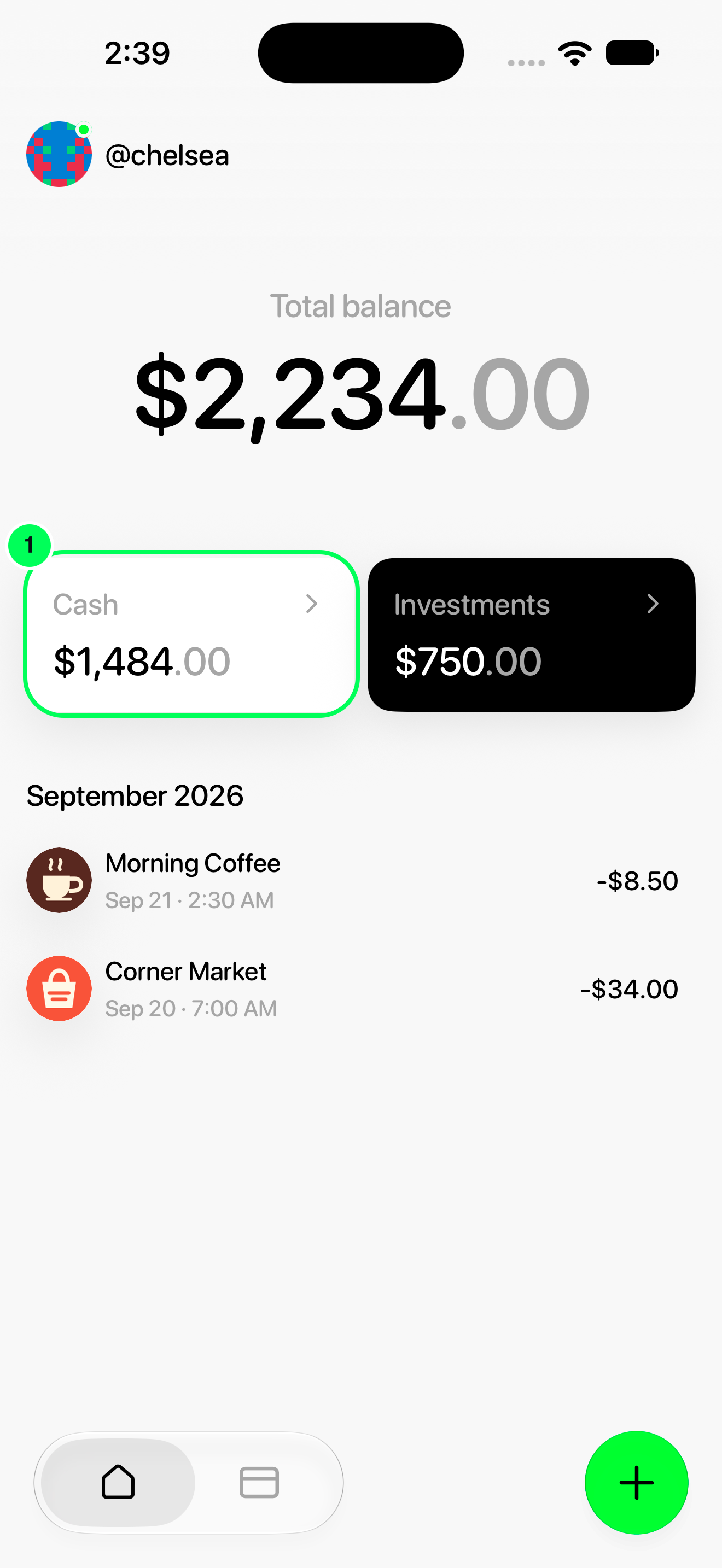
1. Open Cash
From Home, tap Cash.
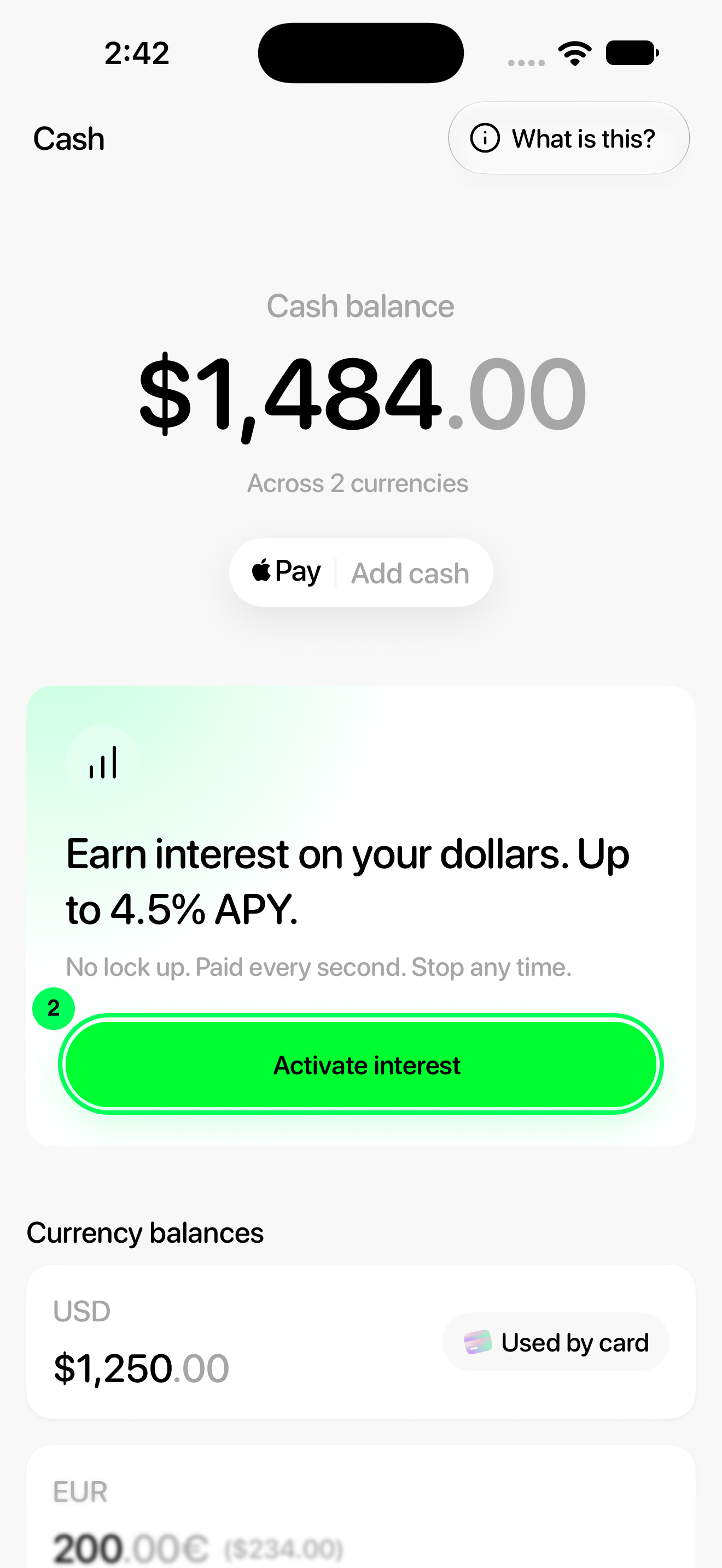
2. Open the calculator
Tap Activate interest.
3. Review the strategy information
Tap About this strategy to read its facts and risks.
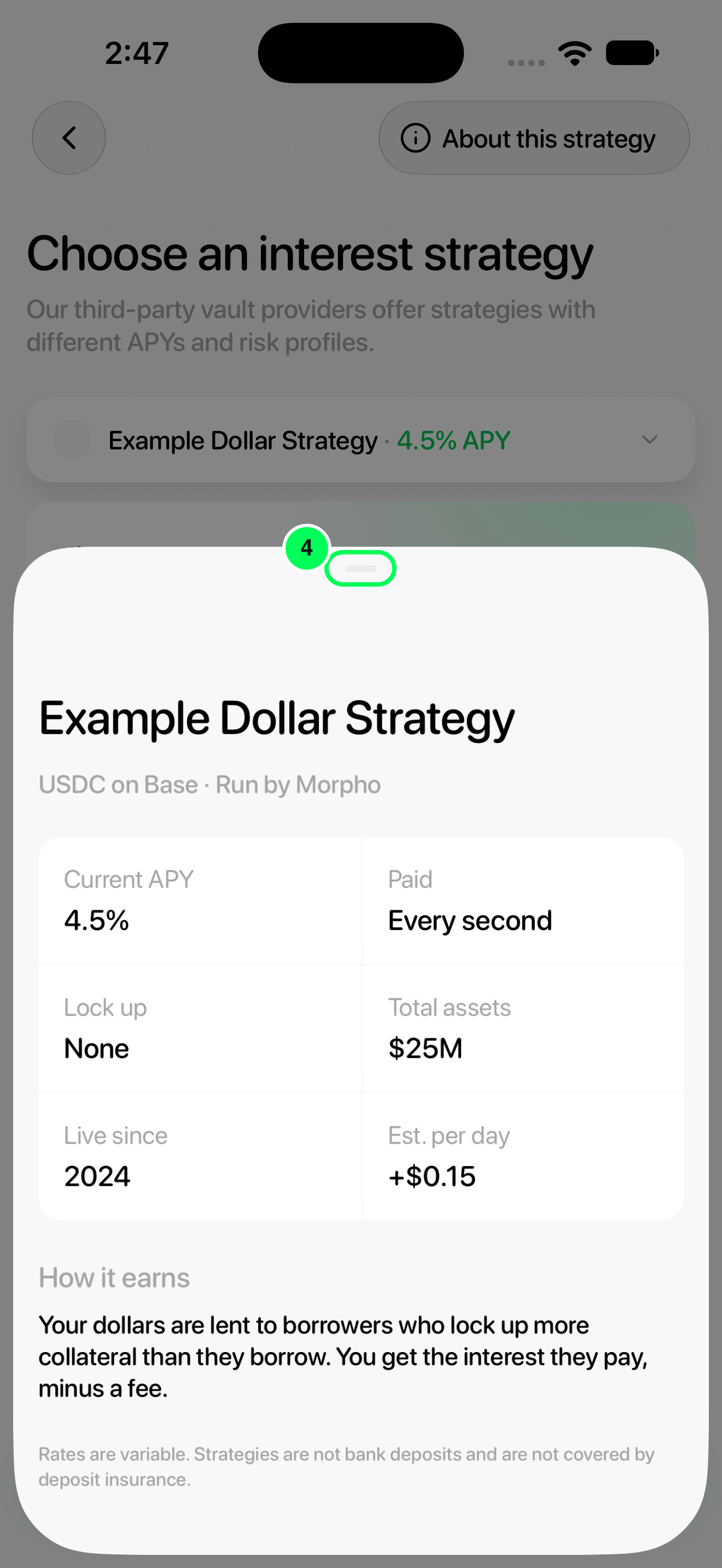
4. Return to your selection
After reviewing the information, swipe down from the sheet’s grabber to return to the calculator.
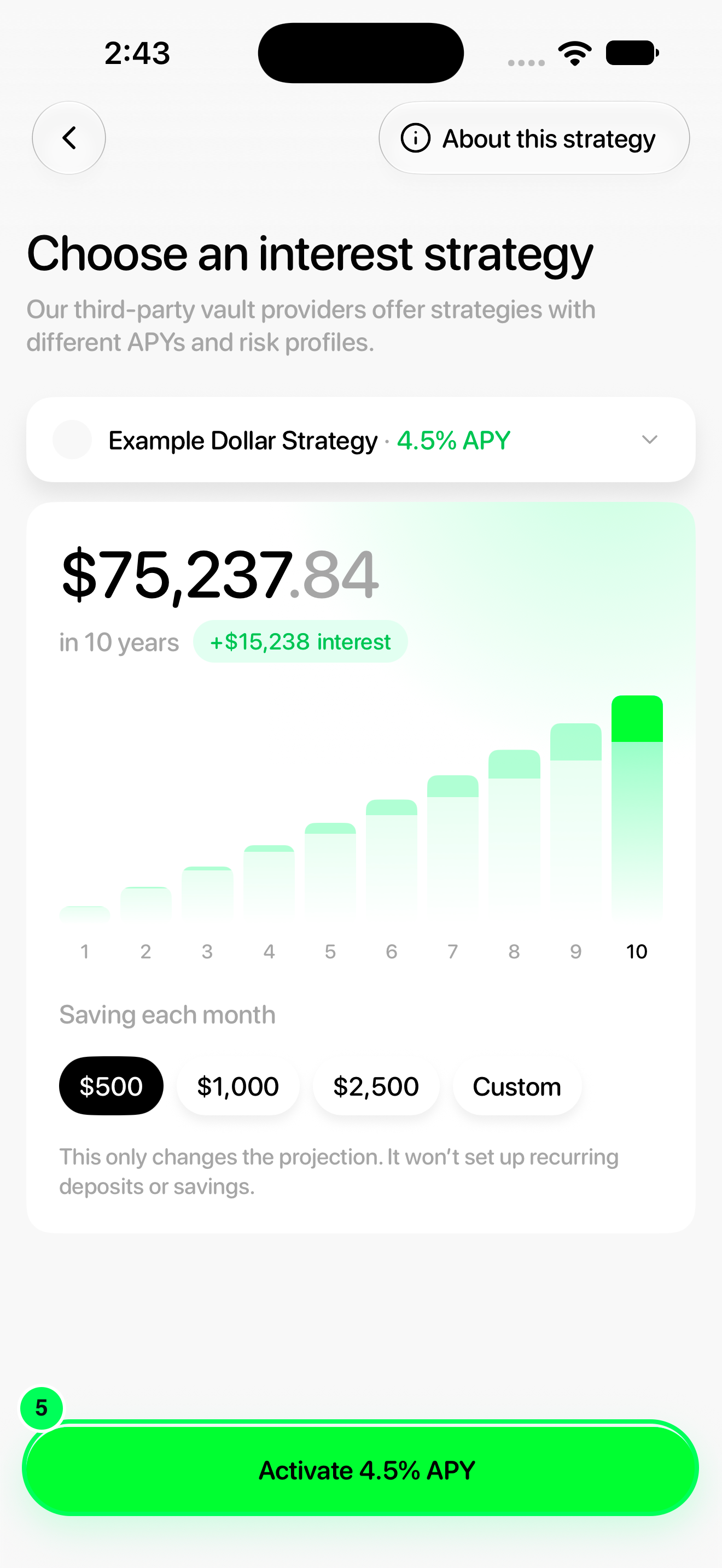
5. Start activation
Tap Activate …% APY. The button uses the rate of your selected strategy.
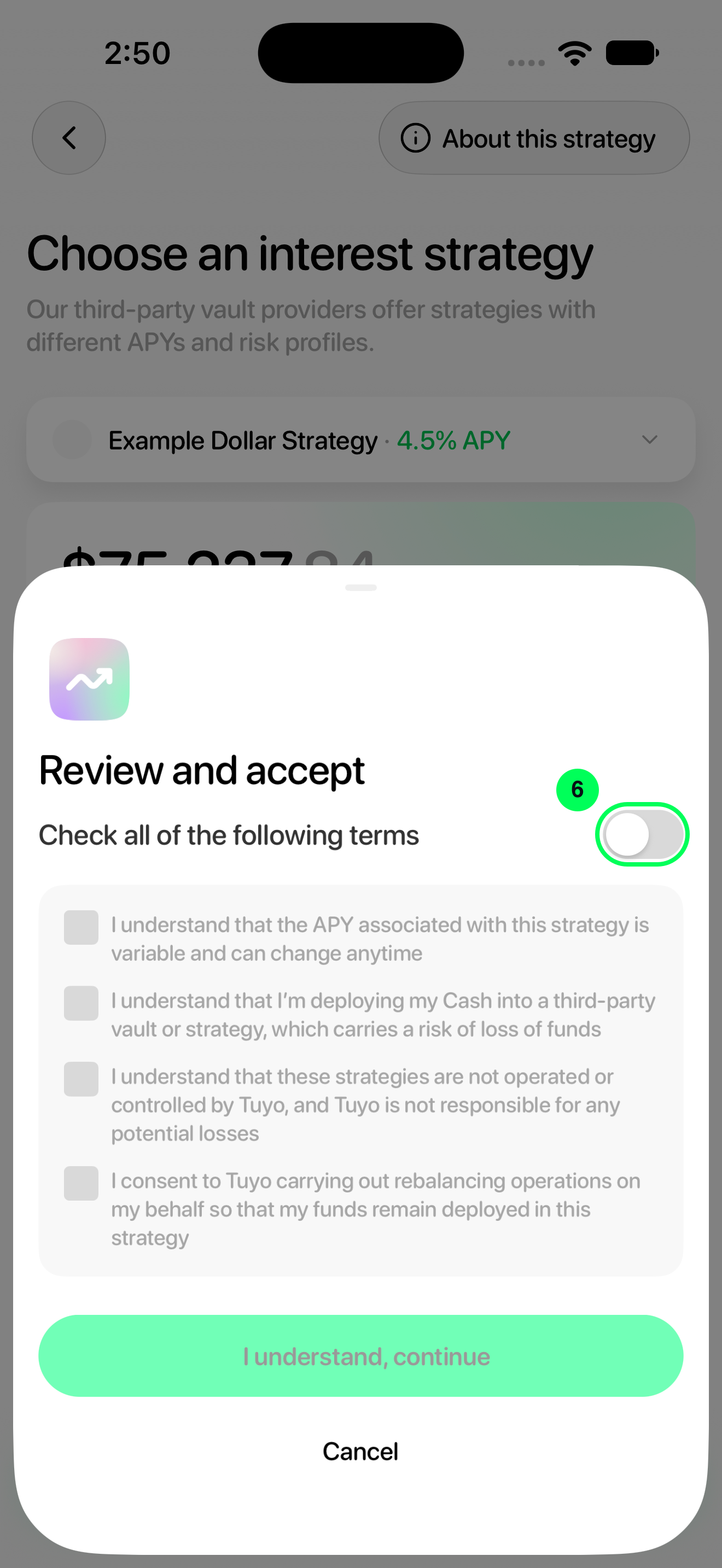
6. Review and accept the terms
Read the terms. If you understand and agree to all of them, turn on the switch beside Check all of the following terms.
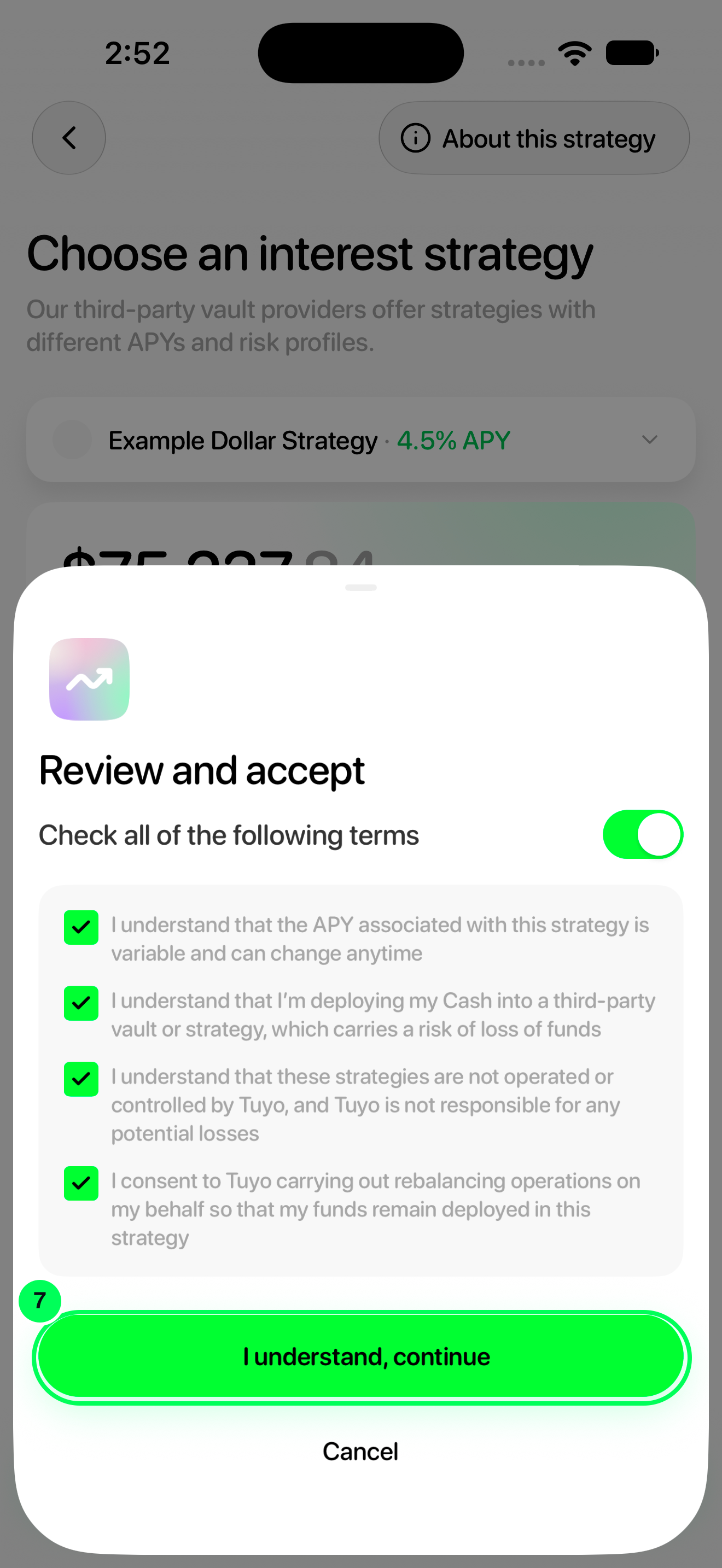
7. Continue with activation
Tap I understand, continue and follow any confirmation prompts shown in your app.
Choose a different strategy
Tap the strategy row above the chart, then choose another option from Select a strategy. That previews the choice in the calculator. Review its information before tapping Activate …% APY.
Before confirming
Rates are variable. Strategies lend through third parties, carry a risk of loss, and are not bank deposits or covered by deposit insurance.
If your card still spends from vaults, you may first see Your card will stop spending from your vaults. Tapping Accept and turn on ends card spending from those vaults; they stay in Investments and keep earning. To keep spending a vault, move it to Cash first.
After confirming
Complete device authentication if prompted. Wait for the app to finish updating, then check Cash → Your interest strategy. You can view earned interest, change strategy or turn interest off later.
Names, balances and rates in these screenshots are examples. Available strategies and APYs can change; use the values shown in your app.