
Review a Cash interest strategy
Understand a strategy’s APY, lending model and risks before choosing whether to earn interest.
For the updated iPhone app showing Cash and Investments on Home.
Quick text guide
- From Home, tap Cash.
- Tap Activate interest.
- Tap About this strategy to review the strategy shown in the calculator.
Interest strategies lend your dollars through third-party vaults. Interest is reduced by a fee. APYs are variable, loss is possible, and strategies are not bank deposits or covered by deposit insurance. Choosing a strategy is optional.
Step-by-step guide
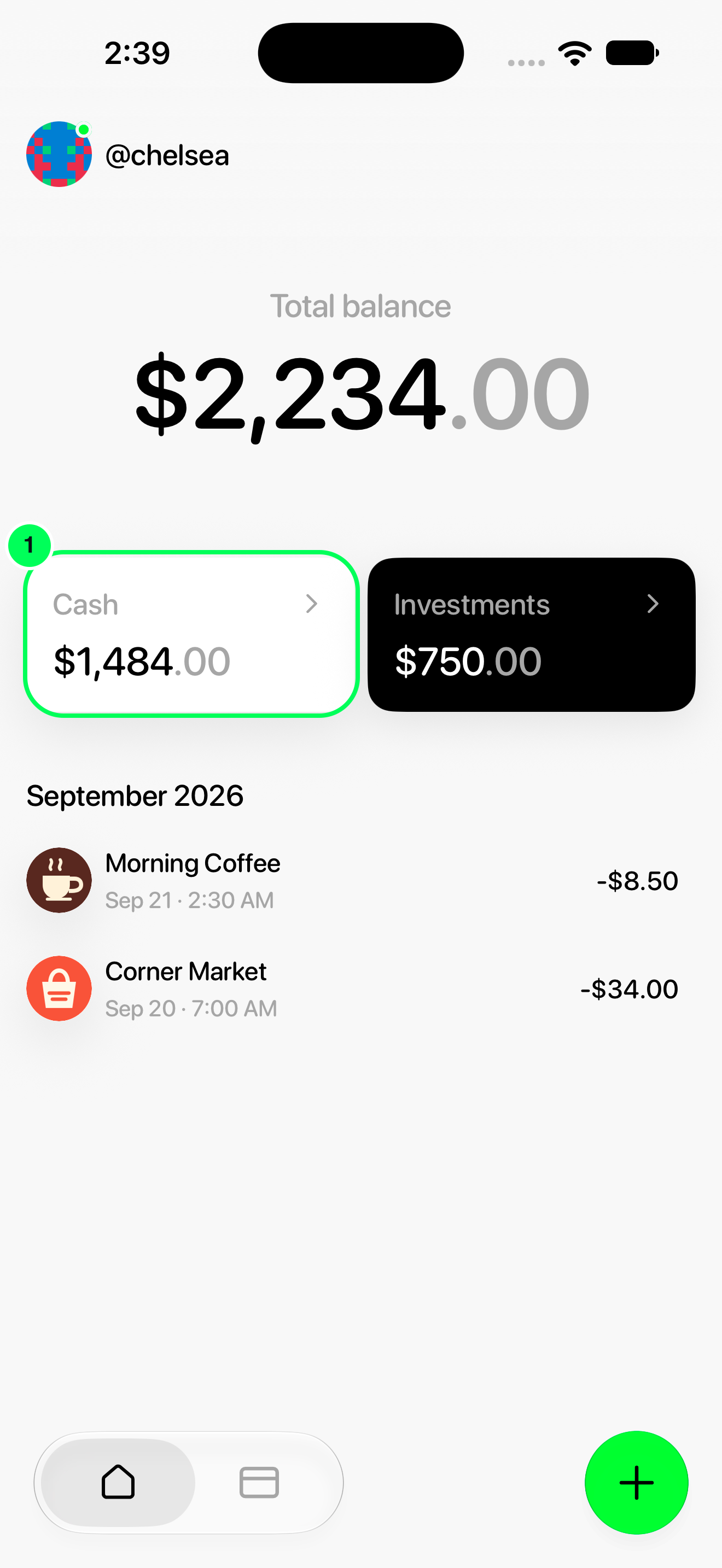
1. Open Cash
From Home, tap Cash.
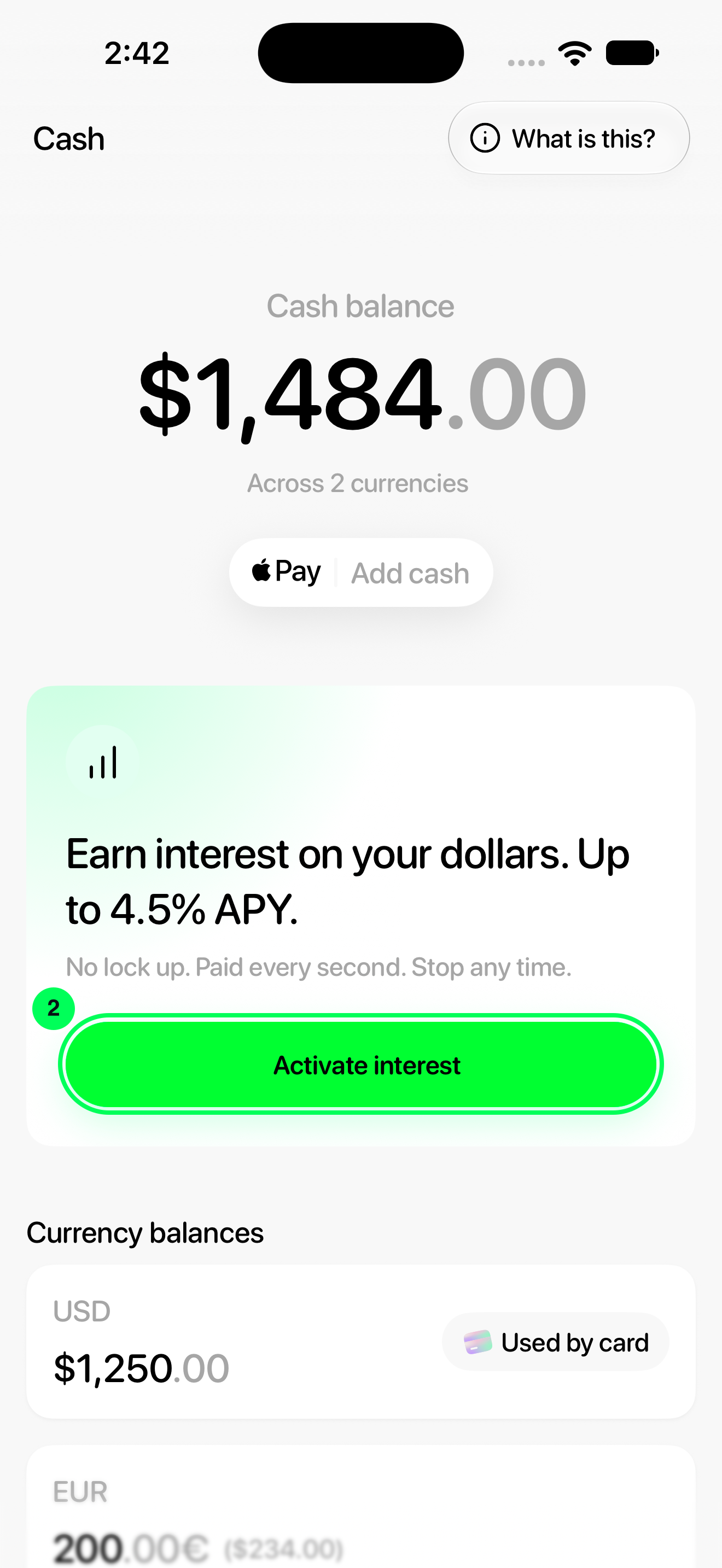
2. Open the interest calculator
Tap Activate interest.
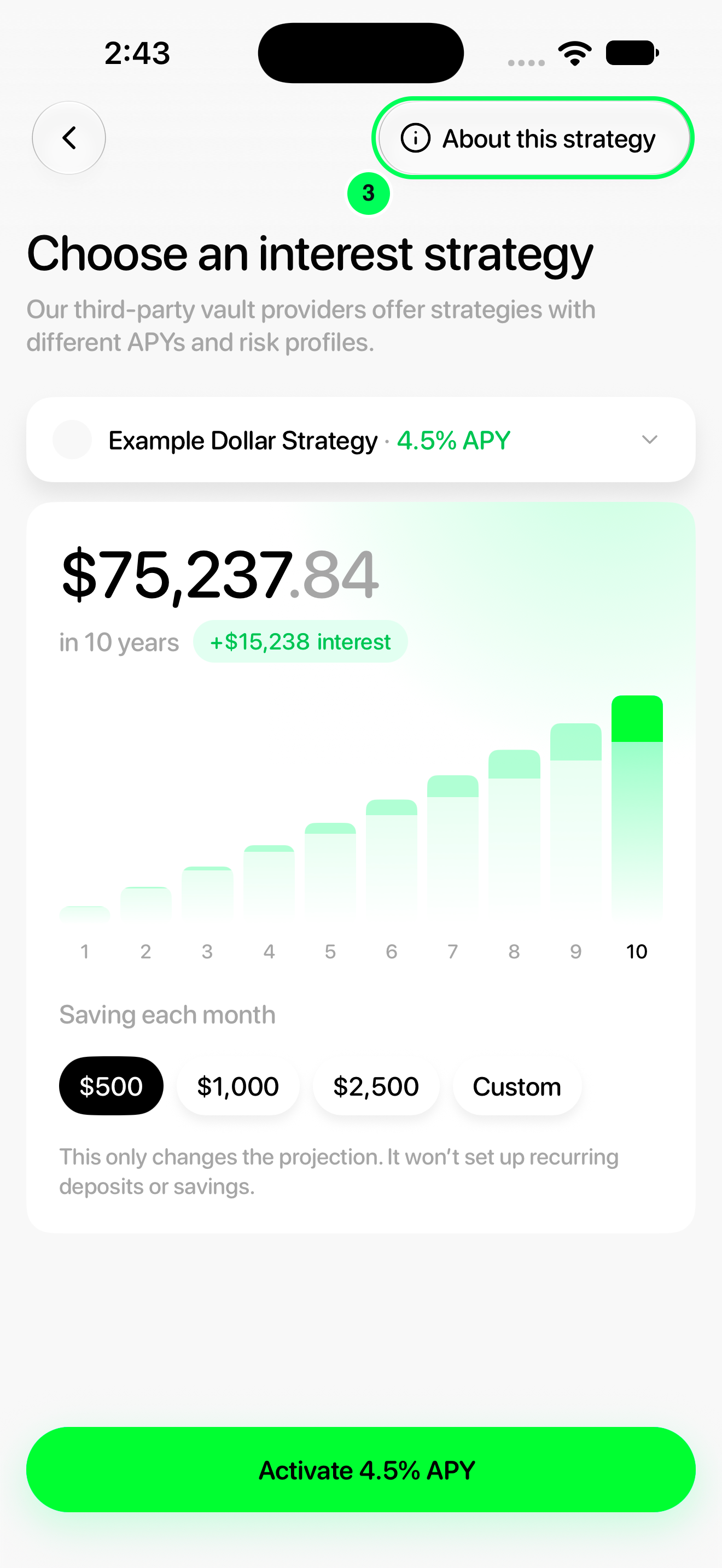
3. Inspect the strategy
Tap About this strategy to review the strategy shown in the calculator.
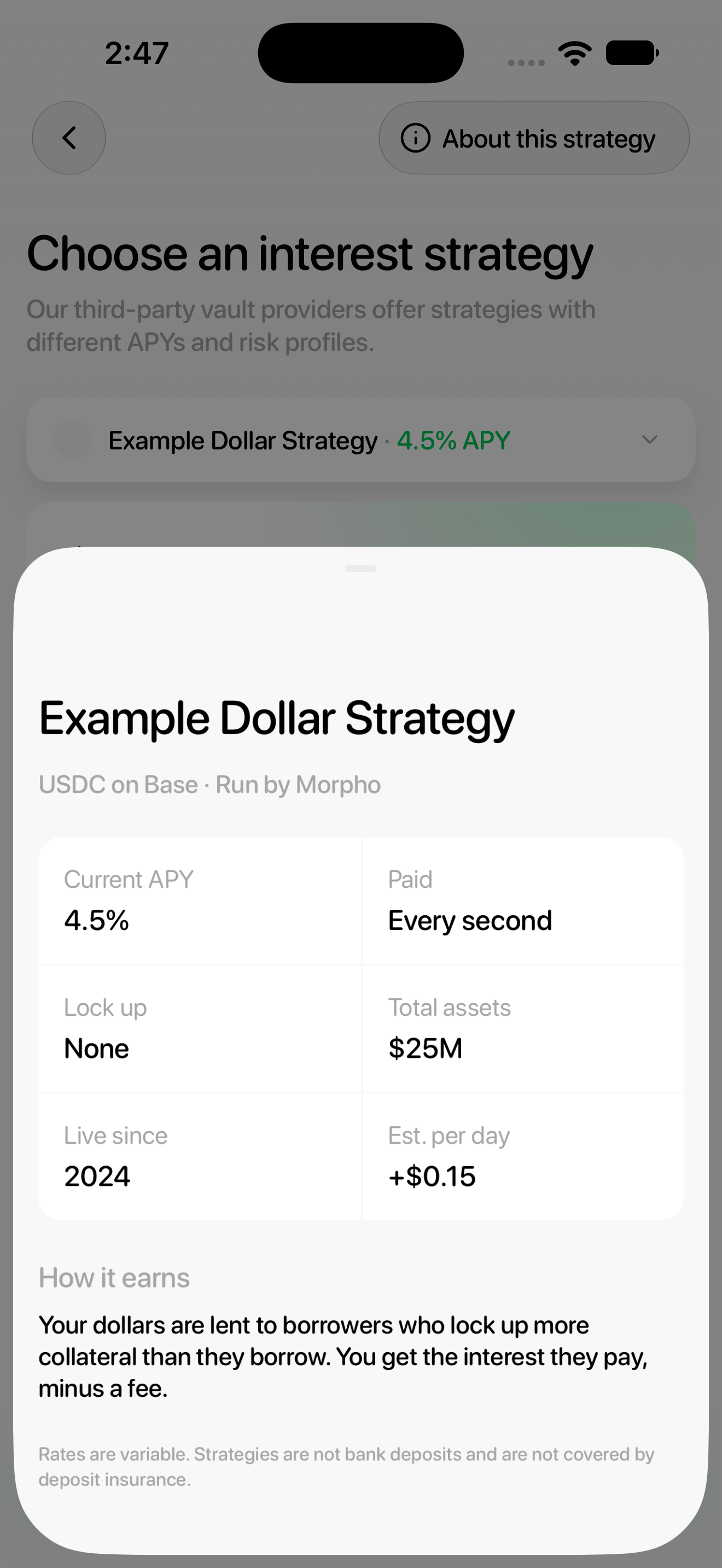
Read the strategy facts
Review Current APY, Paid, Lock up, Total assets, Live since and Est. per day, followed by How it earns and the insurance notice.
What the figures mean
- Current APY is an annualized rate that can change. It is not a guaranteed return.
- Total assets describes the strategy, not your personal balance.
- Est. per day is an estimate based on your dollar balance and the displayed rate.
- Lock up: None describes the strategy’s lock-up terms; it does not remove lending or code risk. The strategy picker also warns that withdrawals may be delayed.
The calculator previews a selected strategy. On an active strategy, open Cash → Your interest strategy → About this strategy to review its information.
Names, balances and rates in these screenshots are examples. Available strategies and APYs can change; use the values shown in your app.