
Change your Cash interest strategy
Choose a different strategy and review its terms before making the change.
For the updated iPhone app showing Cash and Investments on Home.
Quick text guide
- From Home, tap Cash.
- Tap the card under Your interest strategy.
- Under Manage strategy, tap Change strategy.
- Tap the strategy you want. The current strategy is already selected; this example chooses Example Dollar Strategy 2.
- Read the terms. If you understand and agree to all of them, turn on the switch beside Check all of the following terms.
- Tap I understand, continue and follow any confirmation prompts shown in your app.
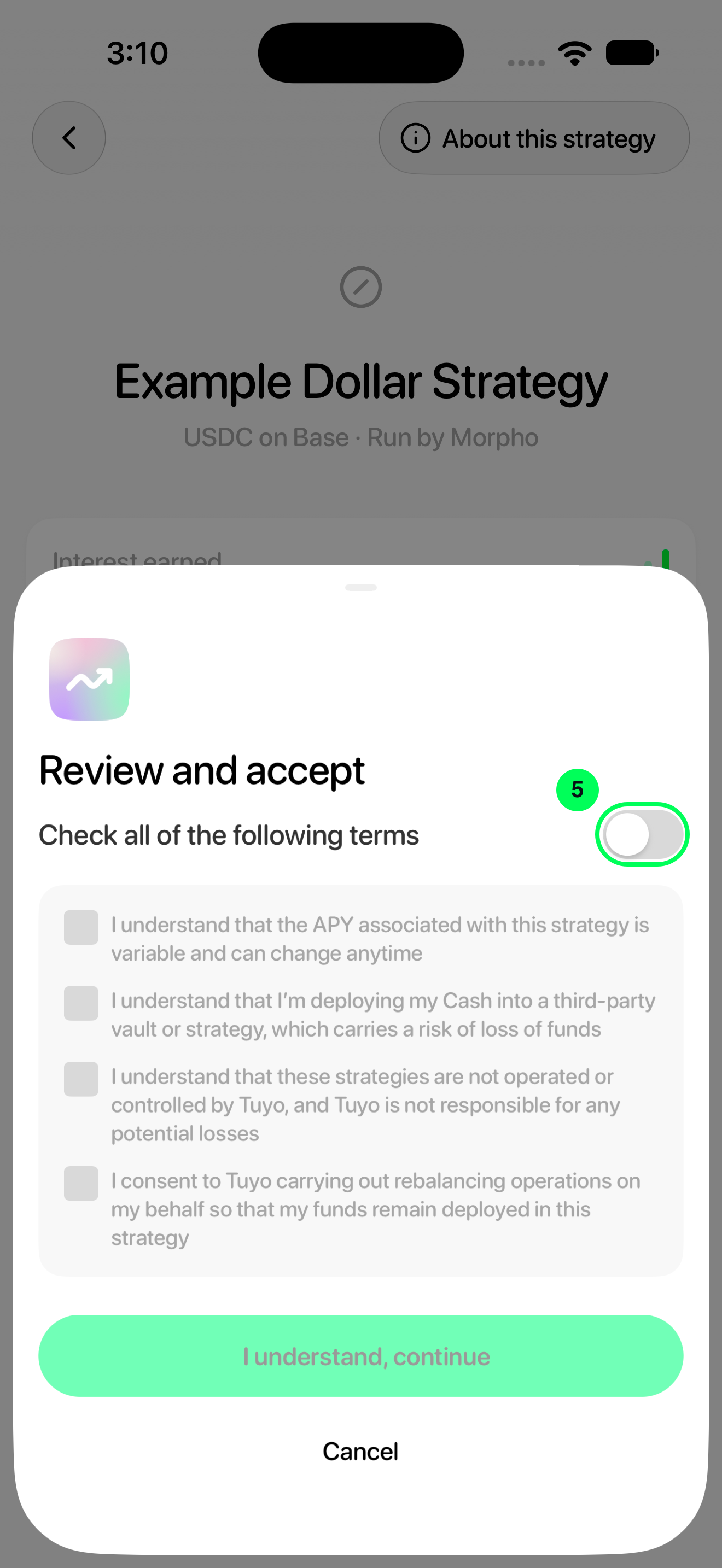
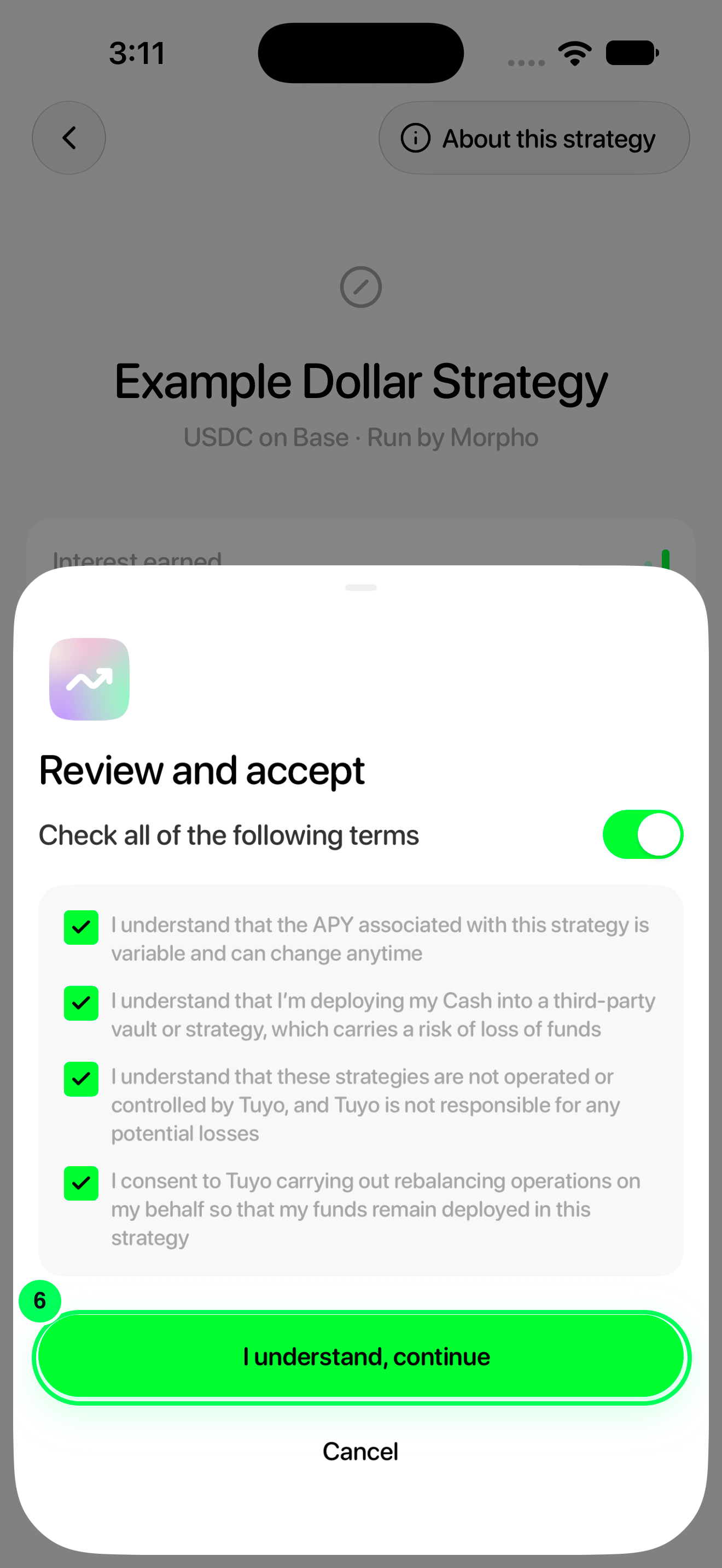
The terms cover a variable APY, possible loss in a third-party strategy, independent operators and consent to rebalancing. Review them again when changing strategy.
Step-by-step guide
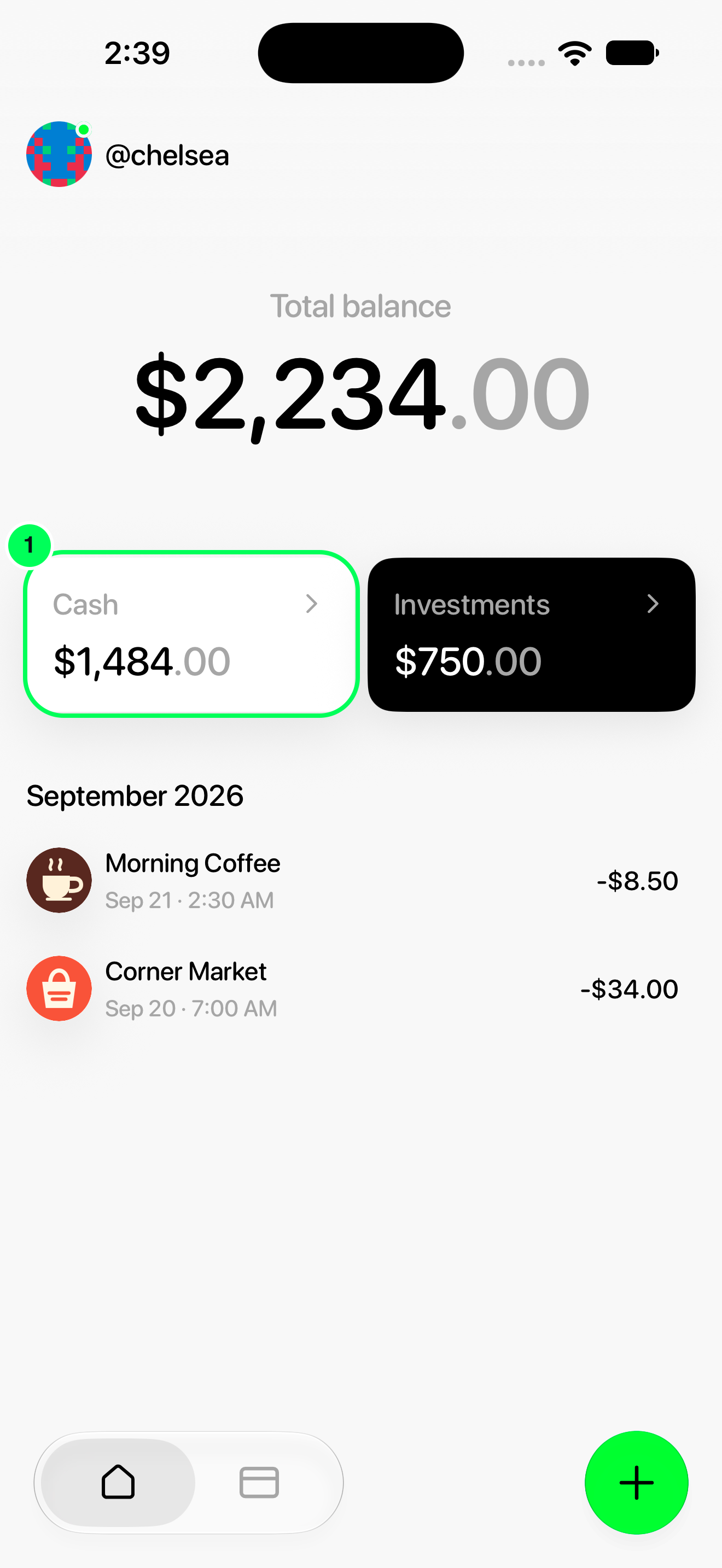
1. Open Cash
From Home, tap Cash.
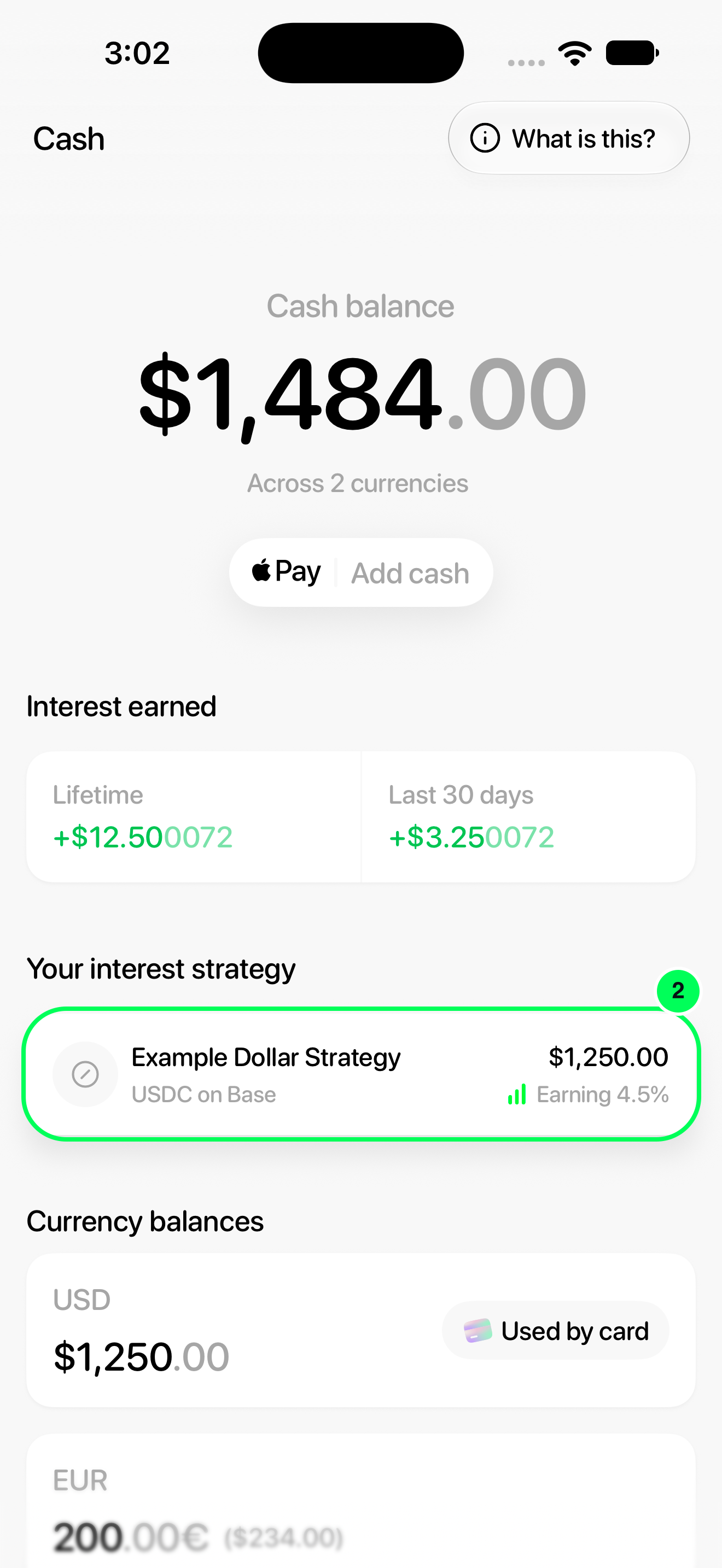
2. Open your active strategy
Tap the card under Your interest strategy.
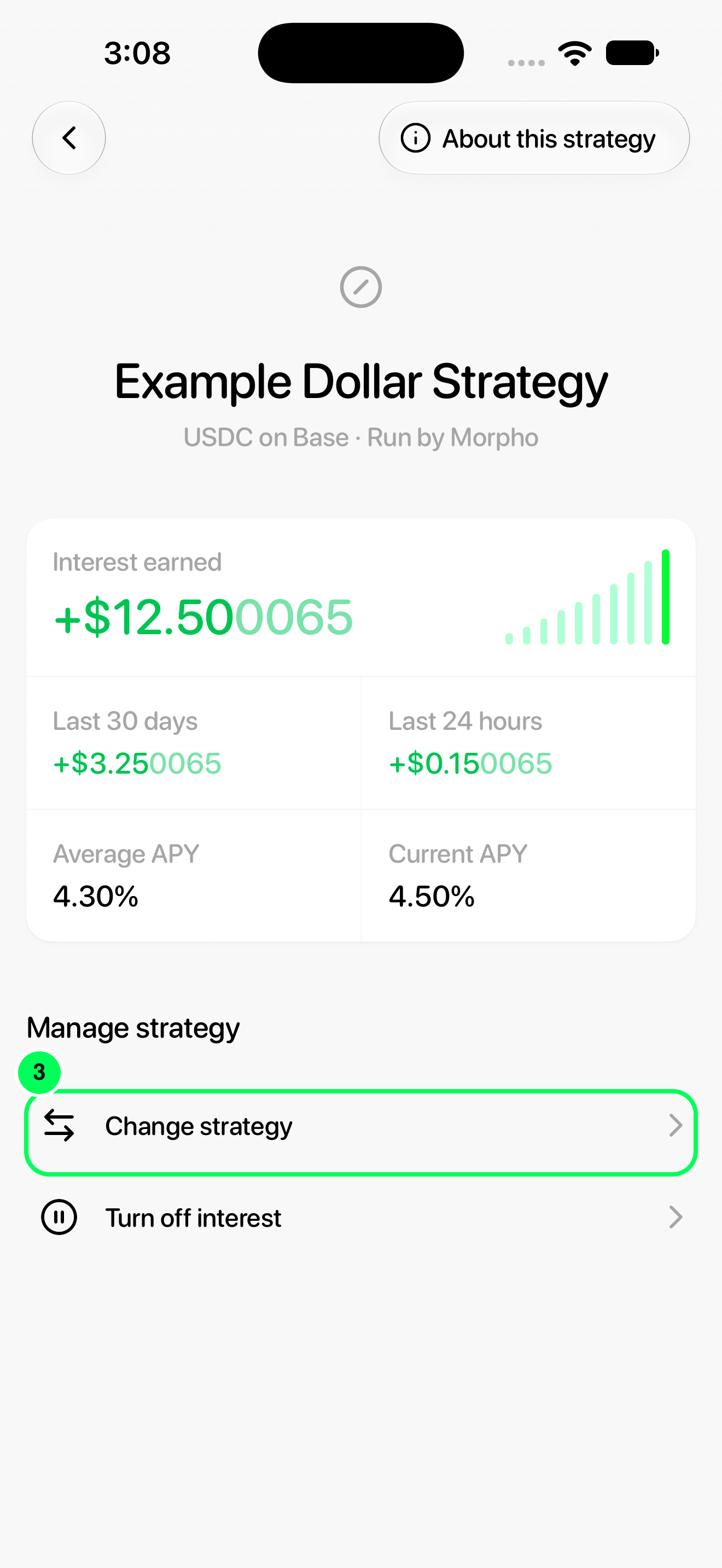
3. Open the strategy choices
Under Manage strategy, tap Change strategy.
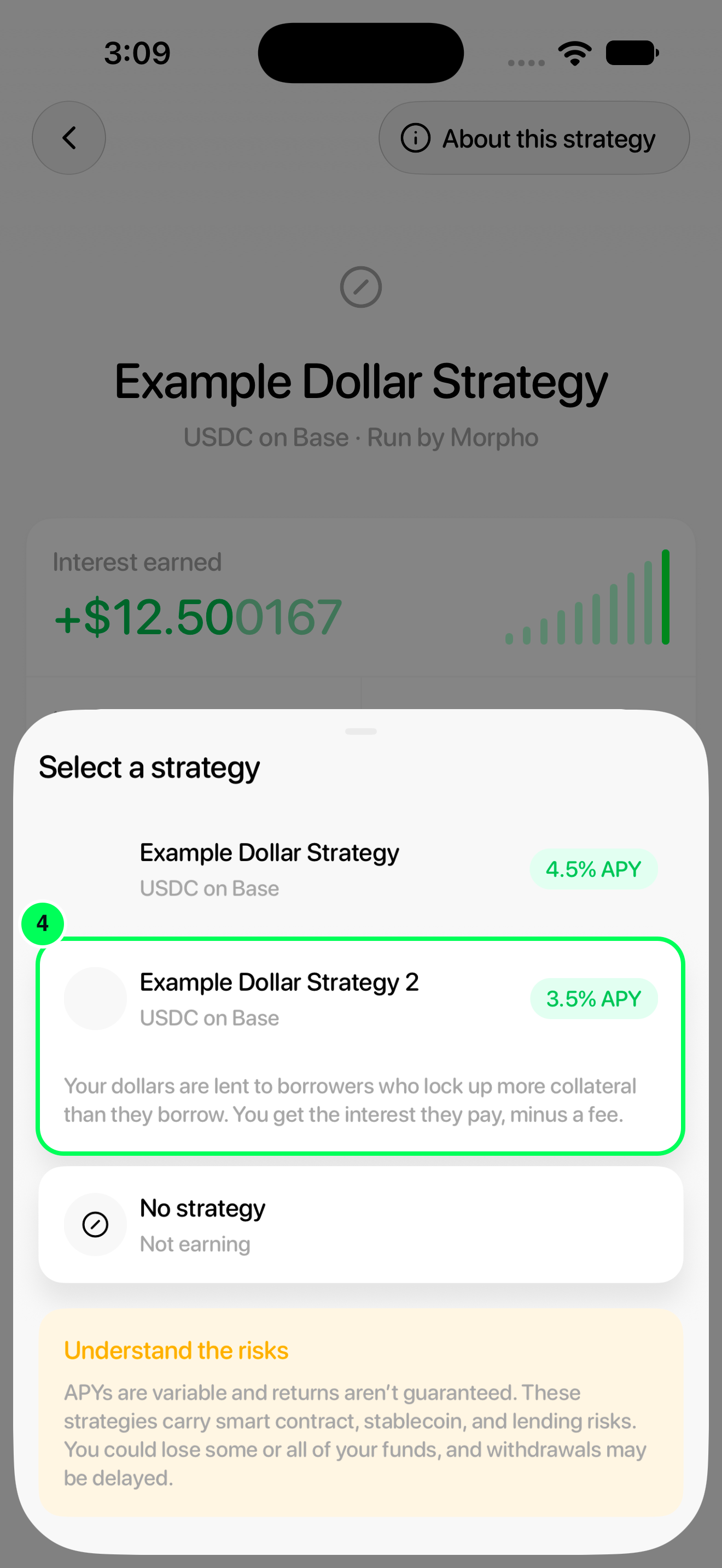
4. Choose a different strategy
Tap the strategy you want. The current strategy is already selected; this example chooses Example Dollar Strategy 2.
5. Review the terms
Read the terms. If you understand and agree to all of them, turn on the switch beside Check all of the following terms.
6. Continue with the change
Tap I understand, continue and follow any confirmation prompts shown in your app.
After confirming
Wait for the app to finish updating. Open Cash → Your interest strategy to check the active strategy. If the app reports an error, check the active strategy before trying again.
To keep dollars without earning interest, use Turn off Cash interest.
Names, balances and rates in these screenshots are examples. Available strategies and APYs can change; use the values shown in your app.