
Turn off interest on your Cash
Move your Cash out of its interest strategy and keep it as plain USDC.
For the updated iPhone app showing Cash and Investments on Home.
Quick text guide
- From Home, tap Cash.
- Tap the card under Your interest strategy.
- Under Manage strategy, tap Turn off interest.
- Review Turn off interest?, then tap Turn off interest to confirm.
Turning interest off removes your Cash from this strategy so it stops earning interest. The Cash FAQ explains that your dollars return to plain USDC and the interest already earned stays yours.
Step-by-step guide
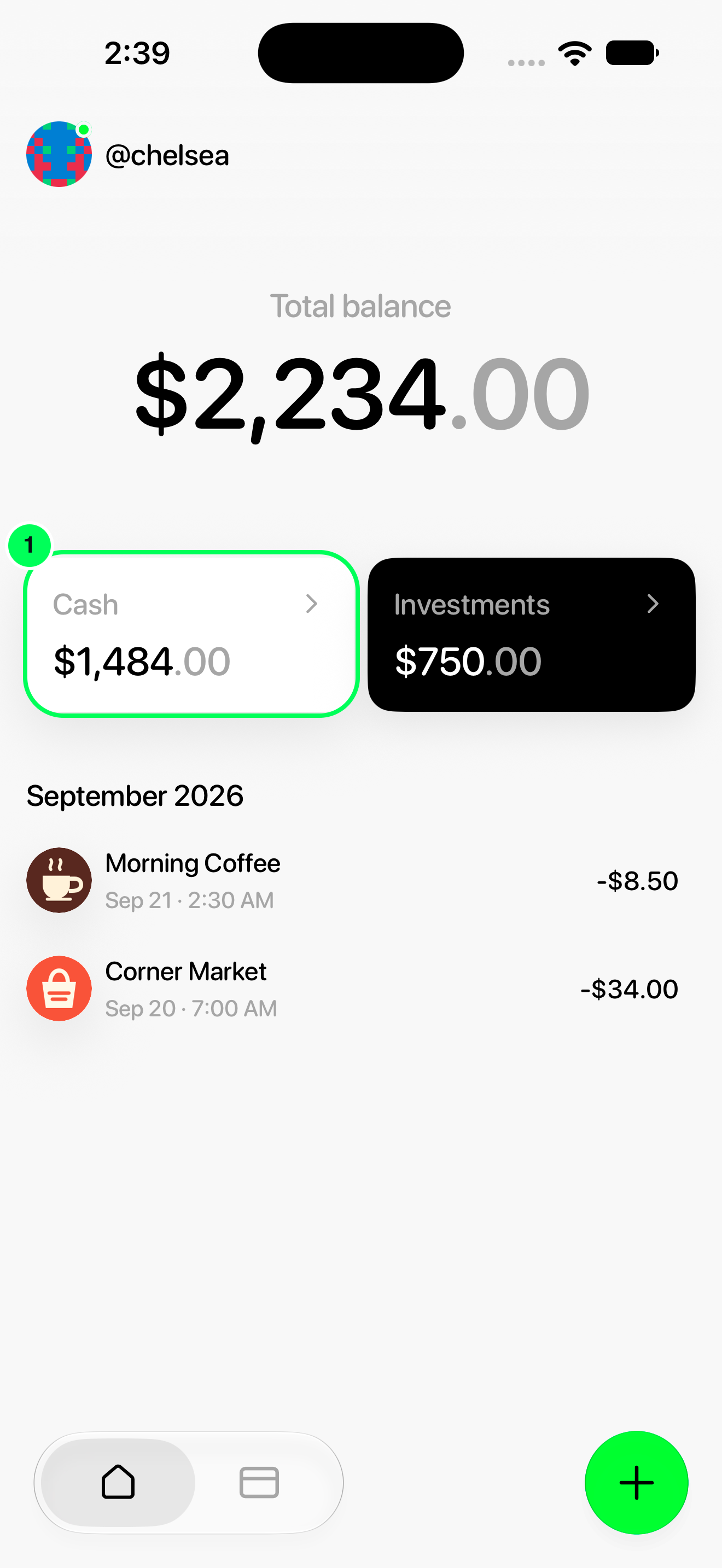
1. Open Cash
From Home, tap Cash.
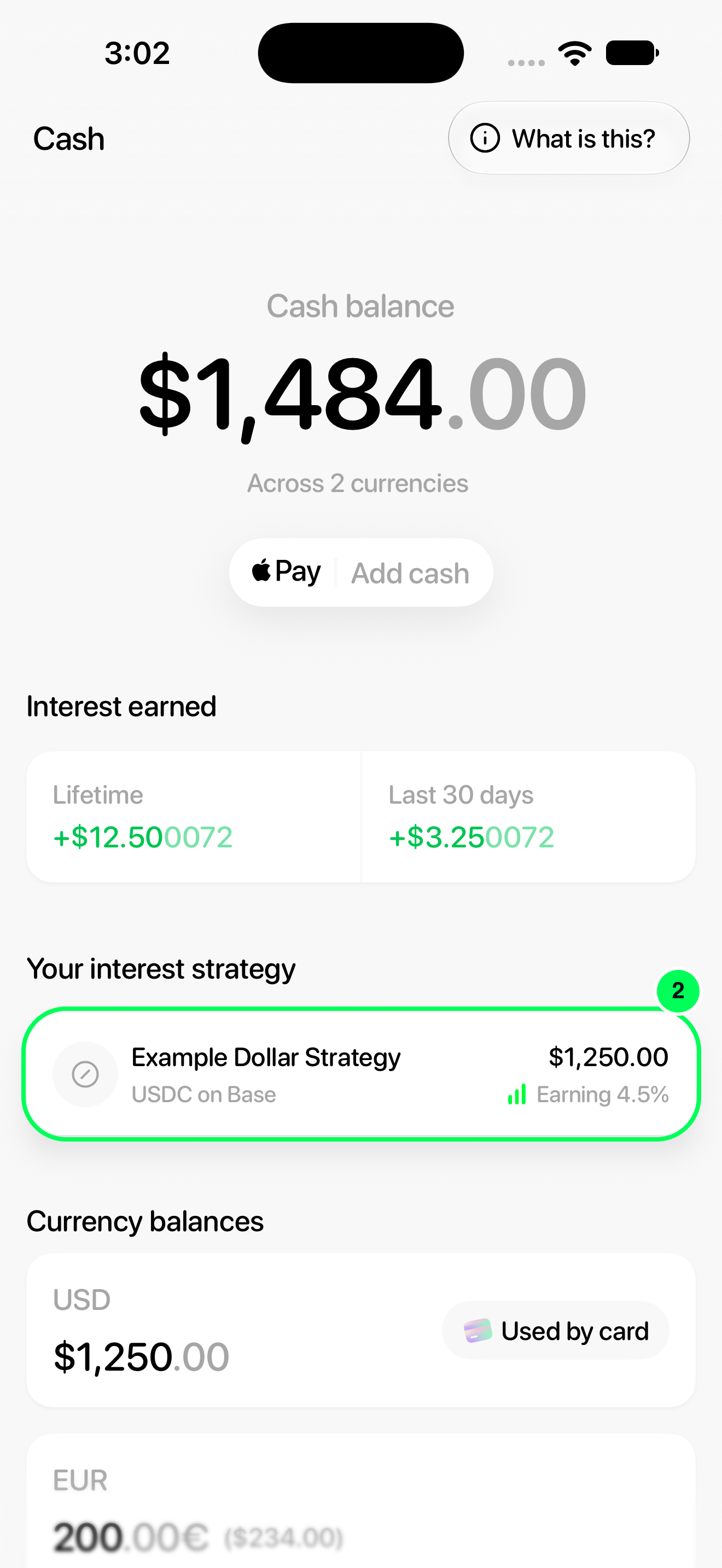
2. Open your active strategy
Tap the card under Your interest strategy.
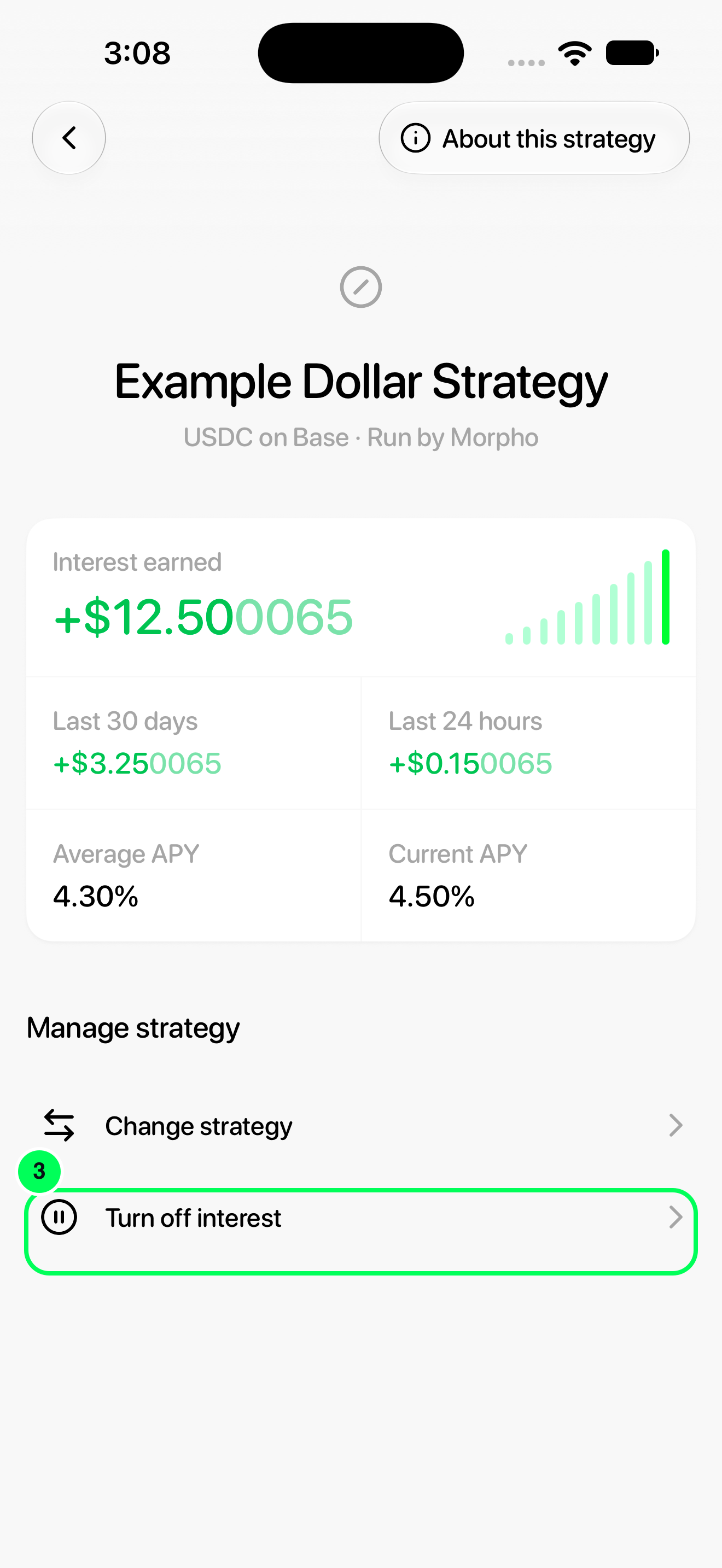
3. Open the turn-off confirmation
Under Manage strategy, tap Turn off interest.
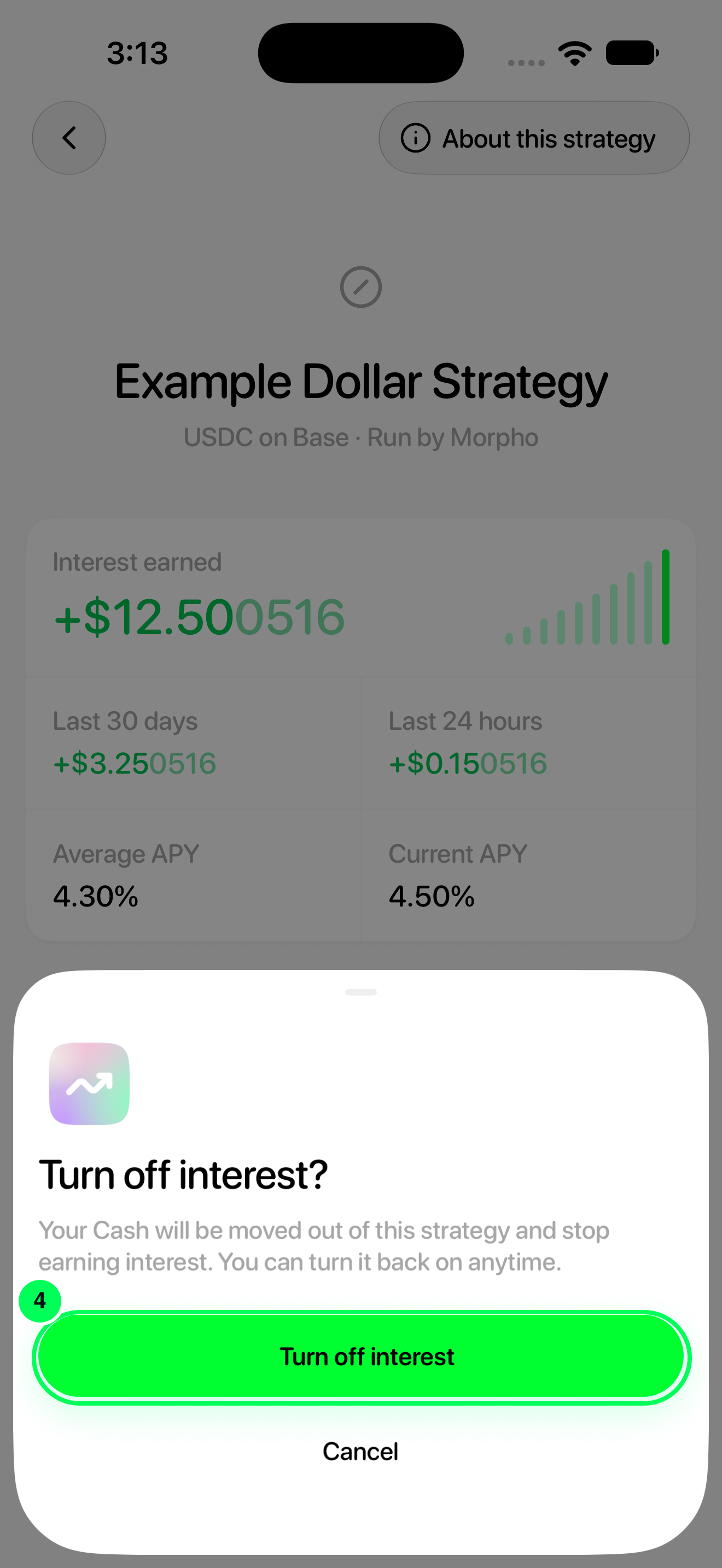
4. Confirm turning interest off
Review Turn off interest?, then tap Turn off interest to confirm.
After confirming
Wait for the app to finish updating and check Cash. You can choose a strategy again later from Activate interest. Interest strategies are optional; salary deposits are not required.
Names, balances and rates in these screenshots are examples. Available strategies and APYs can change; use the values shown in your app.